

You are planning a webcast for a one-off event, such as a conference, a congress or an information session, and you want a solution without an annual contract. On top of that come questions no price comparison answers: Does the allowance cover a full event day? Who helps on event day if something goes wrong?
MEETYOO Show runs in the browser. You start on the permanently free Forever Free plan and book Starter by the month when you need it. The CERES research consortium ran its closing conference on a subscription with short monthly terms, with no software installation and with up to 150 people connected at the same time.
What makes a one-off event different
If you produce a webcast every week, you build routine. A one-off event has one date, no second attempt and a team that may operate the platform for the first time. Three things determine your choice of plan: term, rehearsal and support on event day.
Forever Free plan: permanently free, no expiry date, no credit card required. You set up a test room, try the engagement tools and AI features, and see how your conference feels. Start for free
Seven questions before you choose a plan
The checklist shows where the plans differ. You always find the current limits on the pricing page.
| Question | What you check | Difference by plan |
|---|---|---|
| How many registrations do you expect? | The limit applies per event to registrations. Plan with the number of sign-ups. | Free and Starter have a limit per event. Enterprise offers unlimited registrations and concurrent viewers. |
| How many hours does the event run live? | Rehearsals count towards live time. Add up rehearsal and all event days and compare the total with the monthly live allowance. | Live hours per month differ by plan. |
| How many hours of recordings should stay online? | On-demand hours are limited per plan. | Free and Starter have different on-demand allowances. |
| Do you need the recording as a file? | You need the export for archives, partners or sharing. | MP4 export is available from Starter. |
| What should the event look like? | Branding with logo and colours, plus stream quality. | Free: theming with the MEETYOO logo, HD (720p). Starter: full branding features, Full HD possible. |
| Where does the signal from the room come from? | A webcam or a tool that provides a virtual webcam as output, for example OBS. | Additional stream inputs such as RTMP are part of Enterprise. |
| How much support do you need on event day? | Rehearsal, live direction, help with disruptions. | Free: basic email support. Starter: priority email support and optional expert-managed service. Enterprise: 24/7 support, fully managed service, account manager. |
Webcast for a one-off event: which plan fits?
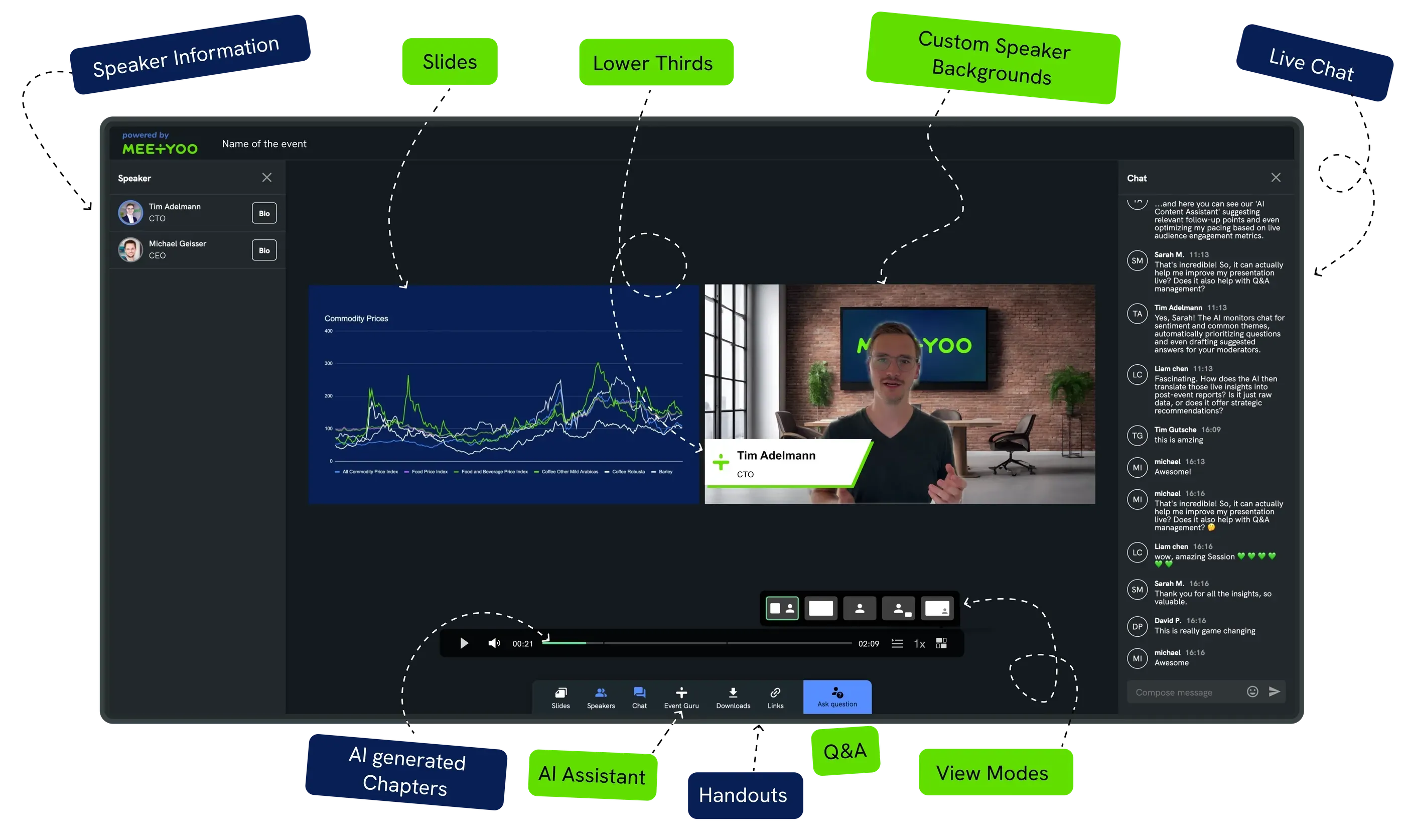
All three plans include the engagement tools such as Q&A, polls and chat, as well as the AI features, where usage limits can apply. The plans differ in capacity, branding, export and support.
| Plan | Fits | What to keep in mind |
|---|---|---|
| Forever Free (permanently free) | Rehearsal, small formats, a first impression of the platform | Limits on registrations, live and on-demand hours. Theming with the MEETYOO logo, 720p, no MP4 export. |
| Starter | Conference, congress or information event with your own look | Bookable and cancellable monthly. Full branding features, Full HD, MP4 export, optional expert-managed service. No additional stream inputs such as RTMP, no dial-in. |
| Enterprise | Very large or recurring events, requirements for SSO, RTMP or phone dial-in | Individual quote. Unlimited registrations and concurrent viewers, 24/7 support, fully managed service, account manager. |
The cost guide looks at costs across several events. It also explains when Enterprise makes sense and when Starter with Service on Demand stays cheaper.
Four typical one-off events
This is how the choice of plan plays out for four typical events.
| Event | What you pay particular attention to | Plan direction |
|---|---|---|
| One-day conference with an external audience | Registrations, live hours across the whole day, room signal | Rehearse on the Free plan, run the event on Starter |
| Multi-day congress | Total live hours of all days plus rehearsal | Check the live allowance carefully, talk to us about Enterprise if you need a lot |
| Closing conference with partners from research and the public sector | Data processing agreement, EU servers, accessibility, data protection checklist | Starter, optional expert service |
| Internal information event with a very large audience | Unlimited concurrent viewers, SSO, phone dial-in | Enterprise |
Plan the term: rehearse on Free, run the event on Starter
You rehearse on the Free plan, book Starter for the month of the event and decide afterwards whether to cancel or extend. Rehearsals also count towards the live time of the respective month. Build them into your allowance.
| Phase | Plan | What you do |
|---|---|---|
| Weeks before | Forever Free | Set up a test room, define agenda and roles, try Q&A and polls, brief your team |
| Month of the event | Starter, monthly | Set up branding, test the room signal, dress rehearsal, run the event |
| After the event | Starter, then cancel or extend | While Starter is running: save the recording as MP4, use transcript and chapters. Then cancel or extend |
Clarify before you book: Ask us about the cancellation terms and about what happens to your on-demand archive when the term ends. Secure the recording with the MP4 export first. Talk to our team
Streaming a conference online: room signal and event day
At CERES, an external company supplied the video and audio signal in the hall. If you also work with an AV company, clarify early which output it provides.
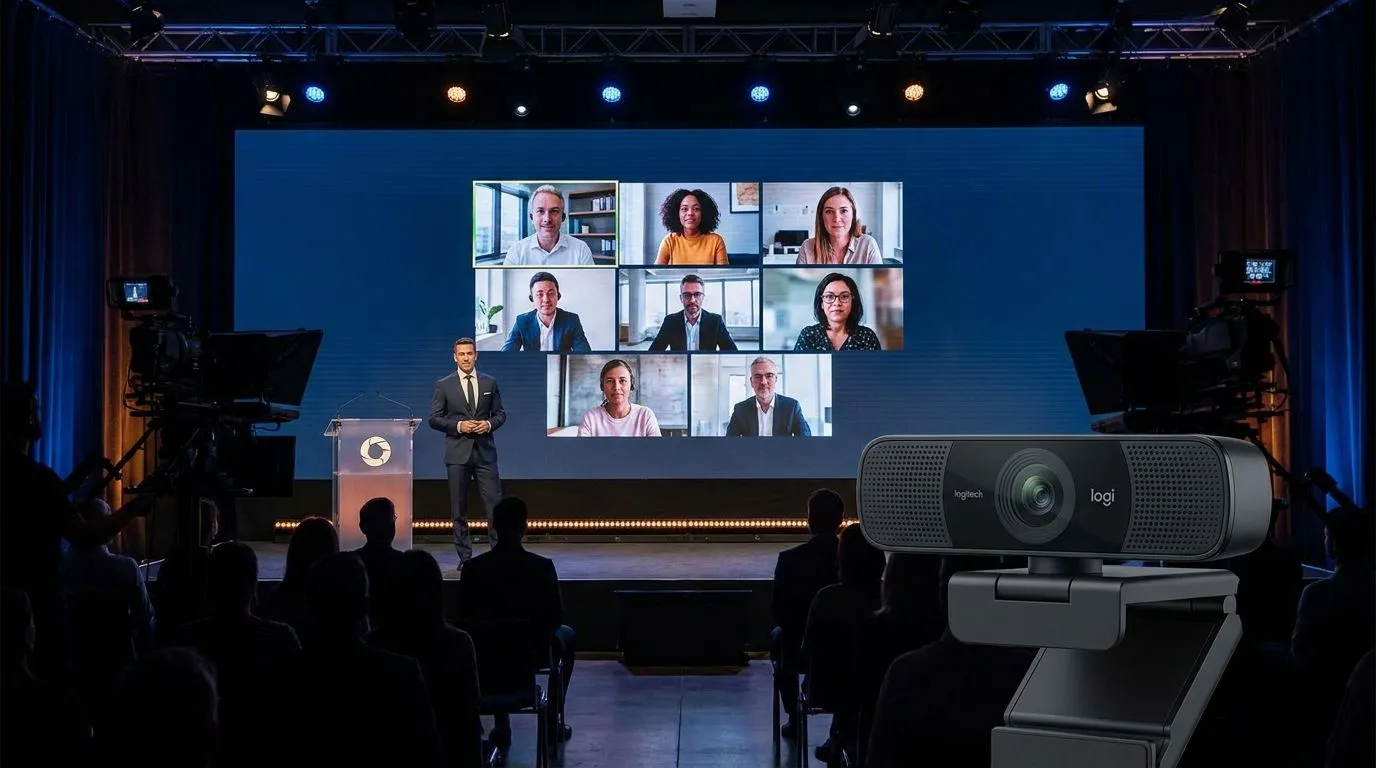
MEETYOO Show accepts a webcam or a tool with a virtual webcam as input. With OBS, you select the OBS Virtual Camera in the browser as your video source. If you need additional stream inputs such as RTMP, talk to us about Enterprise.
Questions from the room take the same route as questions from the stream: the audience on site submits them in the browser via QR code, and they land in the same moderation layer. With the Q&A-only view on a separate monitor, the moderator on stage sees only the approved questions. The guide Hybrid events shows the setup.
For event day you have two options. With self-service you operate the platform yourself, as CERES did with staff who had no special technical expertise. If you lack routine or a lot is at stake, you add the expert service: an experienced MEETYOO production team takes over setup, rehearsal and live operation. The guide Managed service or self-service helps you decide.
Example CERES: The research consortium opened its closing conference to a hybrid audience with MEETYOO Show. The consortium named the subscription with short monthly terms, which suits a one-off event, and the solution without software installation, which simplified procurement, as reasons. The first test room was ready after a few minutes, and up to 150 people were connected at the same time. The consortium describes the added value of the question tool for the expert exchange as enormous. Read the case study
After the event: reuse the recording
After the conference, you have a recording. The AI features in MEETYOO Show turn it into a transcript, chapter markers and key moments. Attendees and anyone who missed the event jump straight to the parts that interest them.
That turns a conference into a searchable archive. The guide to hybrid conferences covers roles in the room and in the stream, the data protection checklist with data processing agreement and EU servers, and accessibility.
Conclusion
For a one-off event, you start on the permanently free Forever Free plan, book Starter for one month and cancel or extend afterwards. MEETYOO Show runs in the browser. On top come ISO 27001, GDPR, EU servers and a team you can add for event day. Companies such as AutoScout24, Commerzbank, Mercedes-Benz and MRH Trowe rely on MEETYOO Show.
Next step: Check your numbers with the checklist and start with the rehearsal. Start on the Forever Free plan or talk to our team if you want to align plan and term for your event.
FAQ
Can I use MEETYOO Show for a single event only?
Yes. The Forever Free plan is permanently free, with no expiry date and no credit card. Starter can be booked and cancelled monthly. That lets you fit the term to your event.
Is the Forever Free plan enough for a conference?
That depends on three limits: registrations per event, live hours per month and on-demand hours. The permanently free Free plan suits rehearsals and small formats. You find the current values on the pricing page.
Do attendees have to install software?
No. MEETYOO Show runs 100 percent in the browser. Attendees click a link and join the event.
How do I feed the signal from the event hall into the platform?
Use a webcam or a tool with a virtual webcam as output, for example OBS. Additional stream inputs such as RTMP are part of the Enterprise plan.
When is the expert service worth it?
When your team operates the platform live for the first time or the event carries a lot of weight. In Starter you add the expert service as an option, in Enterprise it is fully included.
When do I need Enterprise instead of Starter?
When you need unlimited registrations and concurrent viewers, SSO, additional stream inputs such as RTMP, phone dial-in or 24/7 support. For occasional larger events, Starter with Service on Demand is often the more economical choice.
Is MEETYOO Show suitable for public authorities and research institutions?
MEETYOO Show is ISO 27001-certified, GDPR-compliant and runs on EU servers. We conclude a data processing agreement with you. Customers include, among others, CERES, the BSI and the German Federal Foreign Office.


