
Create the webinar
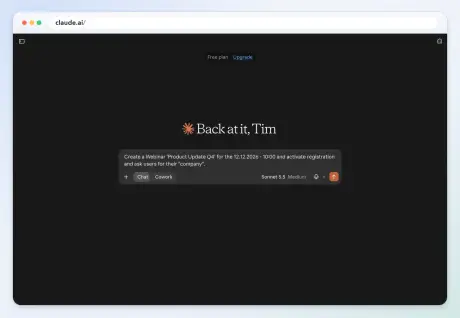
Create a webinar “Product Update Q4” for 12 Dec 2026 at 10:00, turn on registration, and ask for company.
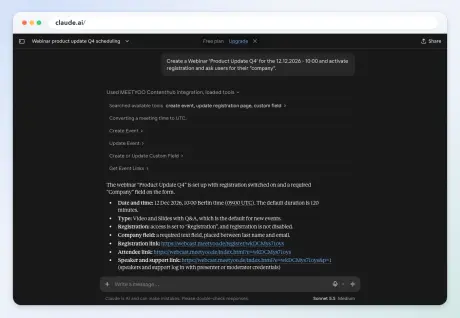
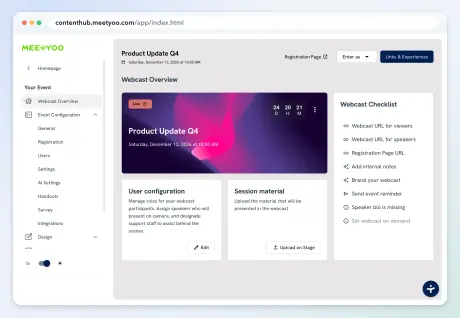
Claude created the event, switched registration on, and added a required Company field. The hub shows the new webcast.
MCP server
Included in every plan, including Free
The AI client you already use can run the webinar work. Ask it to create the event, see who registered, and work with the transcript.
Works with
Claude
Connected to MEETYOO
You
What you can ask
These are the jobs it can take on in MEETYOO Show. You stay in the chat you already have open.
You ask
Create Product Update Q4 for 12 December at 10:00.
The webcast is in your hub, with the title and the date.
You ask
Turn on registration and ask for company.
The form is live, with company as a required field.
You ask
Who registered, and how many people watched live?
The guest list and the attendance numbers, back in the chat.
You ask
Add our two speakers, with their names and job titles.
The speakers are on the event, ready for the page.
You ask
Transcribe in English and translate into German and French.
The spoken language and the translations are saved. What you can turn on depends on your plan.
You ask
What did people ask, and how did the poll turn out?
The questions, the poll results, and a report from the session.
You ask
Cut a short highlight from the recording.
A clip from the session. Exporting the full video is part of a paid plan.
You ask
How do I send a confirmation email to people who register?
An answer from the MEETYOO Show guides, in the same chat.
Claude
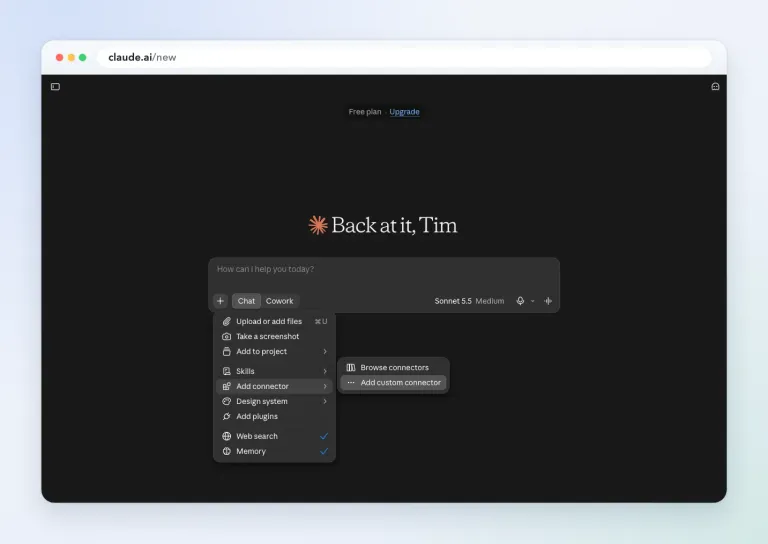
In Claude, open the chat menu, choose Add connector, then Add custom connector.
Open Add connector and choose Add custom connector.
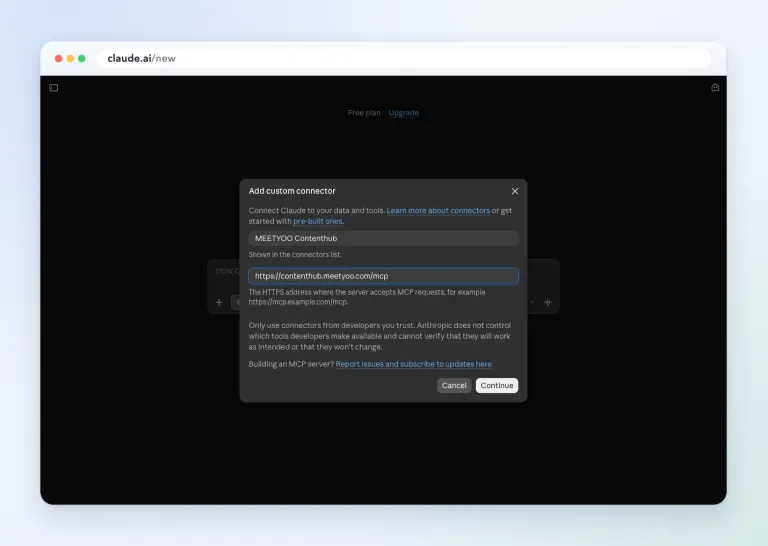
Name it MEETYOO and paste https://contenthub.meetyoo.com/mcp.
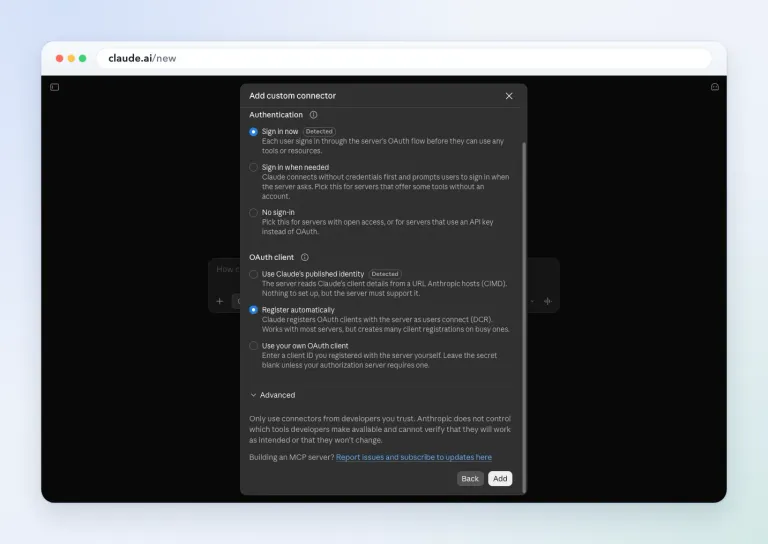
Claude detects OAuth. Leave Sign in now and Register automatically selected, then add the connector.
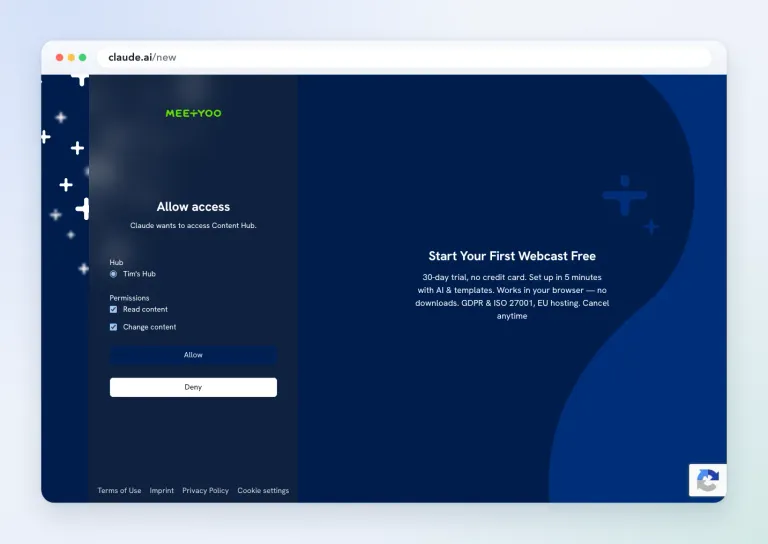
Sign in to MEETYOO, pick the hub, and allow read and change. Claude asks again before each tool runs.
On Claude Team or Enterprise, an owner adds the connector for the organization. Members then click Connect. Claude Free allows one custom connector. That limit is set by Claude, not by MEETYOO.
In practice
These recordings use a test hub. The Free plan badge in Claude is Claude’s plan, not the MEETYOO plan.
Create a webinar “Product Update Q4” for 12 Dec 2026 at 10:00, turn on registration, and ask for company.
Claude created the event, switched registration on, and added a required Company field. The hub shows the new webcast.
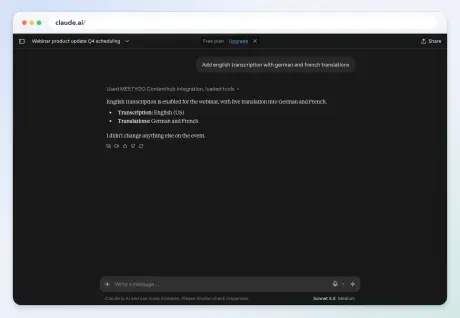
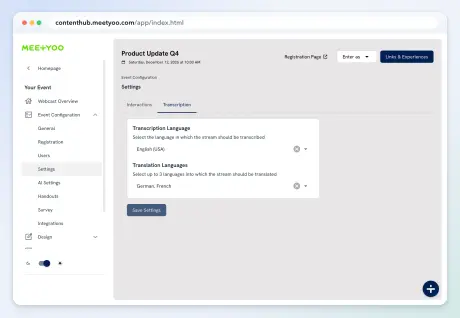
Add English transcription with German and French translations.
Claude set English (US) as the transcription language and German and French as translations. Which translations you can save depends on your MEETYOO plan.
What else should we set up before the webinar starts?
Claude reads the event and lists the gaps: page language, confirmation email, speakers, slides, branding, polls.
Short answers before you connect.
No. MCP is included in every MEETYOO plan, including Free, with no extra MCP limit. API access stays on the Enterprise plan.
The click path on this page is Claude. The same server speaks the open Model Context Protocol, so other MCP clients such as ChatGPT, Cursor, Copilot and Gemini can connect with the same URL.
There is no tool that deletes an event. The agent can only do what your account may do, for example remove an attendee, take a recording off on-demand, or detach an event from a series. Claude asks before each tool runs.
You sign in to MEETYOO. Tool results are limited to that account and hub. The prompt and the returned data are then processed by the AI provider you chose.
For your own Claude account, you can add the connector yourself. On Claude Team or Enterprise, an owner adds it for the organization. Other clients can use a personal access token from your profile.
Event Guru is the assistant inside MEETYOO Show. MCP lets an outside client, such as Claude, call the same hub. The API is for your own integrations and stays on the Enterprise plan.
Still have questions?
Our team is happy to help. Just get in touch.
The server is live on every plan. Start in Claude, or create a free MEETYOO hub first.