
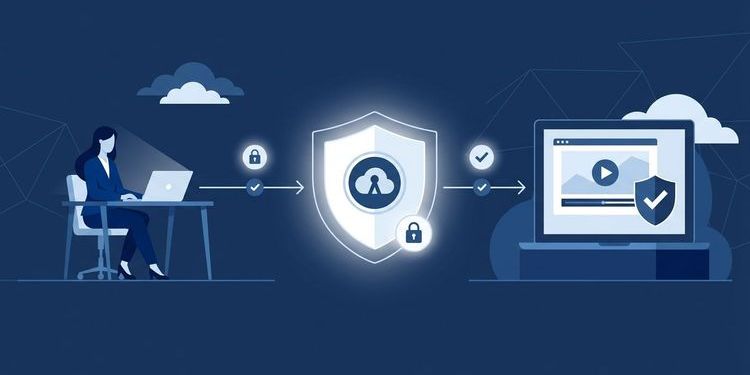
When organisations evaluate their webcast platform, IT departments eventually hit a question that sounds simpler than it is: how do we actually control who gets access to our events?
The right answer depends on the scenario — and on the consequences of getting it wrong. Sending the link to an internal town hall as an open URL creates not just a confidentiality problem but a potential GDPR exposure. Putting an external customer event behind SSO shuts out the very audience you're trying to reach. And using the same method for both means one of the two will fail.
This guide covers the four common webcast access strategies — SSO via Azure AD, registration pages, personalised links and ticket gates — with their respective strengths, limitations and data protection implications. It also shows how MEETYOO implements each of them, individually or in combination.
Why webcast access control is underestimated
In practice, access to webcasts is often treated as an afterthought: the event is planned, the stream is configured — the link goes out shortly before it starts. What gets overlooked is that personal data is created from the first click.
Anyone who clicks a webcast link leaves behind an IP address. Anyone who logs in generates a timestamp, a session ID and a user profile. Anyone who submits a question in the Q&A leaves content data that, in the worst case, could reveal health information, trade union affiliation or political views.
Under the GDPR, all of this constitutes data that requires a lawful basis for processing — regardless of whether the event is internal or external. The question "who gets in?" is therefore not just an organisational one, but a data protection one.
The overlooked risk of open links: An unprotected webcast link can be forwarded, shared or indexed by search engines. For internal town halls or earnings calls, this is a real risk — not just for data protection, but for confidentiality and regulatory compliance.
The four access strategies compared
SSO (Single Sign-On) via Azure AD
How it works: Attendees authenticate through the organisation's existing identity system — in practice, usually Azure Active Directory or Microsoft Entra ID. The webcast platform accepts the token from the identity provider and grants access without requiring a separate password.
Advantages:
- No separate password, no additional user account on the webcast platform
- Access is automatically revoked when an account is deactivated — e.g. when an employee leaves
- Group-based control: only members of a specific AD group see the event
- Compliance-friendly: identity is certified through the organisation's own IAM system
Limitation: Only works for people who have an account in the organisation's directory. External guests, customers or partners without a company account cannot authenticate via SSO — unless they are invited as guest accounts (Azure AD B2B).
Best suited for: Purely internal events — town halls, all-hands meetings, compliance training, onboarding — where only employees attend.
Registration page
How it works: Attendees register via a form — with name, email address and optional additional fields. After registering, they receive a personalised access link by email.
Advantages:
- Works for external audiences without a company account
- Lead generation: registration data can be passed to a CRM
- Flexible to configure — mandatory fields, opt-in texts, GDPR consent statements directly in the form
Limitation: Links can be forwarded unless the platform restricts them to a single, person-bound use. Data quality depends on self-reported information, and the form requires a GDPR-compliant privacy notice with explicit consent.
Best suited for: Marketing webinars, partner events, external product launches — wherever an external audience is invited and registration data has value.
Personalised link
How it works: Each invited person receives a unique invitation link. The platform can restrict this to a single or person-bound use — forwarding the link does not automatically grant access to someone else.
Advantages:
- No login, no account — minimal friction for attendees
- Quick to deploy — no complex system integration required
- Platform-controlled: links can be deactivated after first use or set to expire
Limitation: There is no real identity verification — whoever has the link gets in, as long as it is still active. With large distribution lists, unintentional forwarding is difficult to control.
Best suited for: Closed invitation events with a manageable, named audience — board meetings, exclusive client presentations, analyst briefings.
Ticket gate / subscription access
How it works: Access is only unlocked after a purchase, booking or active membership. The webcast platform checks the status against an external system — CRM, ticketing tool or membership database.
Advantages:
- Enables monetisation of webcast content
- Access entitlement is tied to an external transaction
- Scales for large, commercial audiences
Limitation: Technically more complex — requires an API integration or SSO connection to an external system. Data protection questions also need to be answered: whose data is being linked, and on what basis?
Best suited for: Paid content, external e-learning offerings, association events for members.
Often the best solution in practice: combine two strategies. A typical enterprise setup: SSO for internal employees + registration page for external partners — both groups reach the same event through different access routes.
SSO with Azure AD: what IT teams need to know
OpenID Connect and JWT: the pragmatic standard for MEETYOO Show
MEETYOO Show is built on OpenID Connect (OIDC) — the modern, lightweight federation standard based on OAuth 2.0. OIDC is the de-facto standard for cloud-native identity systems and is fully supported by Azure AD and Microsoft Entra ID. Setup is fast and pragmatic — no XML back and forth, no complex certificate management.
For those going a step further: JWT (JSON Web Token) is the most modern approach — token-based, stateless, and directly integrable into OIDC flows. JWT-based authentication enables a particularly lean integration and is cutting-edge for enterprise setups optimised for maximum speed and scalability.
SAML 2.0 is an older standard — XML-based, with complex certificate management and less suited for modern cloud environments. SAML is available in MEETYOO's PRO tier for specific enterprise requirements, but is not the recommended path for MEETYOO Show.
Group-based access management
SSO does not mean all employees see all events. Through group attributes from Azure AD, MEETYOO can control which user groups have access to which event space and what role they hold:
- Location A only sees events for Location A
- HR department has access to all events plus moderation rights
- Leadership group sees additional broadcasts restricted from the wider workforce
The principle: roles and access rights follow the groups, not the individuals. New employees automatically enter the right event space as soon as they are added to the corresponding AD group.
What about external guests?
This is where SSO hits its structural limit. External speakers, consultants or partners without their own company account cannot authenticate through the internal AD.
The practical solution in MEETYOO: hybrid access routes per event. Internal attendees come via SSO, external guests via a personalised link or after manual approval by an organiser. Both groups reach the same event — through different access methods and with different roles.
→ Webcast registration & access strategies: how to maximise leads and security
GDPR: what each access strategy means legally
Regardless of the method chosen, webcasts generate personal data. What this means for the legal basis of processing:
| Access strategy | Data generated | Legal basis |
|---|---|---|
| SSO (internal employees) | Login timestamp, session duration, IP | Art. 6(1)(b) GDPR (performance of employment contract) |
| Registration page | Name, email, form fields, IP | Art. 6(1)(a) GDPR (consent) |
| Personalised link | IP, session ID, usage time | Depends on context: Art. 6(1)(a) or (f) GDPR |
| Ticket gate | Purchase and usage data | Art. 6(1)(b) GDPR (performance of contract) |
On the legal basis for employee data: For the processing of employee data in the context of the employment relationship, Art. 6(1)(b) GDPR is the primary legal basis across the EU — the performance of the employment contract. In Germany specifically, Section 26(1)(1) of the Federal Data Protection Act (BDSG) had previously served as a national basis for processing employee data, but the Court of Justice of the EU ruled in March 2023 (C-34/21) that it does not constitute a "more specific provision" within the meaning of Art. 88(2) GDPR. For private-sector employers in Germany, Art. 6(1)(b) GDPR is therefore now the relevant anchor. Section 26(4) BDSG remains unaffected: a works council agreement can still specify and frame the processing of employee data, but it operates within the boundaries set by GDPR Art. 6 — it does not create an independent legal basis.
Critical for all strategies: Where is this data stored? With providers outside the EU, IP addresses and participation timestamps may be transferred abroad. The EU–US Data Privacy Framework (DPF), in force since July 2023, governs transfers to the US and survived its first legal challenge before the EU General Court in September 2025. However, an appeal before the Court of Justice of the EU has been pending since October 2025 — legal certainty for US transfers remains limited. Unlike Safe Harbor (struck down 2015) and Privacy Shield (struck down 2020), the DPF has not yet been declared invalid.
MEETYOO processes all event data exclusively on EU servers, ISO 27001-certified — regardless of how the DPF proceedings develop.
Practical note: For internal events using SSO, Art. 6(1)(b) GDPR is the most solid legal basis — no separate consent from attendees is required. If participation data is also used for HR purposes such as training records, a works council agreement under Section 26(4) BDSG (for German entities) should specify the purpose and scope of that processing to satisfy transparency and purpose-limitation requirements.
→ The GDPR trap: why your choice of webinar tool determines your data protection posture
Participation tracking: what you can measure — and what you need for it
Access strategy and participation tracking are two sides of the same coin: anyone who has authenticated leaves data that can be analysed. What MEETYOO records by default:
- Participation duration per person (join and leave times)
- Device and browser category (no fingerprinting)
- Interaction events: poll votes submitted, questions asked in Q&A
- Total audience numbers over time
For compliance training and documentation requirements, MEETYOO exports participation reports as CSV — with timestamps, duration and user identity (where captured via SSO). This makes proving completion of mandatory training operationally straightforward.
What to watch for legally: Individual attendance data constitutes personal data. Using it for HR purposes requires a clear legal basis — typically Art. 6(1)(b) GDPR, supported where applicable by a works council agreement that names the specific processing purpose. Anonymised aggregates — total audience count, drop-off curves — can be used without a separate basis.
Which strategy fits which event?
| Scenario | Recommended strategy | Why |
|---|---|---|
| Internal town hall / all-hands | SSO | Employees only, no registration needed, clear legal basis |
| Compliance training with attendance records | SSO + tracking | Identity secured, participation documentable |
| Product launch for external customers | Registration | Lead generation, external audience without AD account |
| Earnings call / investor relations | Personalised link | Small, named audience, maximum control |
| Mixed event (internal + external) | SSO + link hybrid | Two groups, one event, separate access routes |
| Paid webinar / member event | Ticket gate | Access entitlement from external transaction |
Setting up SSO with MEETYOO: how it works
MEETYOO Show supports OpenID Connect (OIDC) — the pragmatic, de-facto standard for cloud-native identity systems. Setup is done directly in Azure AD / Microsoft Entra ID, without complex XML configurations or certificate management. MEETYOO provides the required values directly from the account setup.
On the Azure side, admin rights are required to create an Enterprise Application and configure the OIDC endpoint. Experienced Azure admins can complete this in a few steps.
For organisations that have been running all their events in Teams and are switching to MEETYOO with SSO, this is typically the first technical integration point between the two systems — and the only one needed. Once configured, the SSO setup applies to all future events.
Tip for mixed setups: Internal attendees via SSO, external guests via personalised link — this can be configured in MEETYOO per event, without touching the global SSO settings.
→ Microsoft Teams for events: where Town Hall hits its limits
Conclusion
The choice of access strategy is not a minor technical detail — it determines who sees your content, what data is generated in the process and whether your organisation is on the right side of GDPR.
SSO with Azure AD is the most secure and legally clean solution for internal enterprise events. MEETYOO Show uses OpenID Connect — the fast, modern standard without the overhead of older protocols. For scenarios that mix internal and external attendees, no either-or decision is needed: MEETYOO supports hybrid access routes within a single event.
FAQ
Which SSO protocol does MEETYOO Show use — SAML or OIDC?
MEETYOO Show is built on OpenID Connect (OIDC) — the pragmatic, modern standard based on OAuth 2.0. OIDC is the de-facto standard for cloud-native environments: fast to set up, no XML overhead, no complex certificate management. SAML is an older standard and is available in MEETYOO's PRO tier for specific enterprise requirements — for MEETYOO Show, OIDC is the recommended path.
Can external attendees participate in an SSO-protected webcast?
Not directly via SSO — they would need an account in the organisation's Azure AD, for example as an Azure AD B2B guest account. The more practical solution: MEETYOO supports hybrid access routes within a single event. Internal attendees authenticate via SSO; external guests or speakers join through a personalised link or after manual approval by an organiser.
What GDPR legal basis applies to webcast participation data from employees?
The primary legal basis for processing employee data in the context of the employment relationship is Art. 6(1)(b) GDPR — the performance of the employment contract. This applies across the EU. In Germany, a works council agreement under Section 26(4) BDSG can specify the processing further but does not replace the GDPR legal basis. For HR use cases such as training records, a works council agreement that names the specific purpose is advisable. Anonymised aggregates can be used without a separate basis.
What is the difference between SSO and a personalised link?
SSO verifies identity through an external identity system — access is tied to a real company account. A personalised link is a unique invitation URL for a specific person — it does not verify identity, only possession of the link. SSO is more secure and legally cleaner but requires an IT-side setup. Personalised links are quicker to deploy but harder to control with large distribution lists.
Does the webcast platform's server location need to be in the EU?
There is no strict legal obligation to use EU-exclusive data processing. In practice, however, it is a de-facto requirement for many organisations — because works councils exclude third-country transfers, because internal IT policies mandate it, or because legal teams are unwilling to accept the risk after Safe Harbor (2015) and Privacy Shield (2020) were both struck down. The EU–US Data Privacy Framework survived its first legal challenge in September 2025, but an appeal before the Court of Justice of the EU is pending. MEETYOO processes all event data exclusively on EU servers.
Can different events use different access strategies?
Yes. In MEETYOO, the access strategy is configured per event — not globally. An internal town hall runs via SSO, an external partner event via a registration page, an earnings call via personalised links — all running in parallel, with no cross-interference between configurations.


