
Emails to subgroups
Who can use this
ContentHub
Free
Managed Service
Included
Reminder emails for a series are sent only when you schedule them. Nothing goes out because someone subscribed.
You can write to everyone registered for the series, or to a subgroup of a session:
- Subscribed — attendees who chose Subscribe on that upcoming session. See RSVP.
- Registered — attendees registered for that session
Each session is selected on its own, so one email can go to subscribers of one session and registrants of another.
The email can attach a calendar file (.ics) and a button that opens the series or one session.
Configure in ContentHub Admin
In ContentHub Admin, open the series and go to Event Reminder.
Choose Add Reminder.
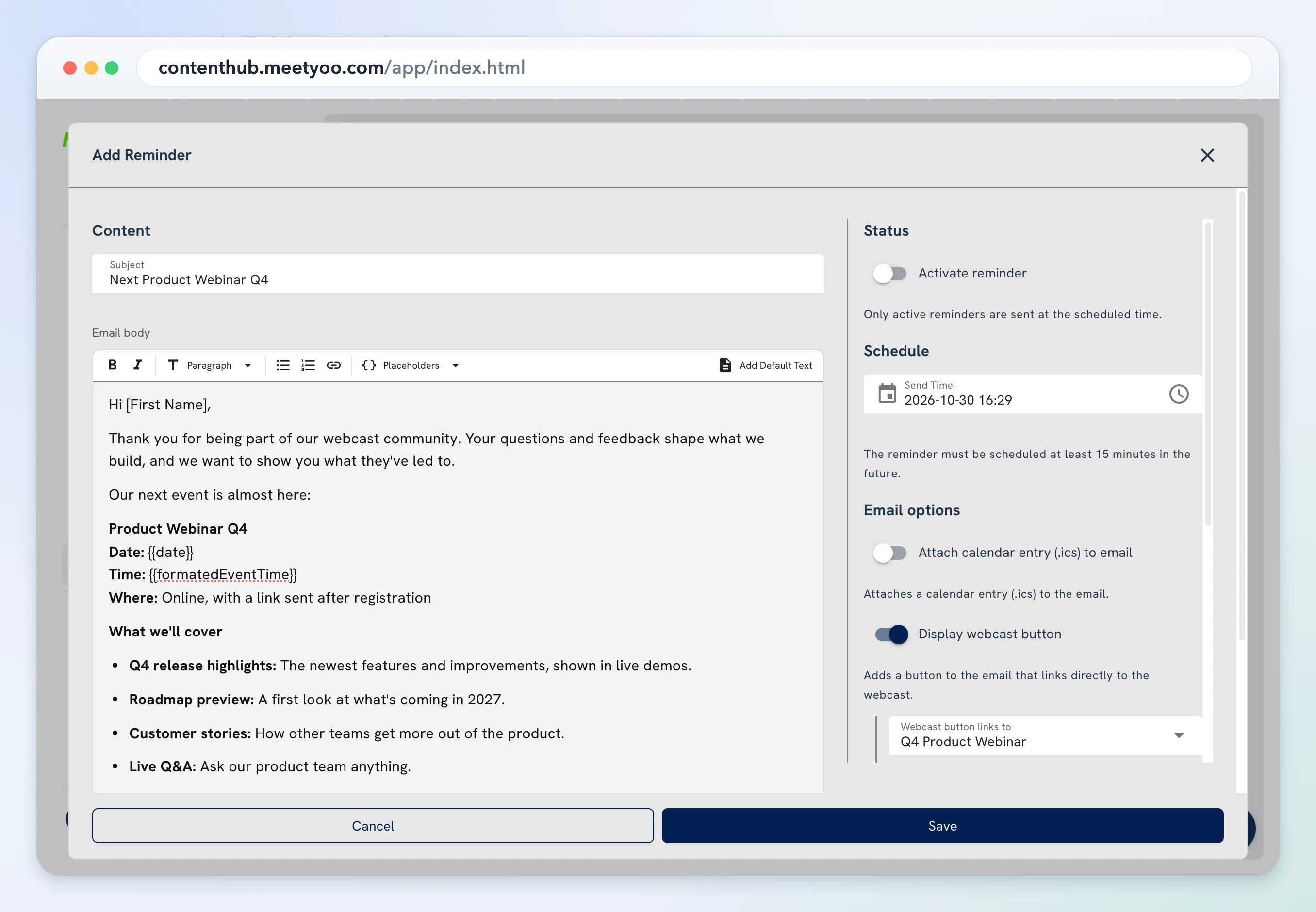
- Under Content, set Subject and the body. Placeholders inserts values such as the event date. Add Default Text inserts a starter message.
- Under Status, turn on Activate reminder. Only an active reminder is sent.
- Under Schedule, set Send Time. It has to be at least 15 minutes ahead.
- Under Email options:
- Attach calendar entry (.ics) to email adds a calendar file.
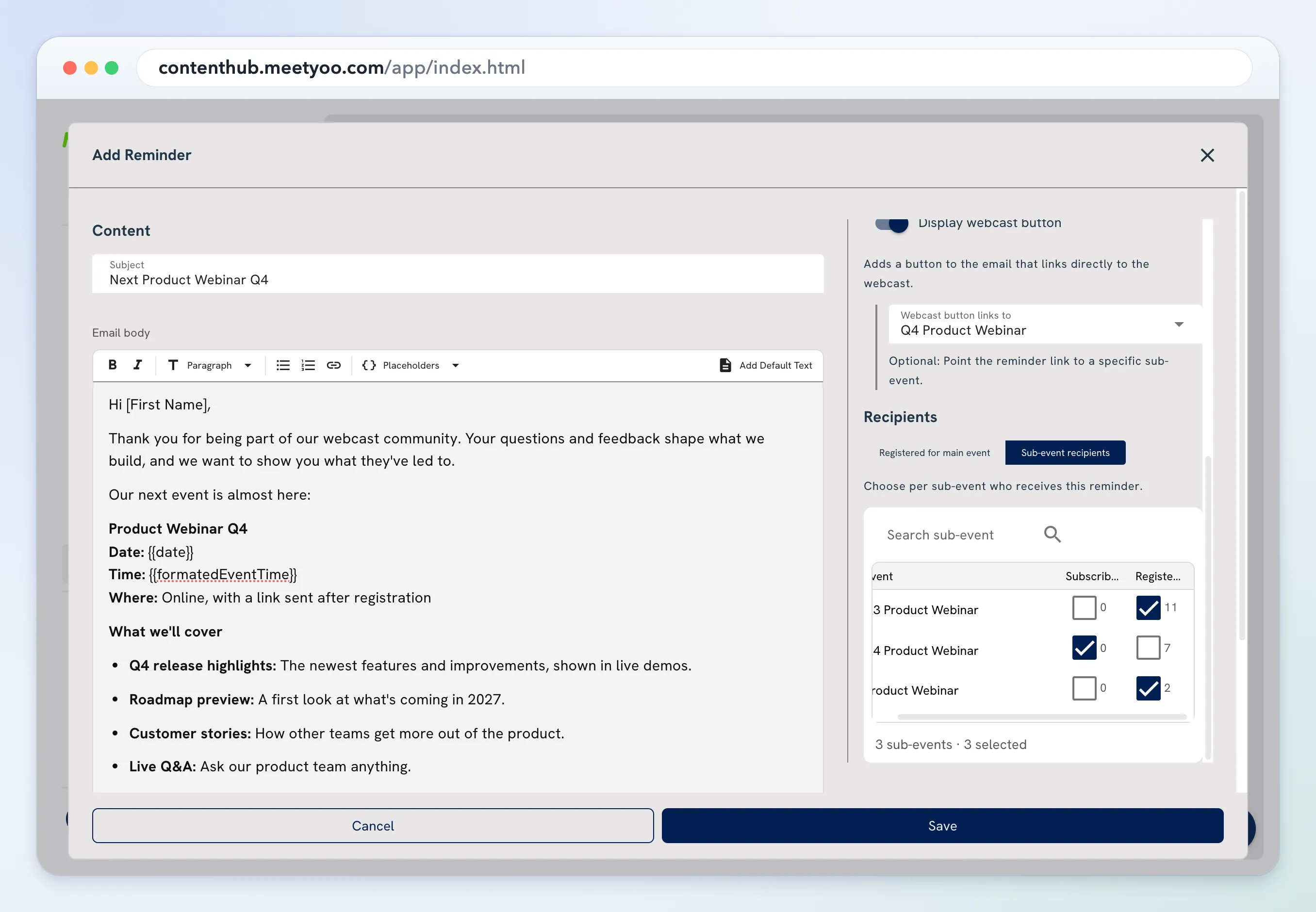
- Display webcast button adds a button. Webcast button links to can open the series or one session.
- Under Recipients, choose the audience:
- Registered for main event sends it to everyone registered for the series.
- Sub-event recipients lets you choose sessions. For each session, check Subscribed, Registered, or both. The count beside the box is how many people that includes.
Choose Save.