
Event Guru
Who can use this
ContentHub
Free
Managed Service
Included
Event Guru is the AI assistant in MEETYOO Show. Participants chat with a recording (or a series). Presenters can invite an assistant that labels live Q&A.
Chat with the webcast
On a single event, Event Guru sits in the right-hand player panel next to chat. Participants ask in their own language. Answers can include timestamps that seek the video. Suggestion cards cover a summary, highlights, chapters, and a social post.
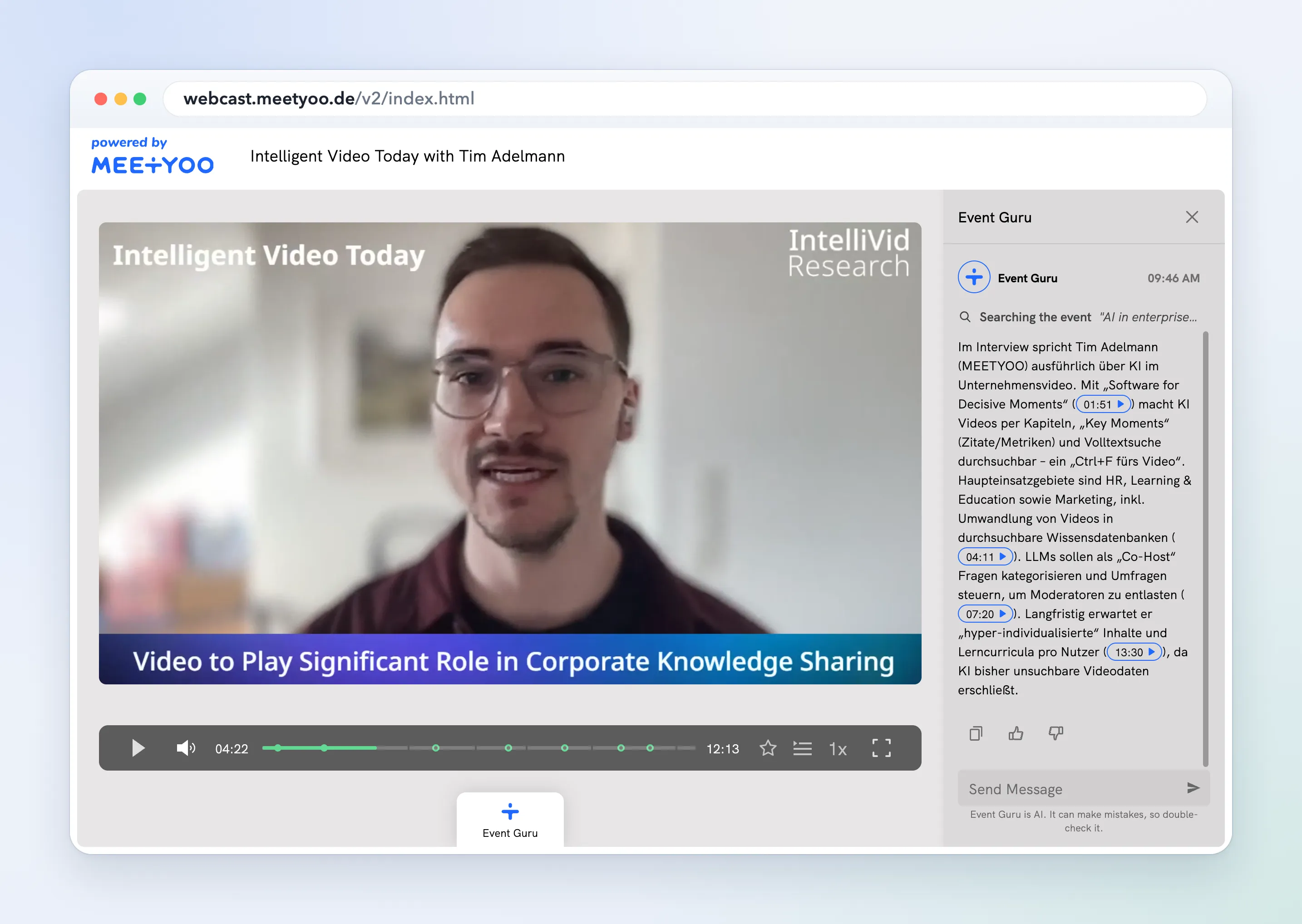
Answers use the recording transcript, the slides that were shown, handouts on the event, and the speaker information. The transcript is Recording transcript.
The panel reminds them: Event Guru is AI. It can make mistakes, so double-check it.
On an event series the trigger is labelled AI Assistant. The empty state is Ask me anything about your events. Answers cite the sessions they came from. See AI search across an event series.
Chat stays hidden until all of these are true:
- AI features are on, and Allow Chat with Webcast is on
- For a single event: an on-demand receiver whose transcript status is COMPLETED, and the recording has been indexed for chat
- Access is not Open
- The Event Guru service is up
If the icon is missing, check that list first.
Live assistant
When Allow Live Assistant is on, the Questions panel shows AI Settings. The same switch is Allow Assistant Live in operator tools.
Presenters Invite Assistant. Event Guru appears in the moderator list. Activate automated labelling tags new incoming questions. Preferred labels can reuse event labels or create new ones.
After you leave the webcast, invite the assistant again. Labelling preferences persist.
Live labelling is for a live session, not an event series. The labelling flow is in Event Guru automatic question labelling. Question workflow is in Handling Q&A as a presenter.
Configure in ContentHub Admin
In ContentHub Admin, open the event or series. Under Event Configuration, open AI Settings.
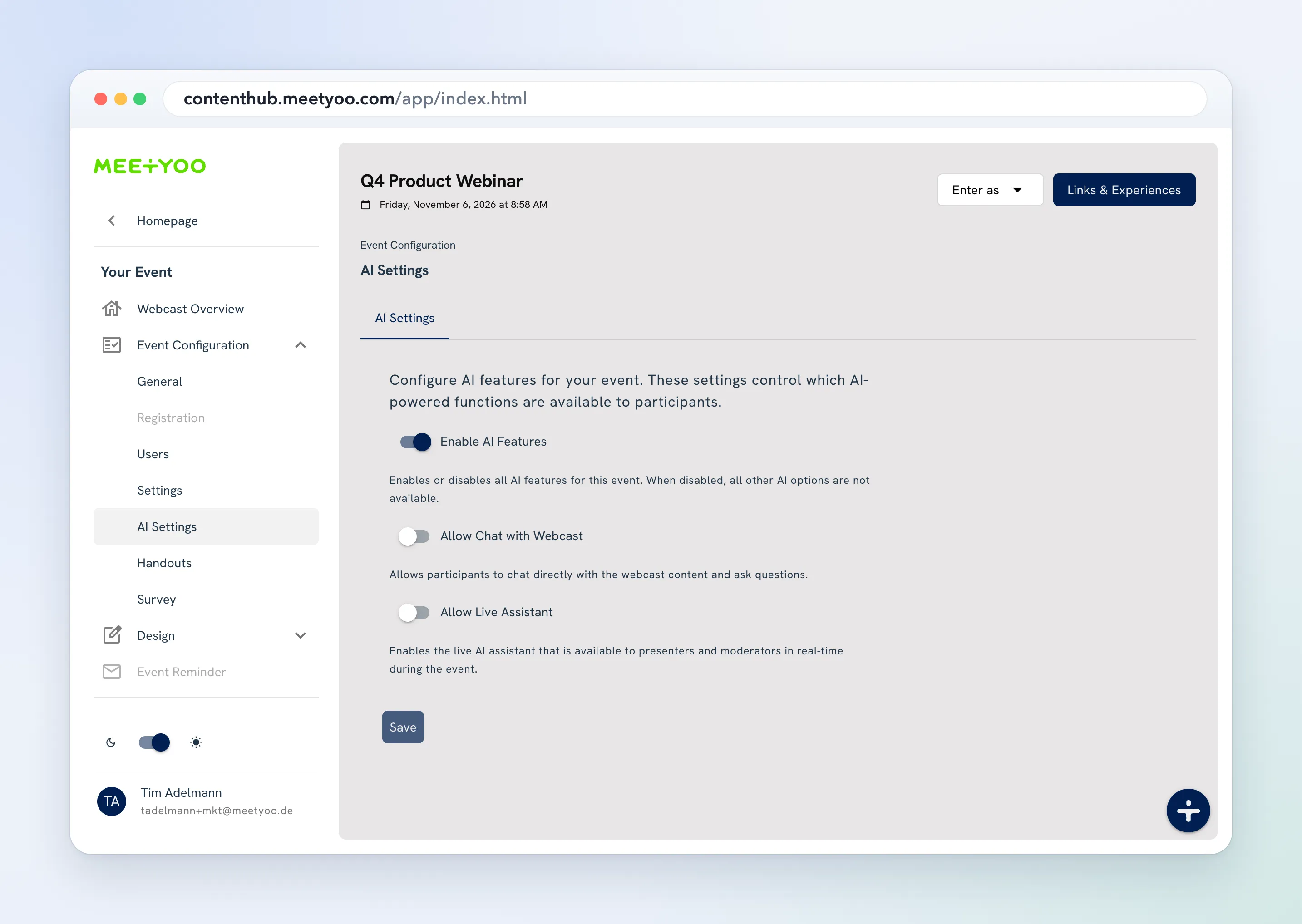
- Turn on Enable AI Features.
- Turn on Allow Chat with Webcast.
- On a single event (not a series), turn on Allow Live Assistant if presenters should label Q&A live.
- Choose Save.
Chat and live-assistant options stay unavailable until Enable AI Features is on. Series pages hide Allow Live Assistant.
For participant chat on a single event, the on-demand recording must be transcribed and access must not be Open.