

It is 9:59 a.m. Your Q3 figures are out, and the call starts in a minute. Sell-side analysts wait on the phone line. Retail investors and press sit in the webcast. After a 40-minute presentation, 20 minutes remain for the earnings call Q&A.
Two channels share one stage, and afterwards someone asks why their question never came up. MEETYOO Show brings phone, web dial-in and text questions into one moderated queue. Fixed roles and a call-day checklist keep every analyst question in view.
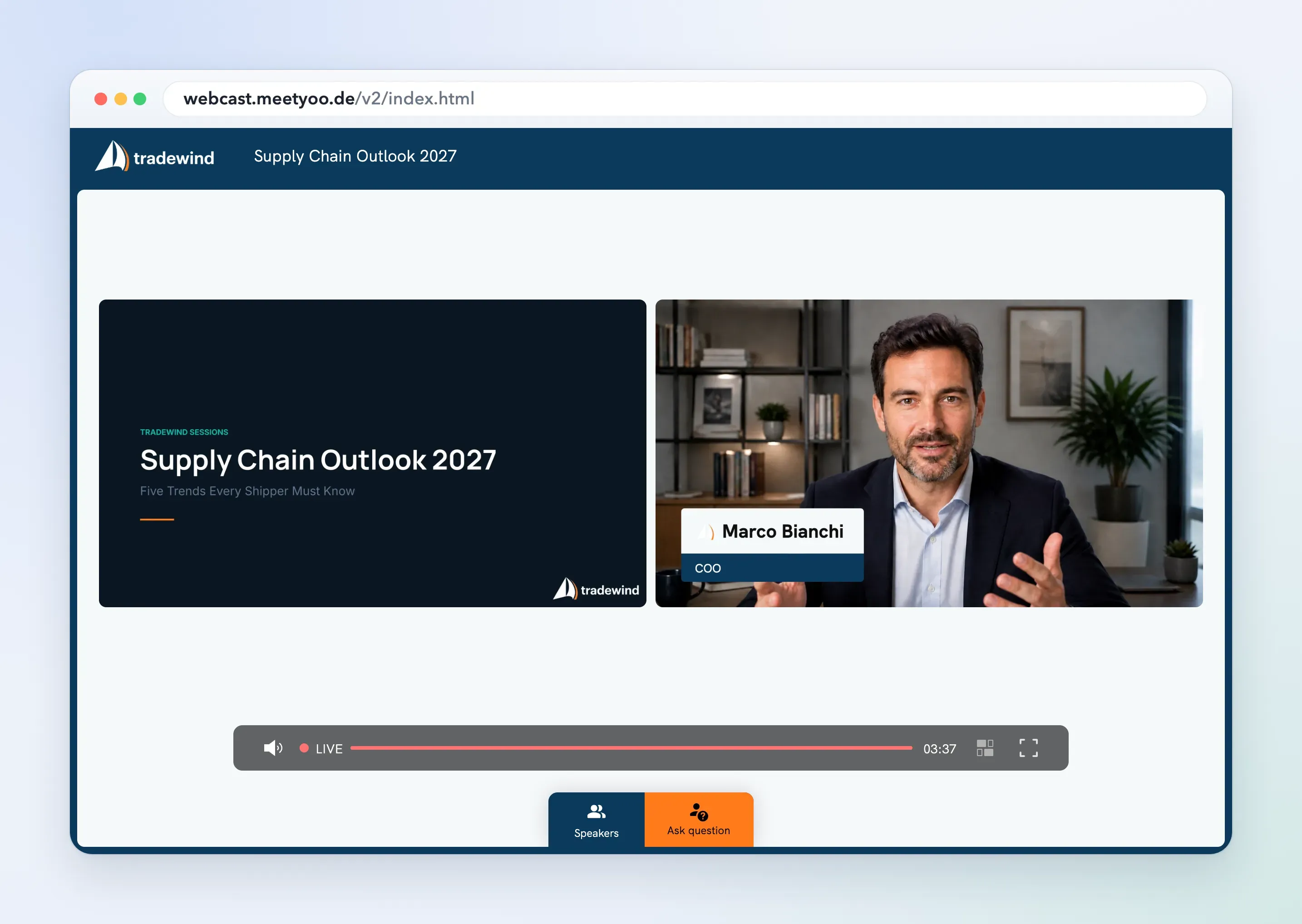
Why two channels turn into a problem
Analysts are used to the phone line: they dial in and speak right away. Web participants type their questions.
The classic setup of a phone conference plus a separate webcast means two systems and two lists. Your IR moderation jumps between the operator's announcements and the Q&A dashboard, and the order of questions becomes random.
Compliance adds a second layer. Inside information belongs in an ad-hoc release before the call (MAR Art. 17(1)). In the Q&A, your CFO should disclose nothing that is not yet public. If it happens anyway, MAR Art. 17(8) applies: you have to publish the information at the same time in case of intentional disclosure and promptly in case of unintentional disclosure (covered in our guide to IR webcasts and earnings calls).
Issuers in the Prime Standard publish a quarterly statement for the first and third quarter (§ 53 BörsO FWB) and hold an analyst event at least once a year (§ 55 BörsO FWB). According to Deutsche Börse (in German), the analyst event may also take place as a phone or video conference. Whether your earnings call counts as that analyst event is a question for your legal team. This is general information, not legal advice.
Who does what in the earnings call Q&A: operator, IR moderation, CFO
A smooth Q&A needs three clearly separated roles plus an optional producer. If one person covers two of them, the overview is gone.
| Role | Before the call | During the Q&A | Who takes it |
|---|---|---|---|
| Operator | Defines the welcome and the instructions for asking a question | Opens the line once IR moderation calls the question. Explains: phone *9#, web dial-in via button | In the Managed Service, the MEETYOO team |
| IR moderation (Head of IR) | Safe harbor statement, agenda | Leads the Q&A, approves questions, sets the order, reads out web questions with name and company, watches time and follow-ups | Your IR team |
| CFO / CEO | Q&A prep, guidance wording | Answers, refers to slides, keeps to the guidance language. IR moderation steers the queue | Your executives |
| Producer / technology (optional) | Checks stream, audio and lines | Monitors stream quality, latency and viewer experience, supports live Q&A | In the Managed Service, a dedicated MEETYOO event producer |
Tip: Put the roles in writing before the call and play them through exactly like that in the rehearsal. Name a deputy for every role.
Read more about the roles Moderator, Presenter and Speaker in MEETYOO in our guide to webcast roles.
One Q&A queue for phone and web questions
How questions enter the queue
Every channel ends in the same queue, steered by your IR moderation. Nobody has to transfer anything by hand.
| Channel | How participants ask | How the question arrives |
|---|---|---|
| Phone | Register the question with *9# | Spoken, once IR moderation calls the question |
| Web dial-in | Join through the browser and register the question with a button | Spoken, once IR moderation calls the question |
| Text Q&A | Type the question into the Q&A | Text. IR moderation reads it out with name and company |
Phone access uses global dial-in numbers. Pre-moderation is possible, so text questions become visible only after approval.
Approval and prioritization
One list and one person who decides. We recommend this order: analysts who cover your company first, then buy-side, then questions from the web. Give each person one or two questions, then move them to the back of the line.
The AI Live Assistant (Event Guru) labels incoming questions automatically, for example "Guidance", "Segment" or "Capital allocation". You can set preferred labels. Without a preset, the AI chooses the labels itself. You can assign questions to the responsible speaker, and several moderators work in parallel. AI labeling is available on all plans. See engagement features and AI features for details.
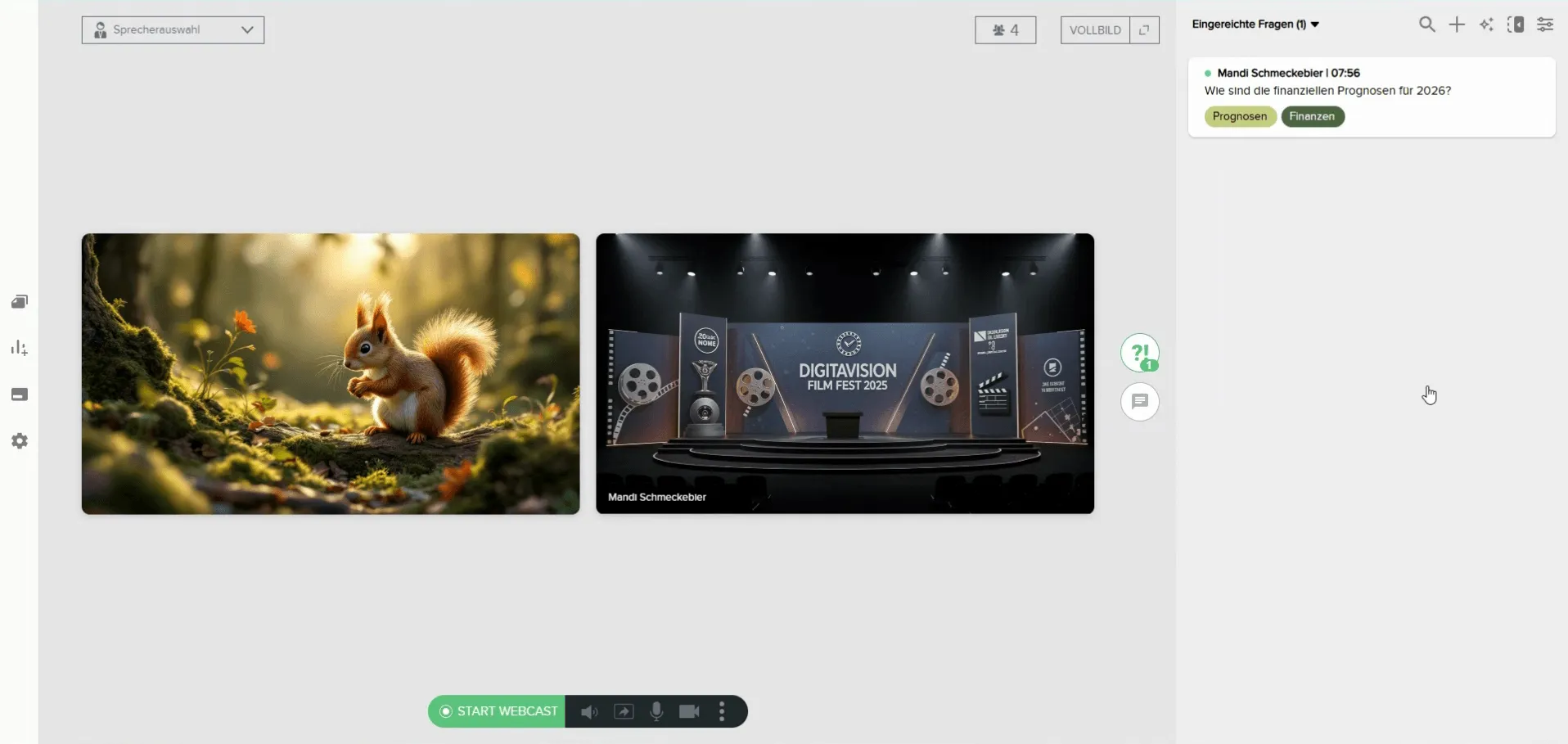
For duplicates, IR moderation reads one question on behalf of everyone and says that several people asked it.
Keeping multi-part questions
An analyst asks three questions in a row. The CFO answers two, and the third disappears. Two measures help.
- Organization: IR moderation notes each part and ticks it off audibly: "We will pick up the third question on free cash flow in a moment."
- Product: The live transcript recognizes speakers and questions automatically. It shows the name of the speaker and highlights spoken questions, so IR and CFO see which part is still open. You can switch the highlighting off for participants, then only your IR team sees it.
Why latency matters for spoken questions
With a delay of 30 seconds, an analyst talks over the CFO or waits for an answer that is already running. Events with audio dial-in therefore run with Low Latency at MEETYOO, usually around 5 seconds. Questioner and CFO talk like in a normal conversation. IR moderation still reads out text questions from the web with name and company.
Good to know: Events with audio dial-in are a Managed Service. Phone dial-in and web dial-in are part of the Enterprise plan. The Forever Free Plan (permanently free, no expiry date, no credit card required) covers webcasts with all engagement tools, but not audio dial-in. Our IR team plans dial-in, Q&A direction and archive with you.
Keeping two participant groups apart
Everyone can watch the public stream, with registration or open access. The right to ask questions by phone or web dial-in belongs only to accredited analysts and investors.
Access runs through SSO (Azure AD) or token for closed groups. SSO is part of the Enterprise plan. A single event holds two participant groups: Public Viewing (watching, possibly text questions) and dial-in authorized investors (phone or web dial-in with the right to ask). This is available in the Managed Service. Our article on SSO and access control with Azure AD shows the setup.
MEETYOO is ISO 27001-certified and GDPR-compliant, and your event runs on EU servers with 99.9% uptime. Commerzbank and Allianz Global Investors use MEETYOO Show for their investor communications. For listed companies, that protects the registration data of analysts and investors. More in our article on webcasts in the financial sector.
After the call: recording, transcript and Q&A archive
The recording is available in the MEETYOO archive right after the event. You embed the on-demand video directly on your IR website, without download and re-upload.
The transcript is searchable. With AI chapters and Chat with Webcast, analysts find the spot where the CFO mentioned guidance, including a timestamp. For international investors, subtitles are available in up to three translation languages.
The Q&A log holds all questions, answered and unanswered, and you can export it for follow-up and internal documentation. Our guide to analysing webcast Q&A shows how to turn the questions into strategy. Archive retention depends on your plan, and Enterprise customers can agree on their own archiving periods.
Publish open answers for everyone at the same time, for instance as an FAQ on your IR website.
Next step: Turn the call into more assets. Our guide on turning earnings calls into content assets shows how.
Checklist: Q&A in the earnings call
T-14 to T-7 days
- Set roles: operator, IR moderation, CFO/CEO, technology. Name a deputy for each.
- Clarify access: public stream, right to ask only for analysts (SSO, token or registration).
- Put global dial-in numbers, the web dial-in link and the note "Register your question with *9#" into the invitation and the corporate calendar.
- Define Q&A rules: order, questions per person, handling of web questions.
- Activate the Live Assistant under Event Configuration, AI Settings, and decide on preferred labels, for example guidance, segment, capital allocation.
T-1 day
- Rehearse with all roles: one phone question (*9#), one web dial-in question (button) and one text question.
- Backup: who reads out questions if a line drops?
- Prepare answers for expected questions (Q&A prep document).
Call day
- Operator welcome and safe harbor statement.
- Invite the Live Assistant (Event Guru) in the questions area and switch on automatic labeling. Invite it again after every re-entry into the webcast.
- IR moderation sees one shared queue (phone, web dial-in, text) and approves.
- Live transcript with question highlighting is on for the IR team. For participants, switch it on or off as you wish.
- Note multi-part questions and tick them off audibly.
- Watch the clock and announce the last question.
T+1 day
- Check recording, transcript and chapters. Embed the on-demand video on your IR website.
- Export the Q&A log and answer open questions publicly.
- Debrief: what did not run smoothly in the queue?
Conclusion
Phone and web questions in one moderated queue, fixed roles for operator, IR moderation and CFO, and recording, transcript and Q&A log on EU servers: that is the setup for your next call. Our IR team plans dial-in, Q&A direction and archive with you and produces the call as a Managed Service.
Talk to our IR team about your next earnings call.
FAQ
How does the Q&A in an earnings call work?
After the presentation, the operator or IR moderation opens the question round. Questions by phone and web land in one queue. IR moderation approves them in a fixed order, and the CFO or CEO answers in the public stream.
Can analysts ask by phone and retail investors on the web at the same time?
Yes. Participants on the phone register their question with *9#, participants in web dial-in with a button. All questions land automatically in a shared queue that IR moderation approves. MEETYOO offers events with audio dial-in as a Managed Service in the Enterprise plan.
How do I prevent questions from getting lost?
Use a single queue, one person responsible for approval, AI labels for sorting and an exportable Q&A log that also contains unanswered questions.
What happens to unanswered questions?
They stay in the Q&A log. Publish answers, for example as an FAQ on your IR website, so that all investors receive the same information.
How long is the delay for spoken questions?
Events with audio dial-in run with Low Latency at MEETYOO, usually around 5 seconds.
Is a phone conference allowed for the analyst event in the Prime Standard?
According to Deutsche Börse, the analyst event under § 55 BörsO FWB may also take place as a phone or video conference.


