
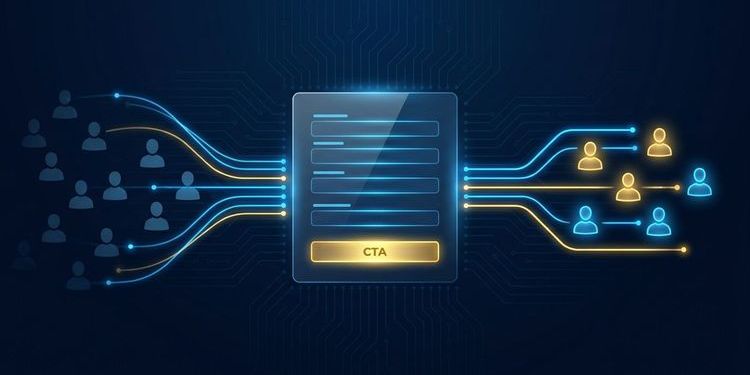
Your webinar registration page is getting traffic. Prospects click your LinkedIn post, open the invitation email or land via Google Ads. And then? Many leave without signing up.
The problem is rarely the event itself. It's the page. Most registration pages are treated as an administrative afterthought: built quickly, generic in design, with a form somewhere underneath. What's missing is the recognition that this page is the only conversion tool in the funnel.
This article shows how to turn your webcast registration page into a proper campaign landing page: with the right content structure, a low-friction form, and the reminder automation that turns registrants into attendees.
Why your registration page is also your landing page
In MEETYOO Show, the registration page isn't a form you redirect to after a separate event page. It's the destination. Campaigns, LinkedIn ads, email invitations and organic traffic all land directly on it.
This has one important consequence: the page has to do two jobs simultaneously. The upper section convinces visitors who aren't yet sure if the event is relevant for them. The lower section or a persistent sidebar column converts the convinced into registrations.
Well-optimised registration pages achieve conversion rates of 25 to 45%. The industry average is 15 to 20%. The difference isn't traffic volume; it's page structure.
The most important test for your page is the five-second test: does a new visitor understand within five seconds what this event will give them? If the value isn't immediately clear, they leave before they even see the form.
The content section: what convinces people to register
The content section answers exactly one question: why is it worth attending this event? That question needs to be answered before the form appears.
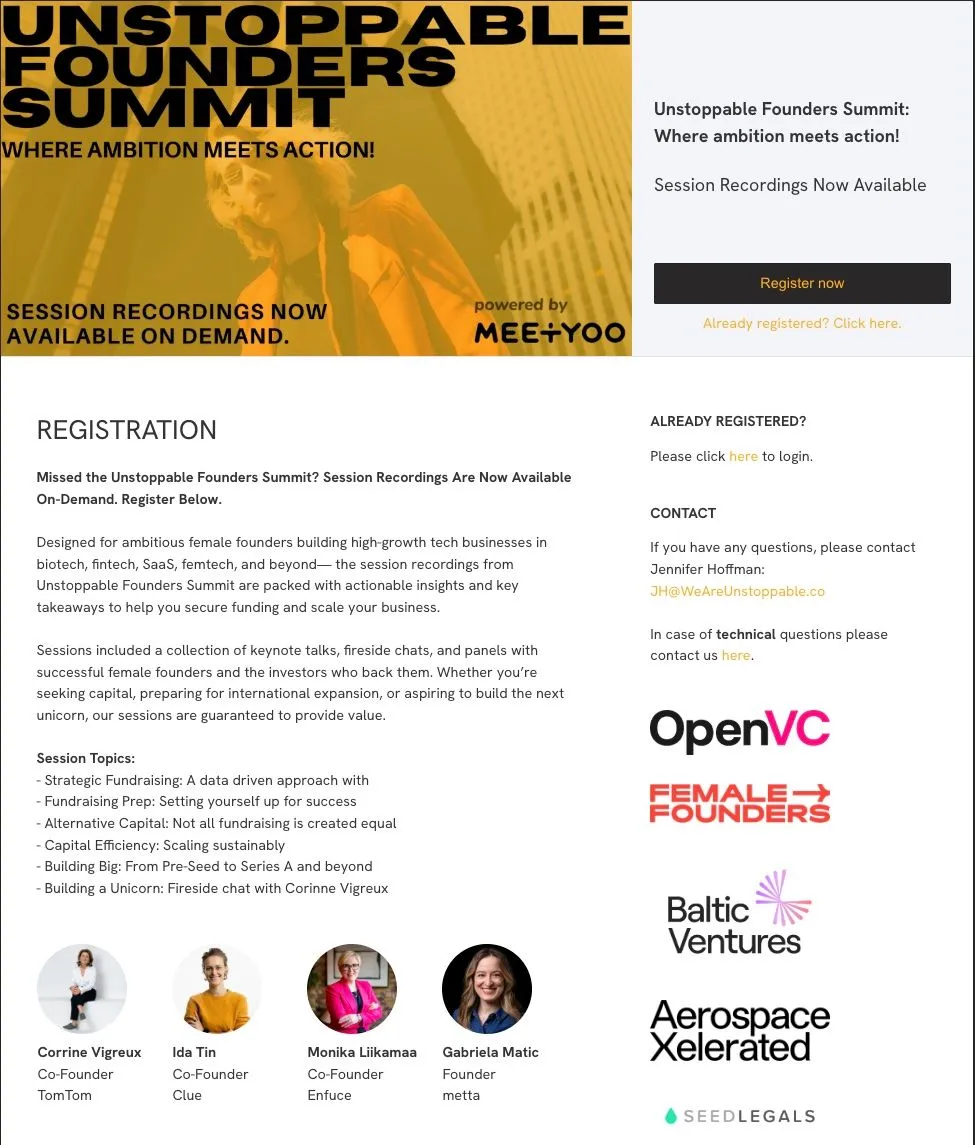
Above the fold: title, date and the first CTA
The most important information appears immediately: a clear event title that names the concrete benefit, plus date and time. Generic titles like "Q3 Update" or "Product Webinar" cost conversions. Outcome-oriented titles like "How financial services firms run GDPR-compliant AI communication" pull registrations.
A CTA button visible without scrolling is equally important. In MEETYOO Show, this button sits in a persistent sidebar column by default. Visitors who are convinced at any point can register immediately, without scrolling down to the form.
The description text: outcomes, not features
The description is not about what happens in the event. It's about what attendees will know or be able to do afterwards. Bullet points with three to five concrete takeaways outperform body text. "You'll learn how to..." lands better than "We'll show...".
Speaker section: the highest-impact conversion element
According to B2B webinar benchmarks, speaker credentials are the single most important variable on a registration page. A photo, name, title and company make the difference between "who is this?" and "I know them, I'm in."
Social proof and contact
Partner logos, past attendance numbers or a short testimonial increase credibility. A visible contact line reduces hesitation for first-time attendees. An "Already registered?" link lets returning visitors access their registration without filling in the form again.
The form: as little as necessary, as much as useful
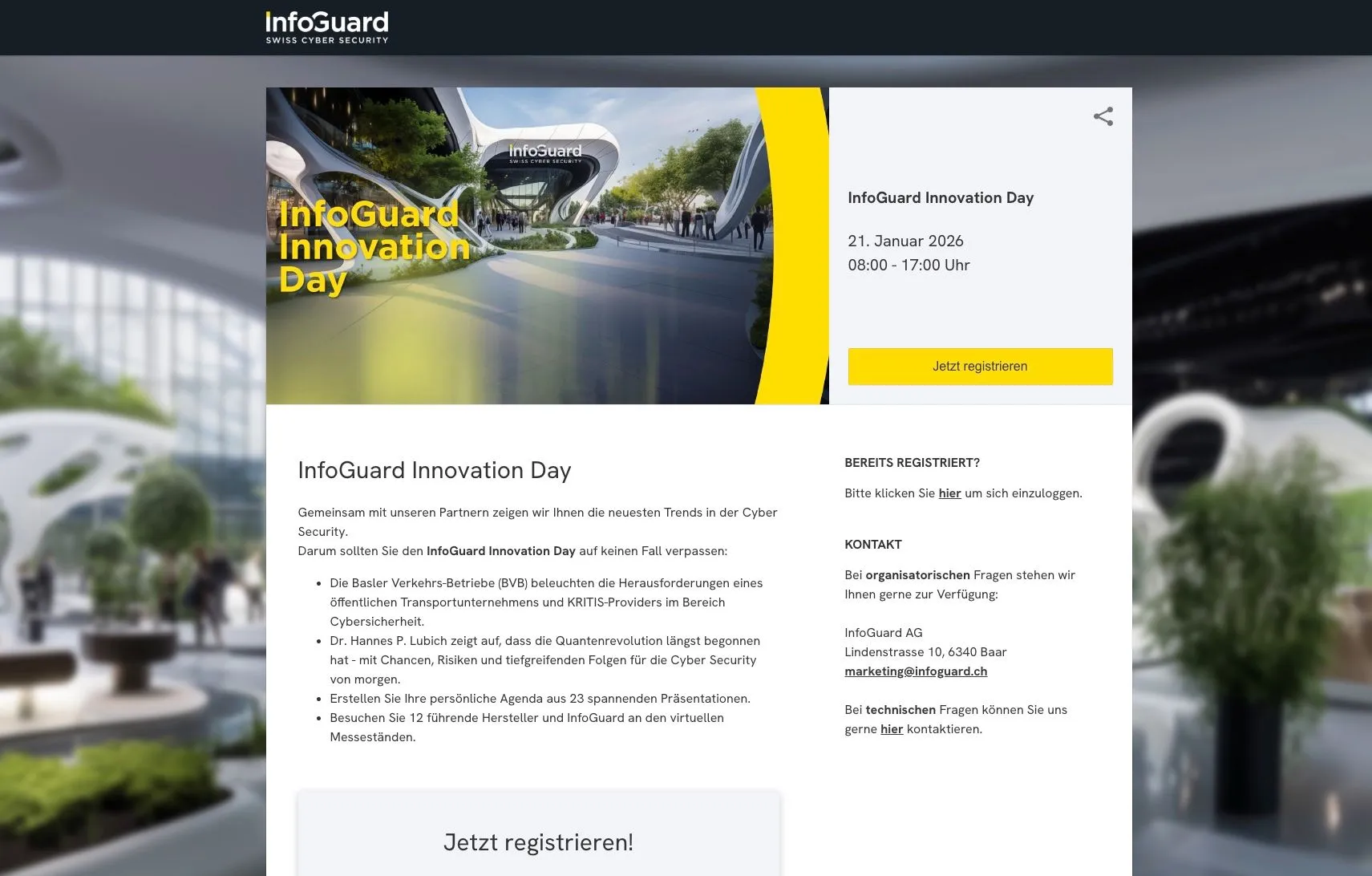
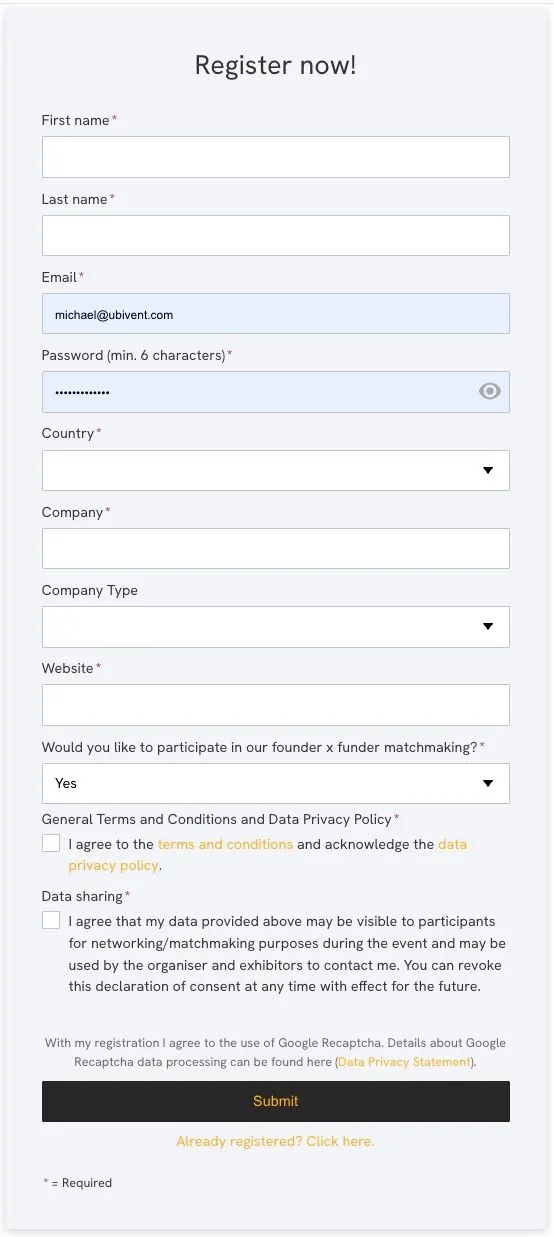
Every additional form field reduces conversion rate. The rule of thumb: first name, last name and email are mandatory. Everything else is optional.
For B2B events, a "Company" field is often worth including because it aids lead qualification without creating a significant barrier. The "Phone number" field has the highest abandonment rate of any field and should be avoided unless there's a concrete reason for phone follow-up.
LinkedIn login as a friction killer
MEETYOO Show offers a LinkedIn sign-in option. This eliminates form filling entirely for visitors with a LinkedIn account, and simultaneously delivers B2B-relevant data: name, company, job title. For marketing webinars aimed at professionals, this is a powerful conversion lever.
Custom Properties: tailored data collection
When you need data beyond name and email, use MEETYOO's Custom Properties. These fields can be configured as free text or dropdown selectors. Typical B2B fields:
- Job function (dropdown: Marketing, Sales, IT, HR, Executive)
- Company size (dropdown: under 50, 50–250, 250–1,000, over 1,000)
- Industry (dropdown or free text)
The key advantage: Custom Properties appear as filterable dimensions in the MEETYOO Analytics dashboard. After the event, you see which job functions attended most and segment your follow-up accordingly.
Rule of thumb: Only collect data you'll actually analyse after the event. Every unnecessary mandatory field costs sign-ups without delivering value. → Custom Properties and access strategies
Configuring your MEETYOO registration page
In MEETYOO Show, you open the registration page editor directly from the event dashboard after creating your event. The following elements are configurable:
Basic information
- Title and subtitle (independent of the internal event name)
- Language (determines default text on buttons and form labels)
- Description text with full Markdown support: headings, bold, bullet points, links
Visuals
- Logo (appears in the header bar)
- Banner image (the large header image that sets the first impression)
- Background image for the form area
The fastest route to a CI-compliant banner: the MEETYOO AI Branding Builder. Enter your website URL, the AI analyses your corporate design and generates a matching event theme in seconds. The result can be used directly or refined further.
Custom Properties
- Free text fields for open responses
- Dropdown fields with configurable options
- Mandatory or optional: controlled by toggle
Access mode
The registration page is active when you select the "Registration" access mode. This mode is the right choice for lead-generating events. Three additional modes are available for internal events, name-only access, or SSO via Azure AD.

Tip: Build the registration page at the same time as planning your campaign, not after. That way your Save-the-Date can already link to a live page. → Discover the AI Branding Builder
Automated reminders: from registration to attendance
A registration is not attendance. The average webinar attendance rate sits between 40 and 60%. A structured reminder sequence reliably pushes this to 70 to 80%.
MEETYOO Show supports three automated email stages:
1. Confirmation email (immediately after sign-up) Contains date, time, join link and an "Add to calendar" link. Attendees who have the event in their calendar show up at significantly higher rates.
2. Reminder (24 hours before) Short and punchy with the join link as the centrepiece. One line that builds anticipation: "Tomorrow we'll show live how this works in a real enterprise environment."
3. Last call (1 hour before) The highest open rate of all three emails. "Starting in 60 minutes" is enough as a subject line. Join link prominent, nothing else.
Benchmark: Automated reminders increase the live attendance rate by up to 40%. The 1-hour email has the greatest impact because it reaches attendees exactly when the "will I join?" decision is made. → Full webcast setup guide
The invitation campaign that comes before
Alongside the post-registration reminder sequence, run an invitation campaign before the event:
- 2–3 weeks before: Save-the-Date with date and topic
- 1–2 weeks before: Full invitation with registration page link
- 3–5 days before: Reminder to contacts who haven't registered yet
Use a separate UTM parameter for each channel to measure which channel delivered the highest registration rate. That informs budget decisions for the next campaign.
Use cases
Marketing manager: monthly demand generation webinars Uses the MEETYOO registration page as the direct landing destination for LinkedIn ads. LinkedIn SSO reduces the form to one click. Custom Properties (job function and company size) segment the list for personalised follow-up. The confirmation email includes the calendar link, measurably increasing attendance rate.
Event manager: external customer summit Creates a fully branded page with custom banner, logo and description text. Speaker section with photos and titles. Partner logos in the lower section. UTM tracking for email, LinkedIn and direct invitations enables precise channel analysis after the event.
Investor relations manager: earnings call Uses password-protected access rather than open registration. Only pre-authorised analysts and investors receive the link. No publicly indexable content; branding follows IR guidelines.
MEETYOO registration pages vs. the alternatives
Not every webcast solution delivers a proper campaign landing page. Here's how the options compare:
| Teams / Zoom | Basic webinar tools | MEETYOO Show | |
|---|---|---|---|
| Standalone registration page | ⚠️ Basic form, no landing page layout | ⚠️ Rigid template | ✅ Fully configurable |
| CI branding | ⚠️ Very limited | ⚠️ Logo + colour | ✅ Banner, logo, Markdown, AI Builder |
| LinkedIn SSO | ❌ | ❌ | ✅ |
| Custom Properties + analytics | ❌ | ❌ | ✅ |
| Automated reminders | ⚠️ Basic calendar invite | ⚠️ Basic | ✅ 3-stage (immediate, 24h, 1h) |
| GDPR / EU servers | ⚠️ US-based | ⚠️ | ✅ ISO 27001, German data centres |
| On-demand tracking | ❌ | ❌ | ✅ |
That's the difference between a sign-up form and a campaign landing page that generates, qualifies and prepares leads for follow-up.
→ All branding features → Webinar follow-up: B2B playbook
Common mistakes
Using the internal event name as the page title. "Q3 Product Update EMEA Internal" is not a conversion title. Write for outsiders: what will they concretely take away?
Building the registration page just before the event. Anyone without a live page two weeks before the event loses the most important campaign phase. Build the page alongside campaign planning.
Not including speaker information. Without names, titles and photos, uncertain visitors decide not to register.
Not activating reminder emails. The 24h and 1h reminders need to be deliberately configured. Missing them costs up to 40% of potential attendance.
Skipping UTM tracking. Without UTM parameters you won't know after the event which channel drove the most registrations.
Conclusion
A well-built MEETYOO registration page is more than a form. It's the first encounter potential attendees have with your event, the destination of your entire campaign, and the first step in the lead qualification process. With the right content structure, minimal form friction and activated reminders, you'll extract significantly more sign-ups from the same traffic.
FAQ
How many fields should a webinar registration form have?
As few as possible. First name, last name and email are mandatory. A company field is useful for B2B events. Every additional mandatory field reduces conversion rate. MEETYOO lets you configure fields as optional or required.
What's the difference between a registration page and a landing page?
In MEETYOO there's no difference: the registration page is the landing page. Campaign links, ads and email invitations lead directly to it. It therefore needs to both convince (content section at the top) and convert (form section).
How can I increase the attendance rate after registration?
With automated reminder emails: confirmation immediately after sign-up, 24 hours before and 1 hour before. MEETYOO Show sends these automatically. Benchmarks show an attendance increase of up to 40%.
Can I brand the registration page to match my corporate design?
Yes. In MEETYOO Show you configure banner image, logo, colours and description text freely. The AI Branding Builder generates a CI-compliant design from your website URL in seconds.
Which access mode is right for my event?
It depends on the goal. For lead-generating events, the Registration mode with a form is the right choice. For internal events, Name-Only Login or SSO via Azure AD work better. → All access strategies
How do I track which channel drives the most sign-ups?
Use UTM parameters in all invitation links. Create one link per channel (email, LinkedIn, Google Ads) with a distinct UTM value. → Analytics and reporting
Can I use different designs for different events?
Yes. Each event in MEETYOO can have its own branding without changing the global account design. This supports different sub-brands, product lines or event formats.


