
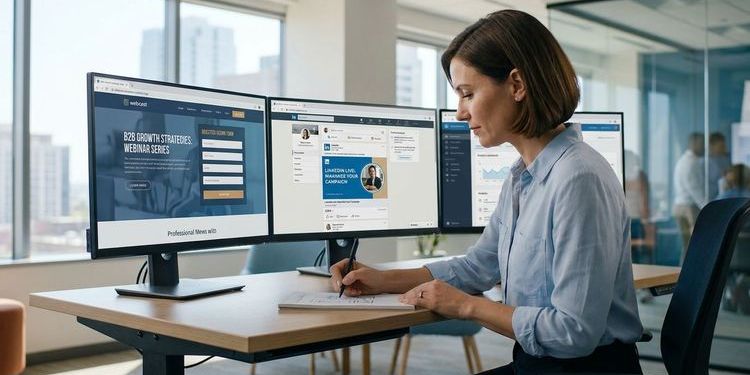
One LinkedIn post, maybe two. Posted close to the event date, from the company page. Then a quiet wonder at why the registration list looks thin.
This is the most common B2B webcast promotion strategy. And it's the problem. LinkedIn is the strongest channel for webinar registrations in B2B, with webinars delivering 213% ROI on full-funnel attribution. But only when the channel is worked systematically: with a campaign that starts 3–4 weeks before the event, actively involves speakers, and uses the recording as a permanent lead magnet long after the live date.
If you want to promote your webinar on LinkedIn effectively, you need more than good content. This guide shows you how to build that system: step by step, with concrete post formats, LinkedIn Ads targeting recommendations, and a clear division of roles between company page and personal profiles.
Why LinkedIn is the strongest channel for B2B webcast promotion
No other channel reaches decision-makers with the same precision. LinkedIn has over 1 billion members, and you can target by job title, seniority level, industry, company size and even specific companies. That's the audience your webcast was built for.
But LinkedIn only works for webinar promotion if you understand two things.
First: personal profiles reach significantly more of the feed than company pages. Personal LinkedIn profiles achieve organically far greater reach than company pages, which typically land with just 1–2% of LinkedIn members. Speaker posts about their own webinar consistently outperform the same message from a brand account. That means your company page is the amplifier.
Second: timing is everything. Starting to post in the week before the event means losing the most important phase of the campaign. Effective LinkedIn webinar promotion needs 3–4 weeks of lead time. Registration curves build gradually. Start early, register more.
Benchmark: LinkedIn Lead Gen Forms deliver webinar registrations at €20–40 per lead for B2B events, with a meaningful C-level share among registrants that no other paid channel matches at this scale.
The 4 phases of LinkedIn webcast promotion
A structured LinkedIn campaign runs in four phases: from the first awareness moment to sustainable on-demand repurposing.
Phase 1: Teaser (3–4 weeks before the event)
The goal here is not registration yet. It's attention and topic ownership. You establish your position on the subject before announcing the event.
Suitable formats:
- Opinion post on the webcast topic: "Why Problem is escalating in Q3 — and what we're addressing next week"
- LinkedIn poll on the core problem: "What's blocking you most with Topic right now?" (with the event as the promised follow-up)
- Short clip of a speaker sharing their perspective, 60 seconds, no link, no CTA yet
Phase 2: Announcement (2–1 week before the event)
Now the direct registration link appears. Multiple posts, different angles:
- The event post: title, date, time, three concrete takeaways, registration link
- Speaker post: each speaker posts from their own perspective, why they're speaking, what the audience will take away
- Problem post: describes the pain point the event solves, ends with registration link
- Countdown post: 48 hours before, simple and direct: "Day after tomorrow. Register here."
Every click from posts and ads lands on the registration page. In MEETYOO Show, this page is fully CI-compliant and supports LinkedIn SSO. That reduces sign-up friction to a single click.
Tip: Write the speaker posts for your colleagues in advance, including the registration link and event image. People who don't post much on LinkedIn are far more likely to share if the text is already done. Make sure everyone uses the same CI-branded image. That increases visual recognition across the campaign.
Phase 3: Live countdown and reminder (event day)
- Morning: "Today at time, registrations still open" with link (for last-minute sign-ups)
- During or directly after the event: screenshot of the live stream or chat highlights (shows real activity, creates FOMO for on-demand viewers)
- Evening: "Missed it? The recording is live" with on-demand link
Phase 4: On-demand promotion (weeks after the event)
This is the phase most teams skip entirely, sacrificing up to 50% of LinkedIn lead potential in the process.
A MEETYOO recording is not a passive video. It's a searchable, chapter-structured on-demand asset that keeps generating leads. LinkedIn is the perfect channel for this:
- Post featuring the strongest moment from the webcast (Key Moments Detection shows you which one)
- Post featuring the most-asked question from Q&A and the answer
- Short video clip from the recording (15–60 seconds, ideal for LinkedIn Video)
- LinkedIn article from the event transcript: permanent SEO value on LinkedIn
MEETYOO advantage: The AI Event Assistant automatically identifies Key Moments in the recording, the points with the highest engagement spikes. These are your clip candidates for LinkedIn. No need to scrub through the video manually. → Explore AI features
Organic vs. paid: when to use each
Organic and paid LinkedIn play different roles in the same campaign.
| Channel | Strength | When to use |
|---|---|---|
| Organic (personal profile) | High credibility, significantly more reach than brand page | Always, the foundation of every campaign |
| Organic (company page) | Amplifier, archive, official look | Complementary to personal posts |
| LinkedIn Ads (Lead Gen Form) | Precise targeting, cold audiences | From 2 weeks before the event |
| LinkedIn Ads (on-demand) | Permanent lead generation | Continuously after the event |
| LinkedIn boosting | Reach boost for already-performing posts | When an organic post shows early traction |
When paid isn't needed: If you have engaged followings across multiple personal profiles and the topic is tightly aligned with your audience, organic alone can be sufficient. Paid scales what organic has built.
Speaker posts: the highest-leverage action
The difference between a webinar with 80 registrations and one with 500 is rarely the budget. It's speaker activation.
Every speaker who posts about their own appearance reaches their personal network, which is often exactly the target audience the event was built for. A CTO posting about their talk reaches other CTOs. A CMO reaches CMOs. The brand account reaches everyone, and nobody in particular.
Template for a speaker post:
I'm speaking at Event Name next week about TOPIC.
My take: ONE CORE CLAIM that polarises or sparks curiosity.
2–3 lines of context: why is this topic relevant right now?
Free registration here: LINK
Date + time
Important: no generic "looking forward to the exchange". Concrete thesis, concrete value. LinkedIn's algorithm rewards content that triggers reactions and comments, not formal announcements.
LinkedIn Ads for webinar registrations
If you're using paid promotion, the Lead Gen Form is the most effective format for webinar registrations: the form opens directly on LinkedIn, without the user leaving the platform. That dramatically reduces abandonment.
Targeting recommendation for B2B webcasts:
- Job title or function: the primary personas of your webcast (e.g. "Marketing Manager", "Head of Marketing", "CMO")
- Seniority: Senior, Manager, Director, VP, CXO
- Company size: 50–10,000 employees (depending on ICP)
- Optional: specific companies (account-based targeting)
- Language: matched to your target market
Recommended budget: €1,500–3,000 for a two-week pre-event campaign. Expected outcome: 50–150 registrations at €20–40 CPL.
Ad copy tip: Same formula as the speaker post. Problem in line 1, solution and benefit in line 2, CTA in line 3. No explanation of what a webinar is.
Tip: Set up a retargeting campaign for website visitors who haven't registered yet. This audience already knows your brand and converts at significantly lower cost than cold audiences.
What to post: formats for LinkedIn
| Format | When | What it does |
|---|---|---|
| Text + link | Announcement, countdown | Registration link directly |
| Branded image | Announcement phase | Event branding, speaker photos |
| Native video (clip) | Teaser, post-event | 15–90 sec, no link needed |
| LinkedIn carousel | Post-event | 5–8 slides: "What we learned" |
| LinkedIn poll | Teaser phase | Test topic interest |
| LinkedIn article | Post-event | Deeper version of the transcript |
Important for native videos: LinkedIn prioritises native content. Posts with external links get distributed to fewer people. Best practice: put the registration link in the first comment rather than the post body.
MEETYOO: how AI features automate your LinkedIn promotion
With MEETYOO Show, the LinkedIn work starts when the event ends.
Available immediately after the event:
- Automatic chapters: the transcript with timestamp navigation. Each chapter is a potential LinkedIn post ("We covered chapter title, here are the key takeaways").
- Key Moments Detection: the AI flags the engagement spikes in the recording. These are your best 60-second clips.
- Chat with Webcast: on-demand viewers can ask the video questions. Show this interactivity in a LinkedIn post. It's a genuine differentiator.
With the AI Event Assistant:
- Have highlight reels cut from the recording
- Generate follow-up email drafts to complement your LinkedIn outreach
- Create summaries that work directly as LinkedIn posts
The result: you leave the event not with a recording, but with a LinkedIn content package that carries the next 4–6 weeks.
MEETYOO vs. meeting tools for LinkedIn promotion
| Meeting tools (Teams/Zoom) | Basic webinar tools | MEETYOO Show | |
|---|---|---|---|
| Branded landing page for LinkedIn clicks | No | Limited | Yes, fully CI-compliant |
| Automatic key moments for clips | No | No | Yes, AI-powered |
| AI-generated summaries for posts | No | No | Yes |
| Chapter navigation for teaser posts | No | No | Yes, with timestamp links |
| Chat with Webcast for on-demand | No | No | Yes |
| GDPR / EU servers | US-based | Limited | ISO 27001, German data centres |
Meeting tools deliver a recording. MEETYOO delivers a LinkedIn content package.
Common mistakes
Starting too late. Starting a week before the event leaves no time to build momentum. LinkedIn's algorithms need time to distribute posts. 3–4 weeks of lead time are non-negotiable.
Only posting from the company page. Company pages land with just 1–2% of the feed. Personal profiles reach significantly more. Without speaker activation, the biggest lever stays unused.
Putting links directly in posts. LinkedIn prioritises native content. Posts with external links get significantly less reach. Put the link in the first comment, not in the post body.
Not promoting the recording. 47% of all webcast views happen on-demand. Stopping after the live event means leaving almost half of your potential reach unused.
No CI-compliant visuals. A generic webinar screenshot is not a scroll-stopper. Branded event images from MEETYOO's AI Branding Builder consistently outperform generic screenshots on click-through rate.
Conclusion
LinkedIn is the most important single channel for B2B webinar registrations, but only when it's played as a system. The formula: start early, activate speakers, use paid as an amplifier, and leverage the on-demand asset as a permanent lead magnet. MEETYOO Show automatically delivers the assets you need: AI-generated clips, chapter navigation and a CI-compliant registration page that turns LinkedIn clicks directly into sign-ups. Companies like Commerzbank, Mercedes-Benz and Merck run their webcasts on MEETYOO Show.
FAQ
When should I start LinkedIn promotion for a webinar?
At least 3 weeks before the event. The first phase (teaser) isn't about registration yet. It's about topic ownership. Starting too late leaves no time to build momentum.
What performs better on LinkedIn, organic or LinkedIn Ads?
Both have their role. Organic via personal profiles is the strongest lever (significantly more reach than company pages). LinkedIn Ads scale reach to cold audiences. Best approach: organic as the foundation, ads as the amplifier.
How much do LinkedIn ads for a webinar cost?
Lead Gen Forms typically deliver webinar registrations at €20–40 per lead. A sensible budget for a two-week campaign is €1,500–3,000.
Why shouldn't I put links directly in LinkedIn posts?
LinkedIn prioritises native content. Posts with external links get distributed significantly less widely. Best practice: put the link in the first comment under the post.
How do I use the webcast recording for LinkedIn promotion?
With MEETYOO Show you have immediately after the event: AI-generated chapters, key-moments clips and a full transcript. These assets work as LinkedIn videos, carousel posts and LinkedIn articles, for weeks after the event.
How do I activate speakers for LinkedIn posts?
Write the posts in advance and provide them to speakers as templates, including link and image. The less effort required, the more likely the activation. A Slack or email briefing with copy-paste-ready content is ideal.
How do I measure the LinkedIn success of my webinar campaign?
Use UTM parameters in the registration link for each LinkedIn post separately. In the MEETYOO Analytics dashboard you can see which registrations came from which channel.


