
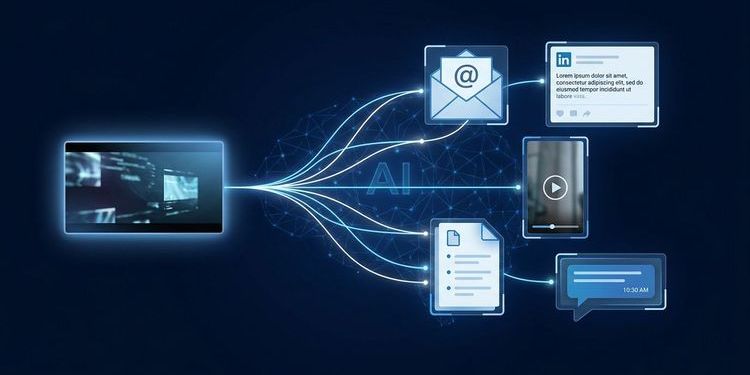
Your webcast just wrapped with 200 attendees — 90 minutes of solid content, a Q&A that ran long. The raw material for genuine webcast content ROI is all there. Three days later you send the recording link. A week after that, the content is dead.
This pattern does not just waste time — it wastes measurable revenue. 47% of all webcast views happen on-demand, weeks or months after the live event. The recording is often the more valuable asset. It just rarely gets treated that way.
AI changes this fundamentally: not by generating transcripts (many tools do that), but by automating the entire post-production workflow and making the content itself searchable, queryable, and reusable across formats. Here is what that looks like in practice — and why MEETYOO Show represents a different category of platform than classic webinar tools.
Why the webcast creates its biggest value after the live event
A webcast is not a single event. It is the densest content asset your marketing team will ever produce: 60–90 minutes of expert insight, live audience reactions, and real questions from your actual buyers.
The problem is not the content. The problem is what happens next.
47% of all webcast views happen on-demand — research from multiple B2B SaaS analyses consistently confirms this. Teams that do not actively manage their recording leave nearly half their potential reach untapped.
What this means in practice: a webcast that had 200 live attendees can achieve the same reach again through on-demand views in the following weeks — if the recording is findable, navigable, and actively promoted. Teams that skip this step leave half their invested budget on the table.
That is not a small amount. A professionally produced enterprise webcast costs anywhere from several thousand to tens of thousands of euros in preparation, delivery, and follow-up. A live stream that only generates reach during the live window never fully amortises that investment.
The ROI data makes this concrete: B2B companies that systematically repurpose webinar content generate an average marketing ROI of 213% and reduce their cost-per-lead below $75, according to CloudPresent — far below most paid acquisition channels. Repurposed content also delivers a 4.2x higher lead conversion rate compared to single-use recordings.
Companies that consistently treat webcast content as a long-term asset build a library that grows more valuable with every event. Each new recording expands the searchable archive. Each saved clip increases next month's reach. Each FAQ page generated from a Q&A session reduces support load. That is the difference between a webinar programme that produces quarters and a content system that builds compounding value.
According to the Content Marketing Institute, only 36% of B2B marketers can accurately measure their content ROI — despite 83% of senior leadership making this a core requirement. Systematic webcast post-production is one of the most direct ways to close that gap.
The right question is not whether you should repurpose. The question is why most teams do not — and what is stopping them.
What manual post-production actually costs
Extracting full content value from a 60-minute webcast manually means re-watching the recording, identifying key moments, editing the transcript, writing summaries, exporting social clips, and building a navigable on-demand page.
| Task | Time required |
|---|---|
| Re-watching recording to identify key moments | 1.5–2 hrs |
| Editing auto-transcript or transcribing manually | 1–2 hrs |
| Writing summary and key takeaways | 45–60 min |
| Drafting segmented follow-up emails | 1–1.5 hrs |
| Exporting and formatting 3–5 social clips | 2–3 hrs |
| Building on-demand page with chapter navigation | 45–60 min |
| Total | ~7–10 hours |
That is a full working day — landing immediately after the most demanding part of your quarter: the live event itself.
What gets underestimated here is the psychological dimension. The day after a live event is the most exhausted day in most teams' cycles. Technical follow-up, speaker feedback, internal debriefs, and planning for the next event all compete for the same limited capacity. That is exactly the moment when the most demanding repurposing work is supposed to begin — structurally, the odds are against it.
Most event teams make a perfectly rational decision: send the recording link, write one follow-up email, move on. The asset gets archived. The cycle repeats.
A team running ten webcasts per year without repurposing effectively loses 70–100 hours of usable content production time annually — compounding with every quarter.
87% of B2B marketers who use AI for content repurposing report saving over 13,000 hours and $650,000 annually (CloudPresent, 2024). The gap is not discipline — it is tooling.
This is not a discipline problem. It is a tools problem.
How AI-enabled repurposing changes your webcast content ROI
The shift AI enables is not about doing manual work faster. It is about removing the human bottleneck entirely — so assets exist by default, as automatic output of the event rather than as a downstream project.
Automatic chapter generation
Within minutes of the session ending, the AI structures the recording into navigable chapters based on topic shifts — not timestamps. Your on-demand content is immediately organised and searchable. Viewers jump to the section they need instead of restarting a 60-minute video from the beginning.
This is the difference between a recording that 15% of registrants open and an on-demand library where attendees actively navigate to the section relevant to their current task. Chapter-structured on-demand videos consistently produce measurably higher average watch durations than unstructured files.
Key-moment detection
Instead of spending two hours hunting for the three minutes worth clipping, the AI flags moments with the highest engagement spikes, the most emphatic speaker delivery, and the most relevant content.
The algorithm detects multiple signal types: slide transitions with unusually long dwell time, speaker statements delivered with marked emphasis, moments of high Q&A volume, and sections with above-average engagement rates. Your social clips are prioritised by content value — not by timestamp.
AI-generated summaries
Key takeaways, session summaries, and core statements are ready before you write your first follow-up. The draft for your post-event email exists automatically — you edit instead of create.
This is the difference between a follow-up email that attendees open and one that gets ignored. Sending a recording link is interchangeable. Sending a curated summary of three key insights with concrete next steps creates genuine value — and increases conversion to your next event.
Chat with Webcast
This is what most other platforms do not offer: the recording itself becomes a queryable knowledge source. Attendees and internal teams ask questions in natural language and receive answers with timestamps — directly from the original video. A colleague looking for the argument made at minute 38 asks instead of searches.
Chat with Webcast responds in the language the question is asked in, regardless of the webcast's language. An English-speaking colleague can query a German-language webcast in English and receive an English answer. For international teams and globally distributed organisations, this is a concrete advantage.
AI Event Assistant
The AI Event Assistant goes beyond recording analysis. It supports creating follow-up emails, LinkedIn posts, and social snippets — directly from the event content. If you want to know which three core messages are most relevant for post-event communication, you ask the assistant instead of re-watching the recording. It can also assist with event preparation: suggesting overlays, drafting moderation notes, and generating chapter structures based on previous event history.
→ All AI features in MEETYOO Show at a glance
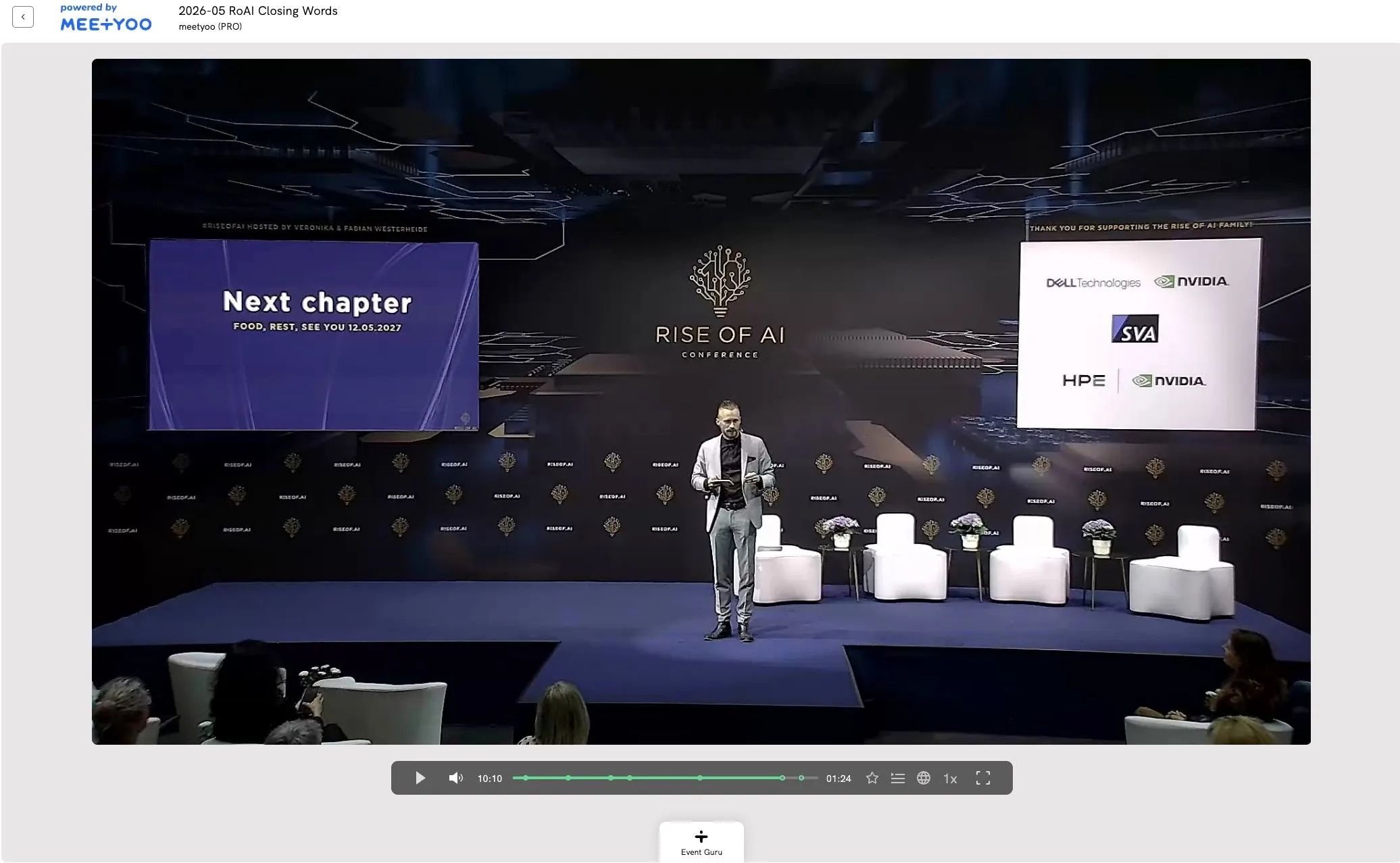
MEETYOO Show: how the AI features work together
Many tools offer individual repurposing functions. MEETYOO Show integrates them as an end-to-end workflow — from live event to searchable archive — without a single manual handoff step. That is the structural difference from specialised third-party tools like Parmonic or Riverside.
The automatic sequence after your event:
- Transcription and chapter generation start automatically within minutes of the session ending
- Key-moment detection identifies clips, highlights, and engagement spikes
- Summaries and takeaways are generated and ready for follow-ups
- Chat with Webcast is activated — the recording is immediately queryable
- AI Event Assistant supports creating follow-up emails, social posts, and highlight reels
The critical difference: the recording never leaves MEETYOO's infrastructure. With third-party repurposing tools, the file has to be exported, uploaded, processed, and downloaded again. Every step costs time and creates friction that, in practice, means the process does not happen.
With MEETYOO Show, the entire workflow is a single step: your event ends — the assets exist. This matters especially for teams running multiple events per quarter. For a single event, the manual overhead is frustrating. For ten events per year, it is structurally unsolvable.
Important for IT teams and data protection officers: all AI processing takes place exclusively on EU servers. MEETYOO Show is ISO 27001-certified and GDPR-compliant. No US-based third party receives access to your recordings or transcripts.
For a closer look at how the queryable recording works in practice, see Chat with Webcast: search recordings with AI.
Use cases: who benefits most
Marketing manager — content without additional workload
You are already producing webcasts. With AI-powered post-production, they automatically become LinkedIn clips, a foundation for blog articles, and email content — without additional load on your team. One 60-minute event becomes 8–12 usable assets.
Event manager — follow-up that actually happens
The most common failure mode after a webcast: the follow-up email arrives two days late, contains only the recording link, and drives no conversions. With AI-generated summaries and identified highlights, follow-up can be sent within hours — with real content.
Internal comms manager — town halls with lasting impact
A CEO town hall with 15 strategic statements delivers little if the recording stops being opened after three weeks. Chat with Webcast makes the content permanently accessible: employees find the relevant statements without watching the entire video again.
IT / Security lead — compliance training with auditability
Training content needs to be demonstrably accessible. A searchable, chapter-structured on-demand recording is a stronger compliance record than an unstructured video file.
MEETYOO Show vs. other approaches
Most platforms that offer webinar repurposing focus on external distribution: social clips, blog drafts, email snippets. That is valuable. MEETYOO goes further.
| Capability | Teams / Zoom | Livestorm / Goldcast | MEETYOO Show |
|---|---|---|---|
| Automatic chapter generation | No | Partial | Yes |
| Key-moment detection | No | Partial | Yes |
| AI-generated summaries | No | Yes | Yes |
| Query the recording (Chat with Webcast) | No | No | Yes |
| Multilingual interaction | No | No | Yes |
| EU servers / GDPR-compliant | No | No | Yes |
| Integrated in webcast platform | — | Partial | Yes |
Teams and Zoom were built for meetings — the post-event workflow was never their product. US platforms like Livestorm or Goldcast offer more, but their AI processing runs on US servers. For companies in financial services, pharma, or the public sector, that is not a theoretical concern — it is a compliance risk.
The compounding effect: two events per month with 8 assets each produces 192 content assets per year — automated, without proportionally more effort. Your webinar programme builds value instead of squandering it.
Conclusion
A webcast event with 200 attendees is good. A webcast archive that generates new leads 12 months after the event is strategic content marketing.
AI makes the difference between a single event and a content system. MEETYOO Show integrates this AI not as an add-on, but as a core platform function — with the data protection standard that enterprise companies in Europe require as a baseline.
All AI features are included in MEETYOO Show's permanently free plan. No additional tool, no separate upload process, no expiry date.
FAQ
What does webcast content ROI actually mean?
Webcast content ROI describes the measurable value created from a webcast event beyond the live moment: on-demand views, leads from the recording, content assets for social and email, and engagement through searchable archives. B2B companies with systematic repurposing achieve an average marketing ROI of 213% from their webinar investments.
How many assets can AI create from a single webcast?
A 60-minute webcast typically yields 8–12 distinct assets: chapter-structured on-demand recording, AI summary, key takeaways, 3–5 social clips, follow-up email draft, FAQ content from the Q&A session, and a queryable knowledge source via Chat with Webcast.
How is Chat with Webcast different from a normal transcript search?
A transcript search returns text hits. Chat with Webcast understands questions semantically — it returns formulated answers with timestamps and deeplinks to the original video moment. Follow-up questions, summaries, and cross-language queries are all supported.
Is this GDPR-compliant?
Yes. MEETYOO Show processes all AI functions exclusively on EU servers. ISO 27001-certified, GDPR-compliant, no data transferred to US services.
What does getting started cost?
All AI features are included in MEETYOO Show's permanently free plan. No expiry date, no credit card required.
Do I need to upload the recording to a separate tool?
No. AI processing happens directly on the MEETYOO platform. No export to external repurposing tools required.
Does this work for internal training sessions or smaller events?
Yes. AI processing does not depend on attendee numbers — it depends on content. Internal training sessions and small customer events are fully processed and made searchable.


