
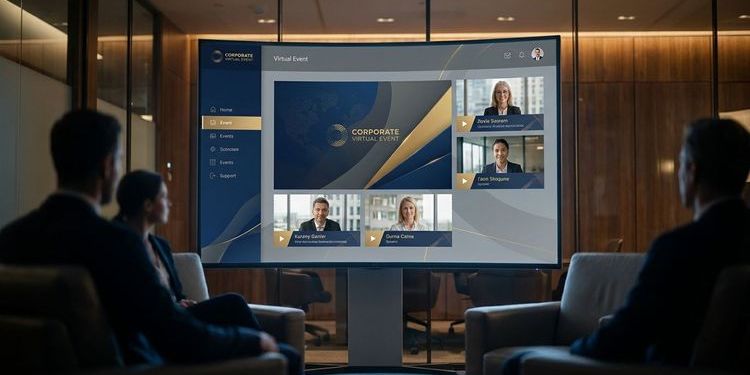
Webcast branding is the visual handshake that signals to every attendee within the first few seconds: we take this seriously. Imagine your sales team spending months nurturing an enterprise account. The prospect agrees to join your next webinar, clicks the link, and lands in a generic setup with a default background and a pixelated logo in the corner. First impression: gone.
This article explains why CI-compliant events drive trust, engagement, and conversion in B2B, and how MEETYOO lets you build a complete brand experience in minutes.
Why webcast branding directly affects business outcomes
Branding is a trust question.
When attendees join a webinar, they make an unconscious decision within the first few seconds: "Is this professional enough to justify my time?" An inconsistent look and feel, colours that don't match the website, no company logo, generic speaker overlays, signals carelessness. For many decision-makers, carelessness in an event is a proxy for carelessness in a product.
A consistently branded webcast experience, from the invitation email to the waiting lobby, speaker overlay, and on-demand page, reinforces every message you deliver. It makes your company stick in attendees' minds. It ensures people know exactly who they're learning from.
CEO townhalls, investor relations webcasts, and product launches are moments when your company stands in front of hundreds or thousands of people. Every one of those moments is a branding opportunity or a branding risk.
What CI-compliant webcast branding actually means
CI-compliant branding in the webcast context means more than a logo top-left. It's a consistent look and feel across every event touchpoint:
Before the event
- Invitation emails in corporate design
- Registration page with company colours, fonts, and imagery
- Social media announcements in the same visual language
During the event
- Waiting lobby and intro screen in brand design
- Speaker overlays with name, title, and company logo (lower thirds)
- Virtual backgrounds that match the CI
- Interactive elements (polls, Q&A window) in brand colours
After the event
- On-demand archive page in corporate design
- Follow-up emails with consistent visual identity
- Clips and highlights that continue the brand language
Most teams fail at the speaker overlays or the on-demand page, because these get created right before or after the event under time pressure.
The most common branding problems in webcasts
Every event looks different Without a central branding template, individual team members make design decisions based on personal preference. The result: inconsistent events that build no brand memory.
The design team is always the bottleneck "Can you quickly do the speaker cards for Thursday?" — for design teams, this is chronic stress. When branding depends on one department, events get delayed or quality drops.
No sub-branding for different business units Enterprise organisations with multiple brands need the ability to define a unique CI per event without overwriting the master brand.
Speaker backgrounds destroy the CI Even the most polished event design achieves little when speakers join with chaotic home-office backgrounds.
Pro tip: With MEETYOO's AI background generator, speakers create a virtual background that fits the event CI exactly — by typing a text description, no design skills required. No greenscreen, no designer brief.
Step by step: CI-compliant webcast branding with MEETYOO
Step 1: Create a branding profile
In the MEETYOO dashboard, you set up a branding profile:
- Primary and secondary colours (hex codes)
- Logo (SVG or PNG with transparency)
- Fonts (upload or choose from the library)
- Default background image for the waiting lobby
In practice, this first-time setup takes around 10–15 minutes. All subsequent events draw on this profile automatically.
Step 2: Use the AI branding builder
Enter your website URL. MEETYOO's AI analyses your corporate colours, logo usage, and visual language and generates a complete event theme proposal in seconds — adopt it or adjust it with one click.
No manually entering hex codes. No opening your brand guidelines document.
Step 3: Configure speaker overlays
MEETYOO provides pre-built lower third templates that you fill with your brand colours in a single click. Define the layout once — name, title, company name, optional sub-logo — and the system applies it to all speakers.
For organisations with multiple brands: activate a different sub-branding per event or per speaker without changing the master profile.
Step 4: Prepare virtual backgrounds
Upload a CI-compliant background image or use the AI background generator. Describe the desired background in plain text ("modern office in blue and white, subtle company logo bottom right") and the AI generates it immediately. Speakers activate it with one click.
Step 5: Extend branding to the on-demand archive
The recording is automatically stored in the MEETYOO archive with the full event branding. The on-demand page you send attendees also carries your corporate design. The colleague who missed the live event experiences the recording with the same professional look and feel.
→ Explore all branding features
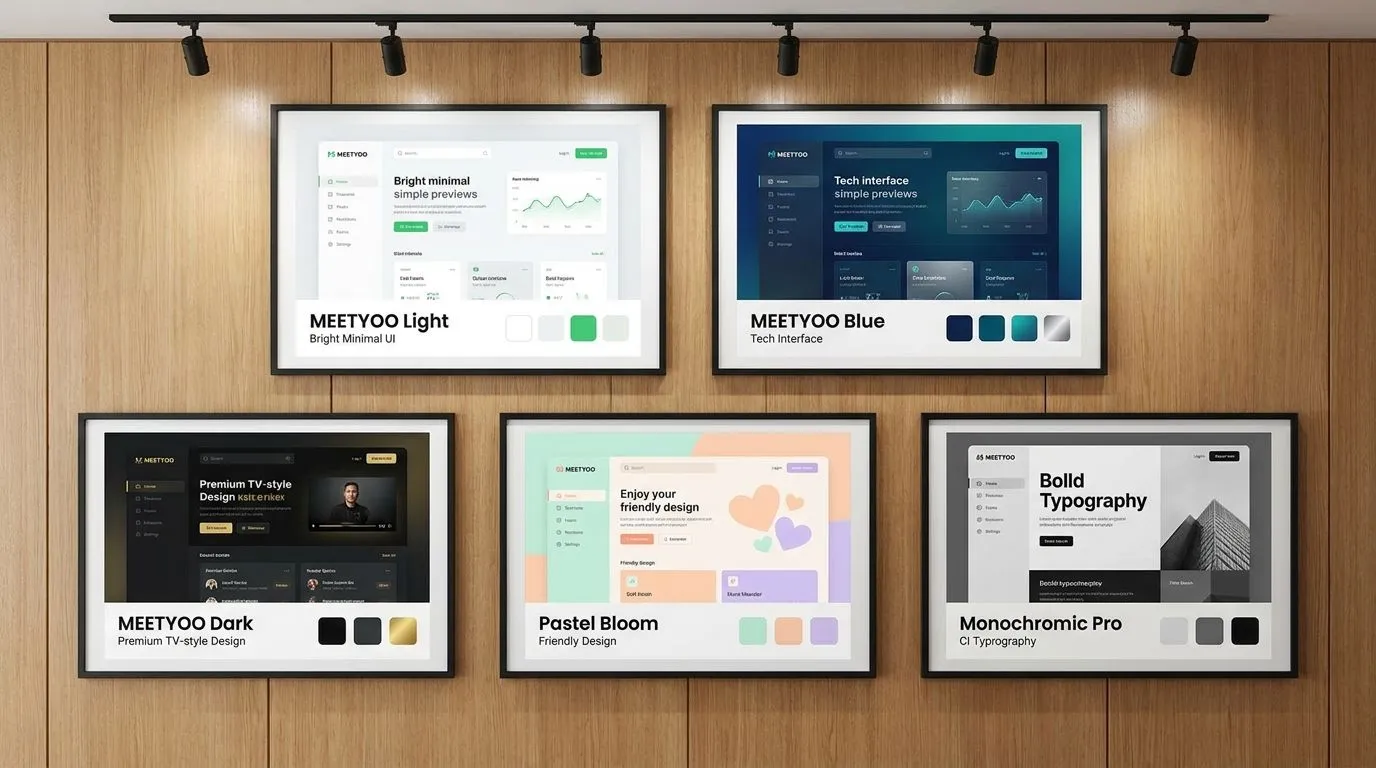
Branding templates: which one for what?
| Template | Best for |
|---|---|
| MEETYOO Light | Bright, minimal events; product demos and marketing webinars |
| MEETYOO Blue | Professional-technical; IT, SaaS, and finance events |
| MEETYOO Dark | Premium, TV-like aesthetic; product launches and CEO events |
| Monochromic Pro | Maximum CI flexibility; strong proprietary brands |
| Pastel Bloom | Friendly and accessible; HR events, onboarding, internal comms |
All templates are fully customisable.
Best practice: Create a saved branding profile for each of your recurring webcast formats. CEO townhall, product demo webinar, and compliance training can have three distinct designs and still be unmistakably recognisable as your brand.
MEETYOO vs. generic meeting tools
| Feature | Teams / Zoom | MEETYOO |
|---|---|---|
| Logo display | Limited / paid add-on | Full, everywhere |
| Corporate colours | Not possible | Fully configurable |
| Speaker overlays (lower thirds) | Not available | Pre-built CI templates |
| AI branding builder | Not available | Enter URL, theme generated |
| Virtual backgrounds (CI) | Manual upload only | AI generates from text |
| Sub-branding per event | Not possible | Configurable per event |
| On-demand page in brand design | Not available | Automatic |
Teams and Zoom were built for daily collaboration, not representative corporate communications. Running CEO townhalls, investor events, or customer presentations in these tools means giving up branding control entirely.
Use cases: who benefits most?
Marketing teams Every lead-gen webinar is a touchpoint in the customer journey. Inconsistent design breaks the brand experience you've built across all other channels.
Internal communications teams CEO townhalls with professional branding signal: "This message matters." That increases attendee attention and message retention.
Investor relations teams For earnings calls and analyst presentations, a consistent professional appearance signals stability. Investors register visual quality, even when they don't explicitly mention it.
Event agencies & AV studios Organisations producing webcasts for clients need the ability to set up custom branding per event, quickly, without developer resources.
Conclusion
Webcast branding is the extension of your brand into the moments of corporate communication that matter most. Every CI-compliant event builds audience trust and signals professionalism long before the first slide appears. With MEETYOO, you set this up once and apply it to all your events: automatically, consistently, in minutes.
FAQ
Do I have to set up branding from scratch for every event?
No. You create a saved branding profile once and assign it to each new event with one click.
Can I create separate designs for different brands or sub-brands?
Yes. MEETYOO supports multiple branding profiles, one per brand, business unit, or event series.
How long does the initial branding setup take?
With the AI branding builder: a few minutes. Manually with custom uploads: typically 15–30 minutes for a complete profile.
Does the branding also apply to invitation emails?
Yes. MEETYOO events automatically generate CI-compliant invitation and reminder emails.
What happens to branding in the on-demand recording?
The recording and the on-demand page retain the full event branding.


