
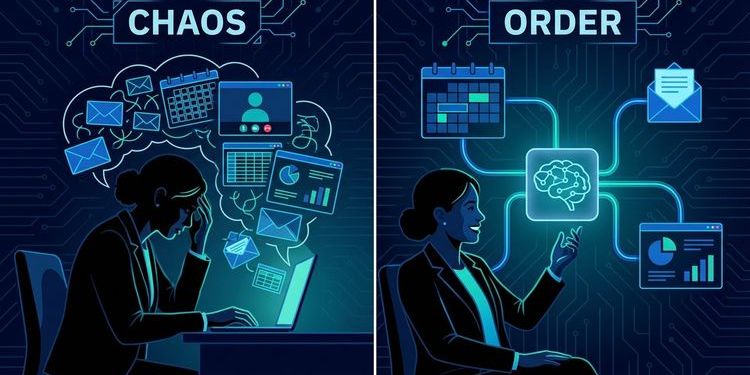
You spend hours assembling presentations, writing follow-up emails, and manually transcribing webcast recordings. Meanwhile, you know: Your competitors are already automating these processes with AI – and scaling faster than you can keep up.
Agent Skills are the reason why. They are lightweight, reusable AI workflows that automatically integrate into your local AI tools (Claude Code, ChatGPT, Cursor, Gemini CLI) and take over repetitive tasks – without you starting from scratch every time. Since Anthropic and OpenAI released the open SKILL.md standard in late 2025, over 800,000 skills have become available that activate on demand.
For webcast and event managers, this means: Less copy-paste work, more strategic work. Less "When is the next meeting?", more "How do we maximize reach?".
In this guide, we'll show you 10 essential agent skills that instantly accelerate your webcast production, attendee communication, and content repurposing – whether you're working with MEETYOO, Zoom Webinars, or another platform today.
What are agent skills – and why now?
An agent skill is a structured instruction (usually a SKILL.md file with YAML metadata) that teaches your local AI assistant to perform a specific task consistently and repeatably. Think of it like a checklist – except the AI completes it autonomously as soon as the context matches.
Example: You tell your AI: "Create an invitation email for the Q2 townhall." An activated Email Sequence Skill immediately knows you need a structured campaign (save-the-date, 24-hour reminder, follow-up), and generates all three emails with personalized subject lines, CTAs, and timing recommendations – in under a minute.
Why it's exploding now: Skills aren't tied to a single platform. You install them once locally (e.g., in .claude/skills/ or via marketplace), and they work everywhere – in your IDE, terminal, chat. No API key hell, no cloud dependency for every workflow.
The 10 most important agent skills for webcast managers
We surveyed three leading AI models (Gemini, Grok, Claude) for the most relevant skills for event and webcast work and distilled these 10. Each skill solves a concrete pain point – from planning to content repurposing.
1. Google Workspace Skill (Unified)
What it does: Connects Gmail, Google Calendar, Sheets, Slides, and Drive in one skill. You can create events, search emails, update attendee lists in Sheets, or edit presentations via voice command – without switching between tools.
Your benefit: "Create a Google Meet for Wednesday 2 PM with the sales team and attach the Q1 slides" → The AI completes all five steps (calendar, Meet link, guests, attachment, confirmation) in one pass.
Where to find it: NousResearch/hermes-agent (Google Workspace)
2. PPTX Generator / PPT Creator
What it does: Creates professional slide decks from a topic or document. Applies storytelling principles (Pyramid Principle, Assertion-Evidence), generates data-driven charts, speaker notes, and complete PPTX files. Includes quality scoring (≥75/100) and up to two auto-refinement loops.
Your benefit: You provide a brief ("Product launch webcast, audience: Enterprise IT, 3 use cases, 1 demo slide") and receive a complete, presentation-ready deck in 5 minutes instead of 2 hours of manual work.
Where to find it: MCP directory – PPTX
3. Meeting Notes Summarizer
What it does: Generates structured meeting minutes with action items, decisions, and key discussion points. Activates automatically when you mention "meeting notes" or "minutes."
Your benefit: After your webcast debrief with the production team, you say: "Summarize the meeting" – and receive a formatted document with all to-dos, deadlines, and responsibilities that you can forward directly to stakeholders.
Where to find it: SkillsMP – Business Skills (search for "Meeting Notes Summarizer")
4. Email Sequence / Resend Automation
What it does: Creates complete email campaigns (drip flows, reminder sequences, nurture tracks) with personalized copy and timing. Can also send directly via the Resend API.
Your benefit: Automate your entire webcast communication: Invitation (T-14 days), reminder (T-24 hours), "Now live" ping (T-10 minutes), follow-up with recording (T+1 day), re-engagement (T+7 days). Set up once, reuse forever.
Where to find it:
5. Social Content Creator
What it does: Generates platform-specific posts, captions, hashtags, and threads for LinkedIn, X, Instagram, etc. Optimized for reach and engagement.
Your benefit: From your webcast topic, 10 social media posts for pre-event promotion emerge in seconds – including hook, CTA, and hashtag strategy. Perfect for multi-channel buzz without a dedicated social team.
Where to find it: mysticaltech/marketingskills – Social Content
6. Content Brief Generator
What it does: Creates comprehensive content briefs for writers with SEO guidelines, tone-of-voice specifications, competitor references, and content frameworks.
Your benefit: Before your webcast starts, you generate briefs for accompanying blog posts, landing pages, and e-books – keeping your content marketing consistent regardless of who writes.
Where to find it: SkillsMP – Content Brief Generator
7. Whisper Audio Transcription
What it does: Transcribes audio files via OpenAI Whisper API (or locally with Whisper CLI, API-key-free). Supports multiple languages and timestamps.
Your benefit: Upload your webcast recording and receive a searchable transcript in minutes – for accessibility, SEO content, highlight clips, or FAQ creation from the Q&A section. What's possible beyond a plain transcript is explored in depth in our article More than just a transcript: How AI really maximizes your webcast ROI.
Where to find it: SkillsMP – LLM/AI Skills (search for "Whisper Transcription")
MEETYOO context: MEETYOO Show offers native AI transcription + automatic chapter generation right after the event. But if you have external recordings (e.g., from other platforms), Whisper is your Swiss Army knife.
8. Outlook Calendar Automation (via Rube MCP)
What it does: Automates Outlook Calendar via Rube MCP (Model Context Protocol): create events, manage attendees, find meeting times, generate Teams links. No API key needed.
Your benefit: Perfect for companies using Outlook instead of Google. "Find a 60-minute slot next week when all speakers are available" → The AI suggests three options and books on command.
Where to find it: agent-skills.md – Outlook Calendar Automation
9. Composio Multi-App Connector
What it does: Connects your AI with 500+ apps (Gmail, Slack, Notion, Google Sheets, Jira, Linear, Discord, CRMs, etc.). Handles OAuth authentication automatically. One skill to connect them all.
Your benefit: This is the "power layer" for advanced workflows. Example: "When a webcast ends, export Q&A questions to Notion, send a Slack message to #marketing with viewer numbers, and add the next follow-up tasks to Linear." One command, five tools, zero manual work.
Where to find it: agentskills.so – Composio
Workflow example: Connect your webcast platform (e.g., MEETYOO via webhook or API) with Composio to automatically push registration data to your CRM, score leads, and trigger personalized follow-ups via Slack or email – without Zapier chaos.
10. YouTube Clipper (or Video Analysis Skill)
What it does: Semantically analyzes video transcripts, identifies valuable segments, generates bilingual subtitles, and automatically cuts highlight clips from long recordings.
Your benefit: From your 90-minute webcast, five 60-second clips with the strongest quotes, demo moments, or Q&A highlights automatically emerge – perfect for LinkedIn, X, or YouTube Shorts. We put 17 AI models head-to-head to find which performs best for this task — see the full results in Best AI for video highlights: 17 models tested.
Where to find it: BrowserAct – YouTube Clipper
MEETYOO context: MEETYOO's AI features (Key-Moments Detection, automatic chapters) already identify the most exciting moments in your recording. Combine this with a clipper skill to generate social media assets directly.
How to get started with agent skills
Agent skills work with most modern AI tools that support the open SKILL.md standard. Here's your quick start:
1. Choose your tool:
- Claude Code (Anthropic's desktop app)
- Cursor (AI-first code editor)
- ChatGPT (with Agent Skills plugin)
- Gemini CLI or other CLI-based agents
2. Install skills:
- Marketplace method: Visit SkillsMP.com, SkillHub, or agent-skills.md, find your skill, and click "Install" (usually downloads the
SKILL.md+ resources). - Manual method: Clone the GitHub repo (e.g.,
git clone https://github.com/mysticaltech/marketingskills) and copy the skill folder to~/.claude/skills/or.claude/skills/in your project directory.
3. Activate the skill: Skills usually activate automatically when the context matches. You can also trigger them explicitly:
- "Use the email-sequence skill to create a webinar reminder campaign"
- "/skill ppt-creator: Product launch Q2, target audience CFOs"
4. Iterate:
Most skills are highly customizable. You can open the SKILL.md and adjust prompts, templates, or parameters to your brand voice.
Pro tip: Create a skill stack for recurring webcast types (e.g., "Quarterly-Townhall-Stack" = Google Workspace + PPT Creator + Email Sequence + Meeting Notes). Then start each new webcast with a single command.
Agent skills + MEETYOO = content ROI on autopilot
At MEETYOO, we believe: Software for decisive moments must be intelligent – not just stable. Our AI features – automatic transcription, chapter generation, Key-Moments Detection, Chat-with-Webcast – already transform every webcast into a library of searchable, reusable assets.
Agent skills extend this principle to your entire workflow: from planning through promotion to repurposing. You're not just producing an event – you're producing a content ecosystem that's still generating leads weeks later.
A real-world example: A financial services company uses MEETYOO for quarterly earnings calls. With agent skills, they automate:
- Pre-event: PPT Creator generates investor slides from earnings data (Google Sheets Skill)
- Promotion: Email Sequence sends save-the-date + reminder to 5,000 stakeholders
- Live: MEETYOO hosts the call with CI-compliant lower thirds, Q&A moderation, ISO 27001-certified archiving
- Post-event: Whisper transcribes, YouTube Clipper cuts CFO quotes, Composio pushes metrics to CRM
- Follow-up: Content Brief Generator creates briefs for accompanying blog posts
Result: 40% less manual work, 3x more content assets per event, measurably higher engagement on republication.
Conclusion: From reactive to automated
The webcast landscape has changed. Those who still manually build every presentation, write every email individually, and transcribe every recording by hand are losing to teams that have automated this work.
Agent skills aren't a future promise – they're available today, open-source, and work with the tools you already use. The 10 skills in this guide cover 80% of a webcast manager's repetitive work.
The question is no longer "Should I use AI?" but "How fast can I automate my workflows before my competition makes the lead uncatchable?"
Start with one skill this week. Add one every month. In six months, you'll have a system that gives you back 10+ hours per week – time you can invest in strategy, creativity, and real differentiation.
FAQ
What exactly is an agent skill?
An agent skill is a structured instruction (usually a SKILL.md file) that teaches your AI assistant to perform a specific task consistently and repeatably. Skills activate automatically based on context or can be explicitly triggered by command.
Do agent skills only work with Claude?
No. Since Anthropic and OpenAI released the open SKILL.md standard in late 2025, skills work with Claude Code, ChatGPT, Cursor, Gemini CLI, and other tools that support the standard. You install them once locally and use them everywhere.
Do I need technical knowledge to install skills?
For marketplace installation: No. You click "Install" and the SKILL.md is automatically downloaded. For manual GitHub installations, basic command-line knowledge is helpful but not required – most READMEs offer copy-paste commands.
Can I create custom skills for our specific webcast workflows?
Yes. You can use existing skills as templates and customize the SKILL.md (e.g., your brand voice, specific templates, internal tool integrations). Many tools also offer a "Skill Creator" skill that generates new skills through conversation.
How do I combine agent skills with MEETYOO's native AI features?
MEETYOO handles event execution (live stream, engagement, transcription, chapters, key moments). Agent skills automate pre- and post-event workflows (planning, promotion, content repurposing). Example: MEETYOO automatically generates transcript + chapters → you use a content brief skill to create 5 blog post briefs from it. Get a full overview of all MEETYOO Show AI features here.
Are agent skills GDPR compliant?
It depends on the specific skill. Skills that run locally (e.g., local Whisper CLI) process data on your machine. Skills that use cloud APIs (e.g., OpenAI, Google Workspace) are subject to the respective provider's privacy policies. Always check the SKILL.md and documentation for data processing.
Do agent skills cost money?
Most skills are open-source and free. Costs only arise when a skill uses a paid API (e.g., OpenAI Whisper API, Resend for email sending). Many skills also offer free alternatives (e.g., local Whisper installation instead of API).


