
You know the feeling: It's 10 minutes before your big product launch. Your keynote speaker is stuck in traffic. The backup presenter's microphone just died. Your internet connection is flickering. And 500 registered attendees are waiting for the countdown to hit zero.
This is the nightmare scenario every event manager has lived through—or fears living through.
The brutal truth about live events: They create urgency and drive attendance, but they're also high-risk, high-stress productions that can fail spectacularly at the worst possible moment.
The brutal truth about on-demand recordings: They're reliable and polished, but they lack the "event moment" that makes people show up on time and pay attention.
What if you could have both?
Introducing Pseudo-Live: The Best of Both Worlds
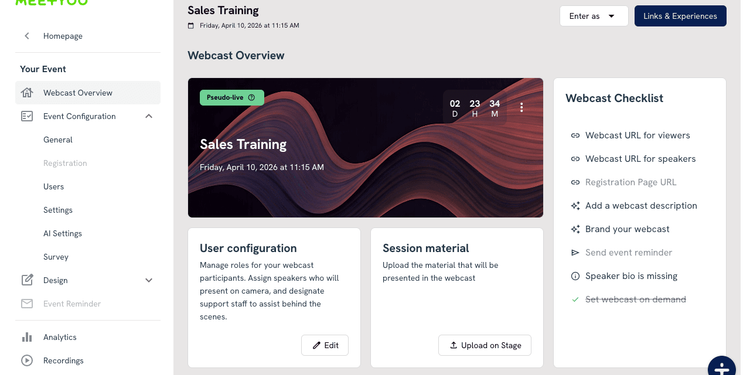
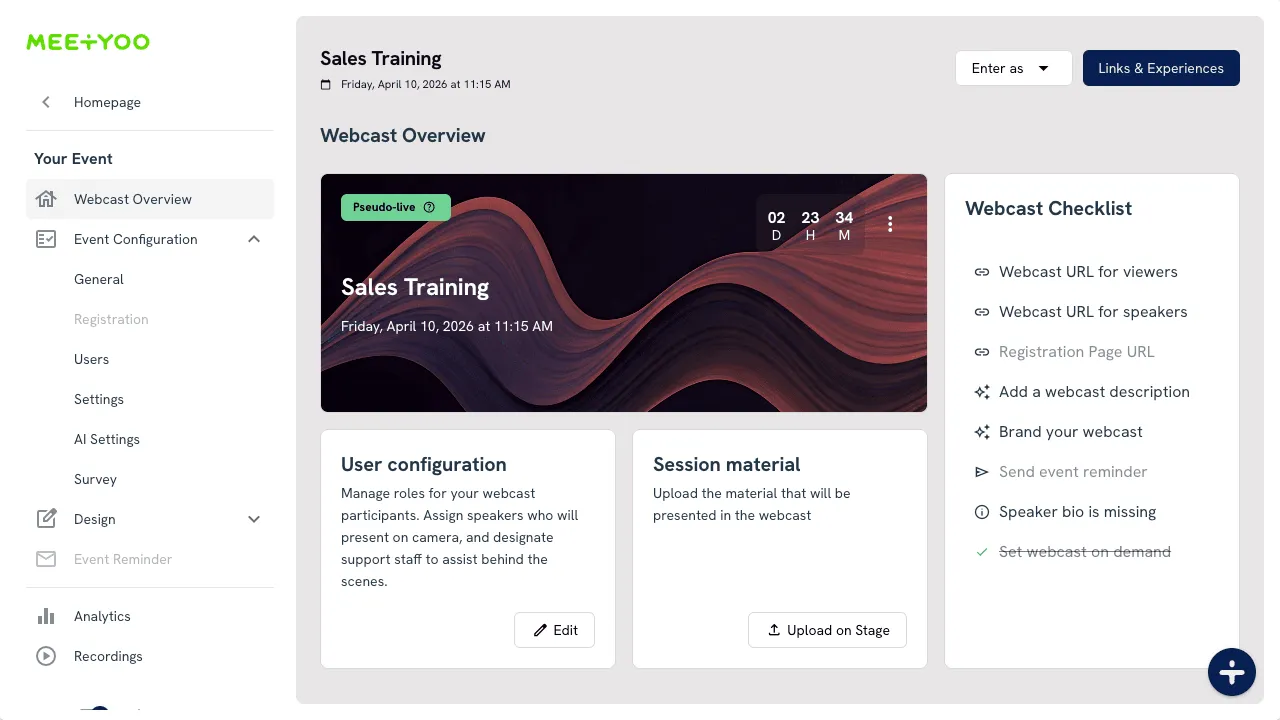
Pseudo-live is a new playback mode that lets you schedule a pre-recorded session to start at your event time—giving attendees the full live experience with countdown, synchronized start, and premiere-style engagement—without any of the live production risk.
Think of it as a "scheduled premiere" for your corporate events.
How It Works
When you enable pseudo-live:
- Attendees see a countdown to your scheduled start time (just like a live event)
- The recording starts playing at exactly the event start time for everyone
- The experience feels synchronized—like a real live moment
- You control when it becomes freely available as regular on-demand content
The result? Higher punctual attendance, zero live presenter risk, and complete control over your content availability strategy.
The Problem Pseudo-Live Solves
Let's be honest about the challenges event teams face:
Challenge 1: Live Events Are High-Pressure Gambles
Every live event carries risk:
- Technical failures: Network drops, audio issues, platform crashes
- Human factors: Speaker no-shows, last-minute cancellations, presentation mistakes
- Time zone complexity: Global teams mean someone is always presenting at 3 AM
- Production costs: Full live events require dedicated crews, backup systems, and contingency plans
One study found that over 70% of event managers report significant stress related to live production reliability.
Challenge 2: On-Demand Content Lacks Urgency
When you simply upload a recording as "always available":
- Attendance drops: People think "I'll watch it later" (and never do)
- Engagement suffers: No shared moment means no collective energy
- Launch impact fades: Your big announcement becomes just another video in the library
- Metrics get muddy: You can't distinguish between launch-day viewers and casual browsers
Challenge 3: You Need Both Reliability AND Impact
Product launches, investor updates, all-hands meetings, and compliance training all need:
- ✅ Scheduled start times that create urgency
- ✅ Reliable, polished content that represents your brand well
- ✅ Flexible availability that matches your content strategy
- ✅ Consistent quality for every viewer, regardless of when they join
Pseudo-live delivers all four.
Understanding Playback Modes: Live vs. On-Demand vs. Pseudo-Live
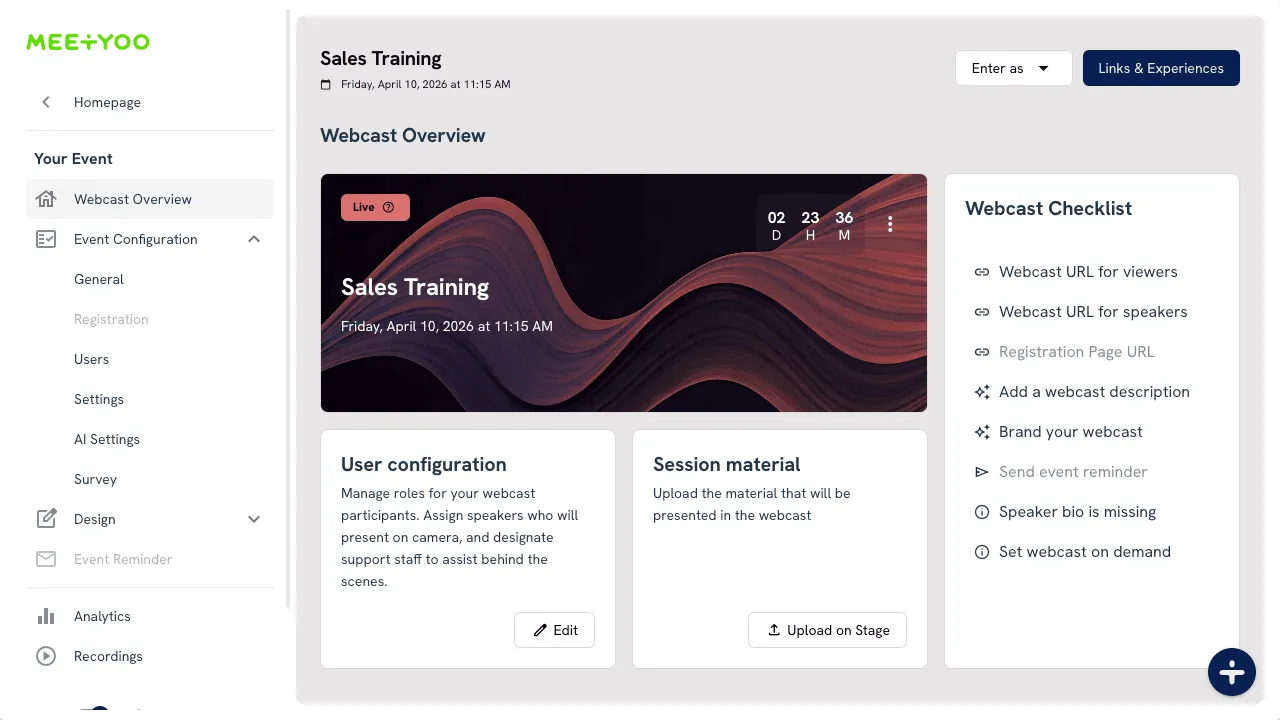
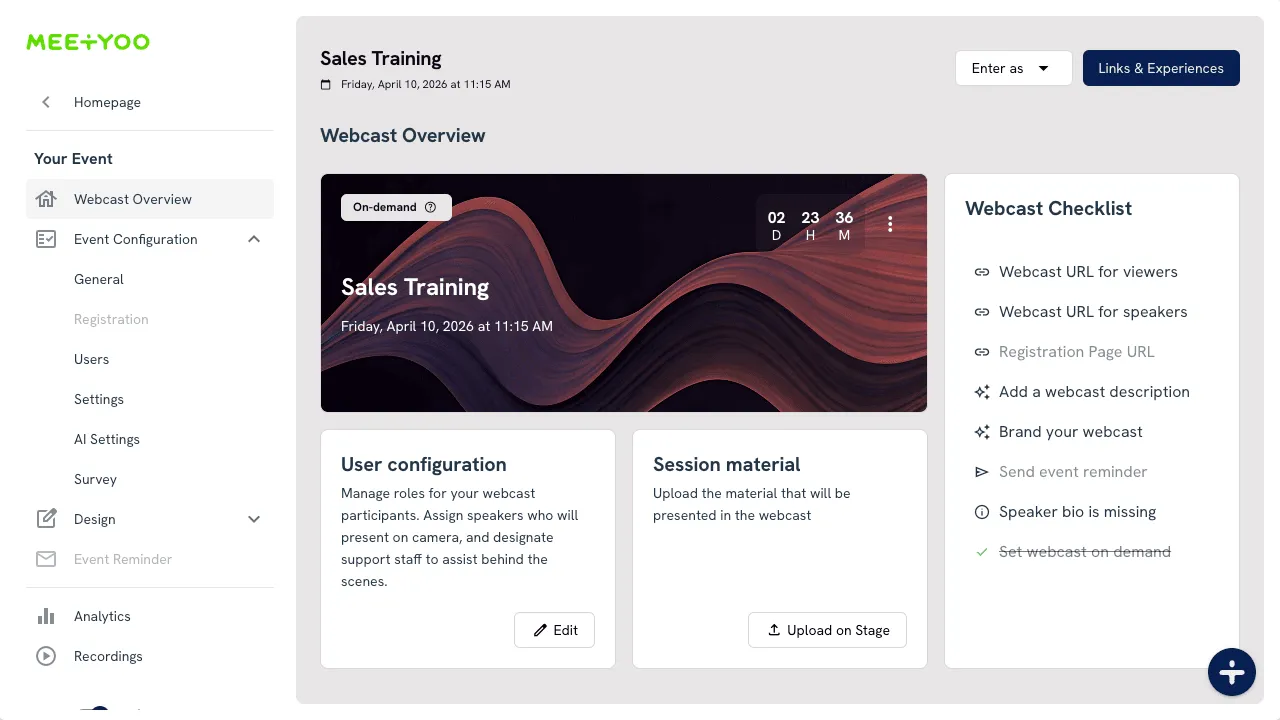
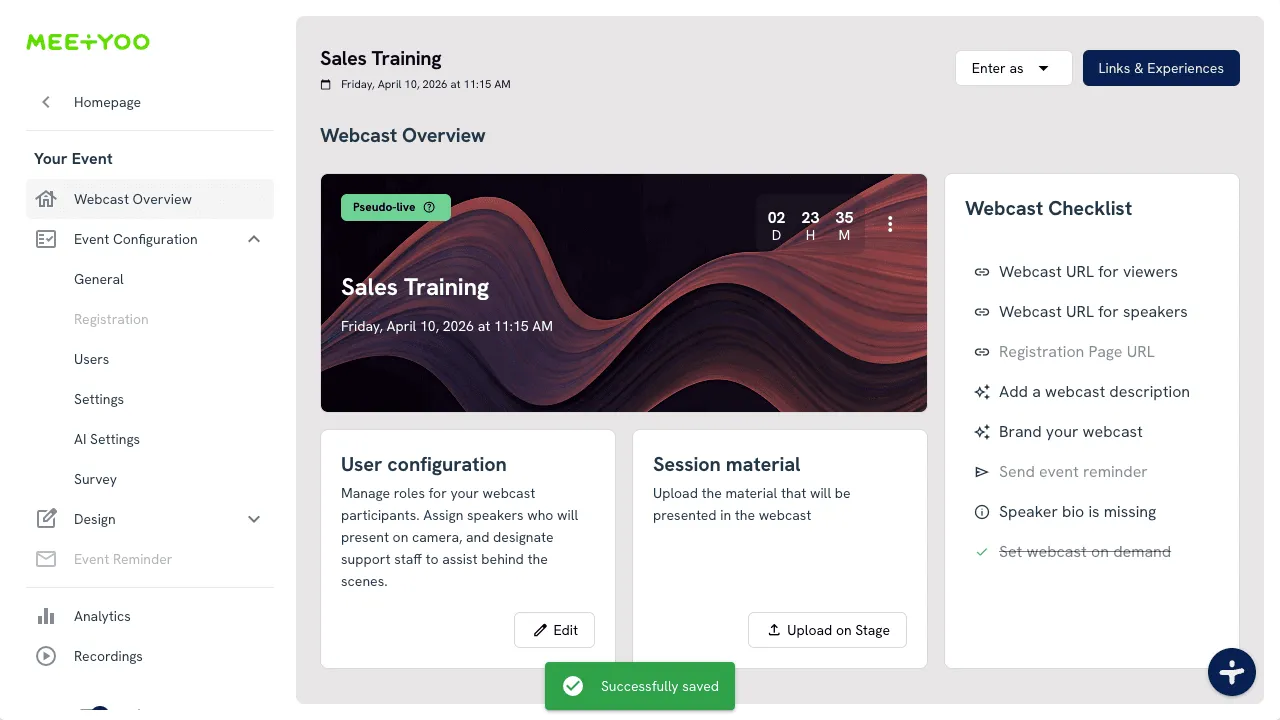
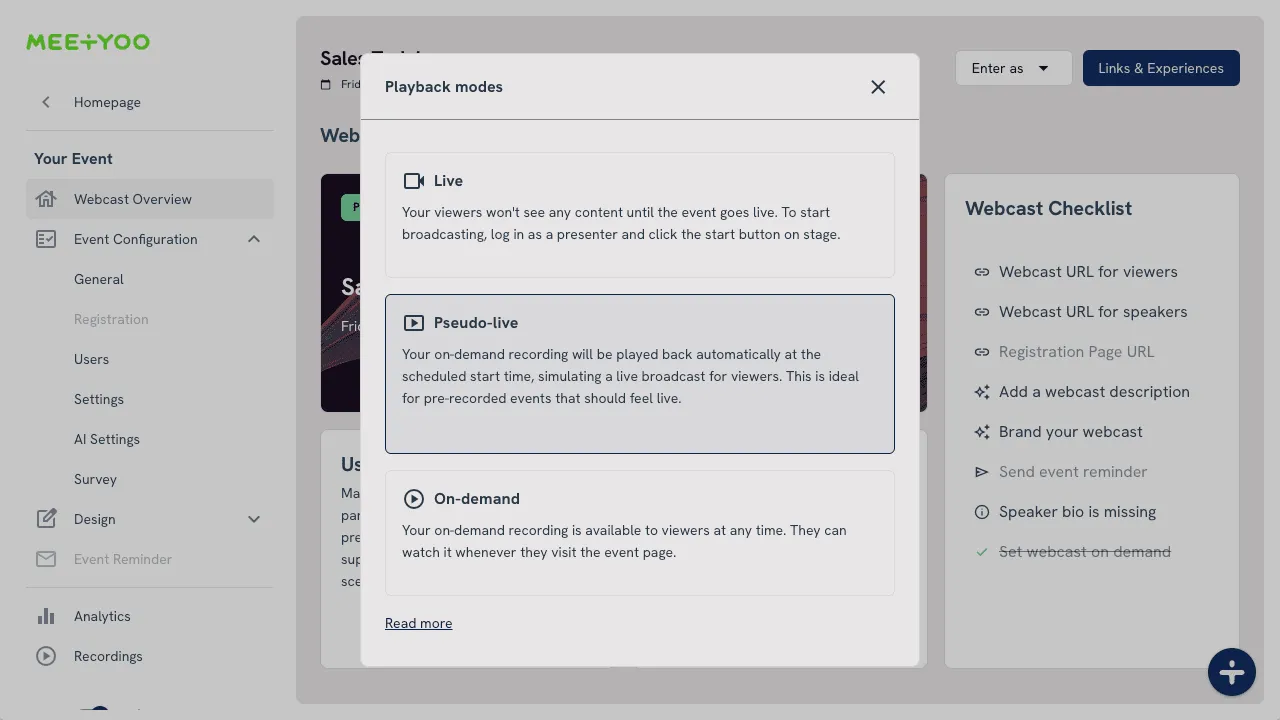
Your event platform now clearly communicates three distinct playback modes with visible badges in Event Overview:
1. Live Mode
When to use it: Real-time presentations with live speakers
Attendee experience:
- Countdown to scheduled start
- No playback until presenter goes live
- Real-time interaction with speakers
Best for: Interactive Q&A sessions, panel discussions, breaking news
2. On-Demand Mode
When to use it: Always-available content library
Attendee experience:
- Immediate playback anytime
- No countdown or scheduled start
- Self-paced viewing
Best for: Training libraries, evergreen content, resource centers
3. Pseudo-Live Mode (NEW)
When to use it: Scheduled premieres with pre-recorded content
Attendee experience:
- Countdown to scheduled start (like live)
- Synchronized playback beginning at start time
- Optional transition to on-demand later
Best for: Product launches, keynotes, global campaigns, investor updates
Real-World Use Cases
Product Announcements
Launch your new feature with keynote-quality production at a fixed moment. Get the attendance spike of a live event without risking technical failures during your most important presentation of the quarter.
Global All-Hands Meetings
Record your CEO's message once at high quality, then "premiere" it at optimal times for different regions. EMEA gets it at 10 AM CET, APAC gets it at 10 AM SGT—same polished content, perfect timing for each audience.
Investor Relations
Deliver quarterly updates with the gravitas of a scheduled event, but eliminate the risk of live mishaps during sensitive financial communications.
Compliance Training
Create the urgency of a "mandatory attendance" event while ensuring every employee gets the exact same, legally-vetted message—no variations, no mistakes.
Small Team, Big Impact
Achieve "live event feel" without a full production crew. Perfect for lean marketing teams who need to punch above their weight.
How to Set Up Pseudo-Live (3 Simple Steps)
The platform guides you through the entire setup with progressive enablement and contextual help:
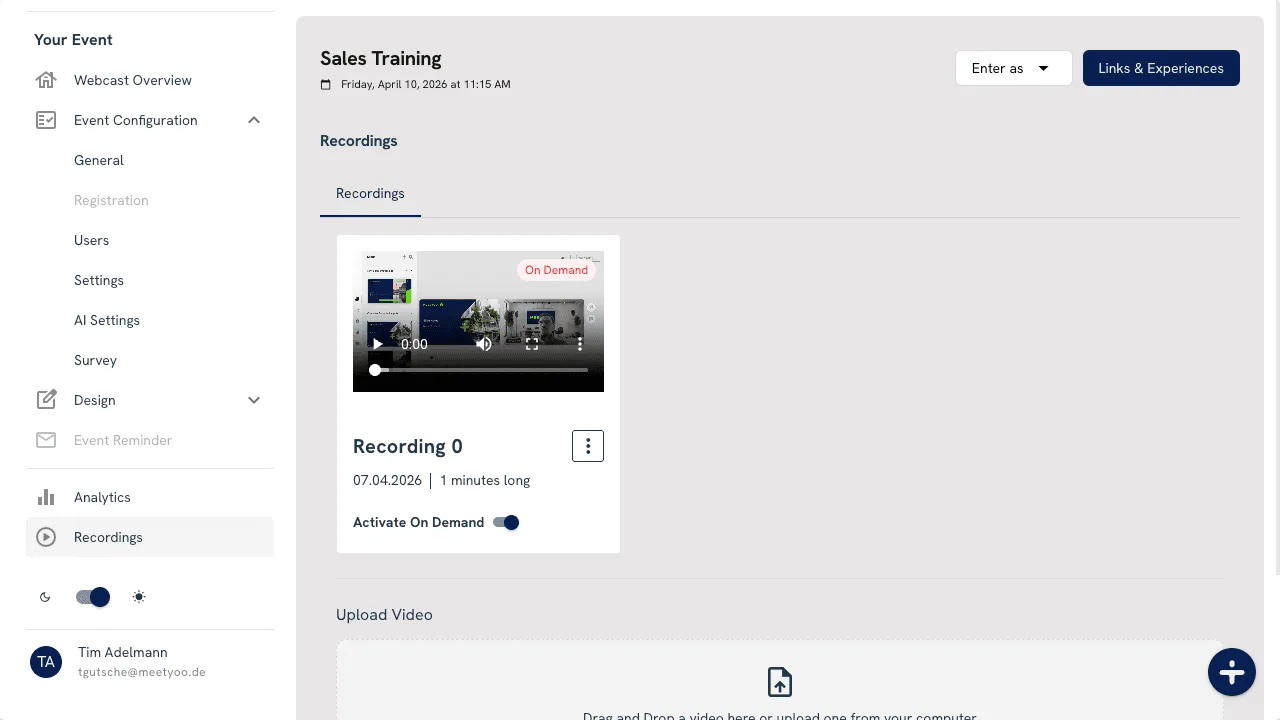
Step 1: Set Your On-Demand Recording
Go to Event Recordings and select or upload your pre-recorded session. Mark it as On-demand.
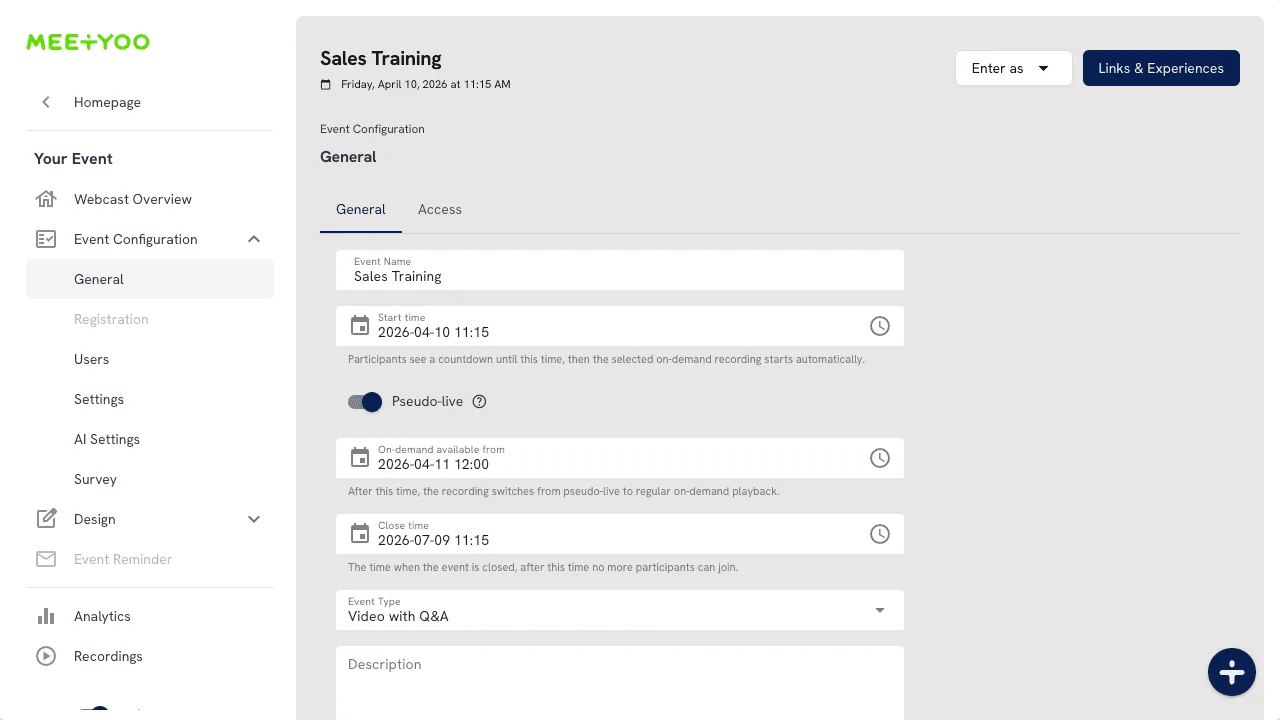
Step 2: Enable Pseudo-Live in Event Details
Navigate to Event Details and:
- Set your Start time (this is when the countdown ends and playback begins)
- Toggle Pseudo-live to ON
- Optionally set On-demand available from to define when regular on-demand access begins
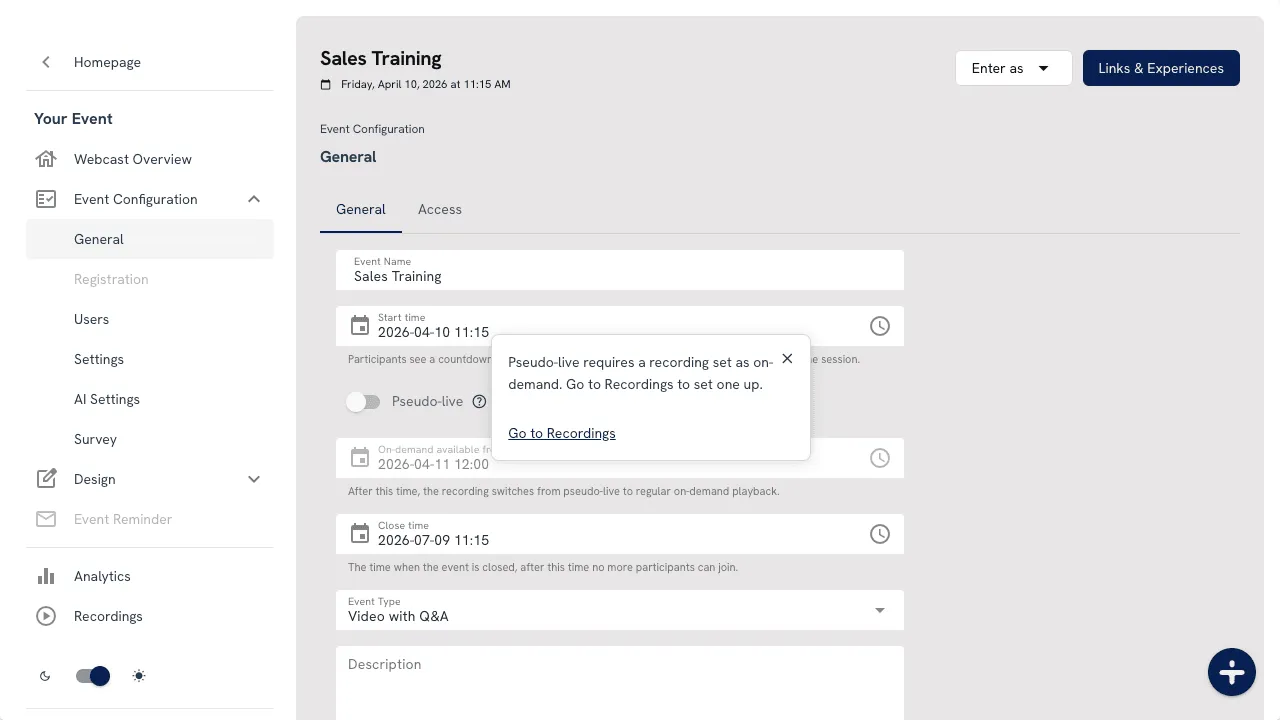
Note: The pseudo-live toggle is disabled until you set an on-demand recording. The platform shows helpful popovers explaining what to do next:
Step 3: Verify in Event Overview
Check the playback badge to confirm your mode is set correctly. Use the help icon to understand your current state and next actions.
Watch the complete setup flow:
Smart Availability Control: The On-Demand Handover
One of pseudo-live's most powerful features is the On-demand available from timestamp.
Here's how it works:
- Before start time: Attendees see countdown (premiere mode)
- From start time to handover time: Recording plays as scheduled event
- After handover time: Content becomes freely available as regular on-demand
Example Strategy
Product Launch Scenario:
- Event start: Tuesday, 10:00 AM (premiere begins)
- On-demand available from: Tuesday, 2:00 PM (4 hours later)
Result: You get the launch-day attendance spike and synchronized viewing experience, then open it up for anyone who missed it—all automatically.
This gives you:
- ✅ Maximum attendance at kickoff
- ✅ Controlled "premiere window" for VIP attendees
- ✅ Automatic transition to self-service access
- ✅ Extended content lifespan without manual intervention
Built-In Guidance: Designed for Confidence
The feature includes extensive UX guidance to prevent configuration mistakes:
- State badges show your current playback mode at a glance
- Contextual help dialogs explain all three states with your active mode highlighted
- Progressive enablement prevents invalid configurations (you can't enable pseudo-live without an on-demand recording)
- Action-oriented links direct you to the right place to fix issues
- Popover hints explain why controls are disabled and what to do next
The system guides you to correct setup—no guesswork required.
The Business Impact
Higher Attendance at Kickoff
Scheduled starts with countdowns drive 2-3x higher punctual attendance compared to "watch anytime" on-demand content.
Production Reliability
Zero risk of live failures during your most important moments. Every attendee gets the same polished, brand-quality experience.
Consistent Quality
No variations, no mistakes, no "we'll fix it in post." The recording you approve is exactly what everyone sees.
Flexible Content Strategy
Control when your premiere becomes public. Perfect for tiered access, regional rollouts, or time-sensitive announcements.
Global Team Support
Record once, premiere multiple times. Serve different time zones without requiring speakers to present at 3 AM.
FAQ
Is pseudo-live the same as live streaming?
No. Pseudo-live uses a pre-recorded session but starts it at the scheduled event time to create a live-like attendee experience with countdown and synchronized playback.
Can I use pseudo-live without a recording?
No. You first need to upload or select a recording and set it as on-demand. The platform will guide you through this requirement.
What if I want instant playback all the time?
Use standard On-demand mode (pseudo-live toggle off) with an on-demand receiver set. This makes your content immediately playable anytime.
Why set an on-demand available timestamp?
It lets you control when the experience transitions from scheduled premiere behavior to always-available on-demand access. This is perfect for creating VIP premiere windows or controlling content release timing.
Can I switch modes after the event starts?
Yes, but be mindful of attendee experience. The platform shows clear state indicators to help you understand the impact of changes.
Getting Started
Pseudo-live is available now in your event settings. Here's how to try it:
- Choose an upcoming event (or create a test event)
- Upload a recording and set it as on-demand
- Enable pseudo-live in Event Details
- Set your start time and optional on-demand handover
- Verify the badge in Event Overview
Pro tip: Test with a small internal event first to see the attendee experience before rolling it out to external audiences.
The Bottom Line
Live events create urgency and drive attendance. Pre-recorded content delivers reliability and consistent quality. Pseudo-live gives you both.
Launch on schedule. Eliminate live risk. Control your content strategy.
Ready to try pseudo-live in your next event? The feature is live in your event settings now.


