
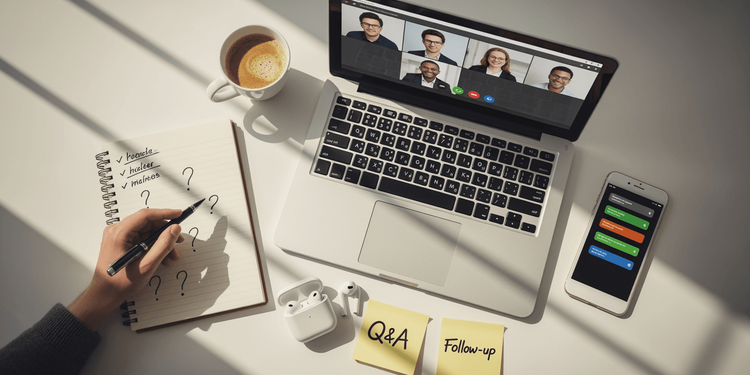
Imagine this: You're an event manager at a mid-sized company organizing a webcast – maybe an internal training session for your team or an external webinar for clients. Everything's running smoothly until the questions start rolling in. Suddenly there's chaos in the chat, time is running out, and by the end, many participants feel left behind. Unfortunately, such scenarios are everyday reality. A 2020 study showed that over 70% of moderators struggle with declining engagement because interactions aren't handled properly. (Source: Wang et al., 2020) But hey, it doesn't have to be this way. In this article, we'll look at the typical stumbling blocks in managing live interactions – specifically handling questions in webcasts. We'll keep it practical for business people like you who need to manage events internally or externally, without getting too academic.
As an event manager in an SME, you're dealing with limited budgets and small teams. Webcasts are great because they're flexible and cost-effective, but Q&A handling can quickly turn into a nightmare. We'll break down the process into three phases:
- Planning
- Execution
- Analysis
Based on practical insights from studies and surveys, we'll provide tips on how to avoid these problems and use tools that make your job easier. At the end, we'll look at how platforms like meetyoo can score points here. Let's go!
Phase 1: Planning – Where Everything Can Go Wrong Before the Webcast Even Starts
Planning is like the foundation of your house – if it's shaky, everything will collapse later. Many event managers underestimate this and end up in a frenzy. A classic problem: You don't prepare for the flood of questions. Without a Q&A plan, you end up with unexpected topics that overwhelm the speaker. A survey on live streams found that users interact for hours, which means enormous stress for you as a moderator if nothing is prepared. (Source: Zhang et al., 2025)
Another everyday annoyance: You don't know your target audience well enough. In internal webcasts, you might have colleagues from sales and IT mixed together – some want superficial basics, others want in-depth details. Without preliminary checks, the interaction features don't fit, and participation remains flat. An analysis of online events emphasizes that the lack of "real" presence and technical hurdles complicate everything. (Source: Chodor & Cyranski, 2025) In SME environments, where you often work with standard tools like Zoom, this leads to chaos: Different apps for chat and polls – hello, multitasking nightmare!
And then there's the technology: Setup problems like network hiccups or incompatible software are classics. The same 2020 survey shows that almost everyone struggles with reduced interactions, often because of such panic moments.
What to do? Keep it simple: Build a list of potential questions, e.g., with pre-event surveys using tools like Google Forms. Set rules – who moderates, which topics are okay? Test your tools in advance. Recommendation: Slido or Mentimeter for quick polls – great for collecting anonymous input and grouping topics. Use AI to sort questions in advance. A quick checklist: 1. Check target audience, 2. Try out tools, 3. Have a backup plan. This saves time and prevents participants from dropping out.
📋 Preparation Checklist:
☑️ Check target audience
☑️ Try out tools
☑️ Set up backup plan
Phase 2: Execution – The Real Battle in Live Mode
Now comes the exciting part – the live phase, where things really heat up. This is where most frustrating moments lurk. Top pain point: Question overload. In webcasts with 50+ people, the chat explodes: spam, repetitions, or off-topic stuff mess everything up. Research on virtual courses describes "Zoom fatigue" from endless chats – over 30 questions per session are normal, but without structure, it's a disaster. (Source: Watson-Haigh et al., 2022)
Another annoyance: Low participation. Many participants don't dare to use the microphone, out of fear or because of hierarchy – cameras stay off, the chat remains empty. The 2020 study confirms: Interactions decline when it's not inviting. And real-time moderation? Difficult when inappropriate questions disrupt the flow. An experimental study on live streams shows: Without small aids like emojis or likes, trust is lacking, and engagement suffers. (Source: Chen et al., 2022)
Technical problems like lags or outages make it worse, especially at international events with language barriers – only a few use subtitles, which promotes misunderstandings.
Practical solutions: Focus on real-time prioritization, e.g., with upvoting systems. Tools like Pigeonhole Live let participants vote so the best questions rise to the top. For more pep: Mix in polls or small group chats to break the silence. Kahoot! is great for playful Q&A – makes it entertaining and engages people. Deploy multiple moderators in parallel to distribute the pressure. AI filters help against spam. Think of a simple workflow: Question comes in, gets tagged, voted on – and boom, answered. In practice: Companies have increased their interaction rates by 40% this way, simply because it seems more trustworthy.
Phase 3: Analysis – Where Opportunities Are Often Wasted
After the webcast, you breathe a sigh of relief – but the work isn't over. Many neglect the analysis, and that's a mistake. Biggest problem: No follow-ups to unanswered questions. Participants feel abandoned, potential leads are lost. The live stream survey warns: Interactions can be addictive, but without follow-up, it disappoints.
Measuring is also tricky: How do you evaluate success? Question numbers, likes, or how long people stay – without tools, doing this manually is a nightmare. The analysis of online events says: Without data on the balance of content and Q&A, you miss optimizations. And at large events? The data volumes are overwhelming, time is wasted.
Tips for the conclusion: Automate messages – send answers via email. Tools like Eventbrite or HubSpot make it easy. Track numbers with dashboards, e.g., via Google Analytics. Typeform is great for quick feedback surveys. Compare before and after: Previously chaos and dropouts, now more structured and more leads. This way you learn for the next one and turn every event into a hit.
Conclusion: From Frustration to Success – with Smart Tools
Live interactions in webcasts can be stressful, but with the right approach, they become a game-changer for your SME. We've chewed through the usual problems – from planning errors to live chaos to forgotten follow-ups – and seen that simple strategies and tools help. Insights from surveys like those from 2020 or 2022 emphasize: It's about practice, not theory.
While Slido, Mentimeter, or Kahoot! are great helpers for parts of the job, meetyoo offers an all-in-one solution that's perfect for event managers in SMEs.
With meetyoo, participants ask questions – anonymously if it's sensitive. You can tag them or have AI automatically label them to keep track. Prioritize yourself or let participants take over prioritization through upvoting. Answer questions directly in writing or add an internal comment for the speaker who then answers the question verbally. The best part: At events with masses of questions, you scale effortlessly because multiple moderators work synchronously – no more chaos.
Meetyoo also brings analytics for evaluation, with reports and exports for your CRM. This way you solve the pain points and boost engagement.
or learn more about the Interaction Features