
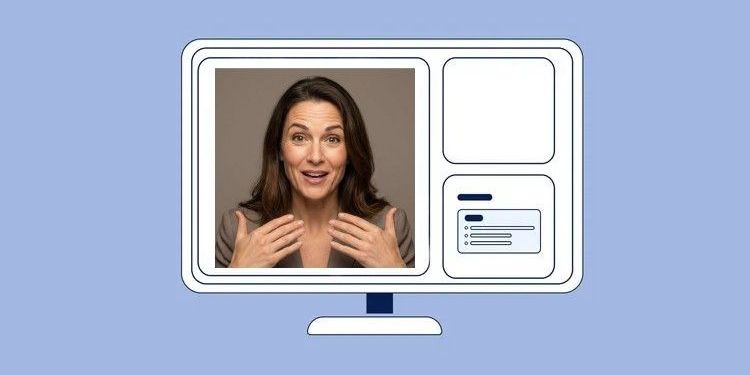
Virtual events have changed our stages. Instead of freedom of movement on large podiums, we are often restricted to the so-called "talking head" frame: chest up, fixed in front of the lens. But limited space does not mean limited energy.
Many speakers make the mistake of confusing "sitting" with "relaxing." The result: body tension drops, the voice becomes flatter, and the message loses urgency. Yet, you can build enormous presence even while sitting – if you know how to use the visible image section strategically.
Here you will find out how to burst the "talking head" frame without leaving it.
1. The Basis: Active Sitting is the Engine
Energy starts not in the face, but at the feet - even when sitting. Anyone who sinks deep into the backrest subconsciously signals to the body: "Pause."
To avoid this, use the "edge": Slide forward slightly on the chair and do not use the full backrest. This automatically forces your upper body into an upright posture and opens the diaphragm. You breathe more freely, and your voice immediately sounds fuller and more competent.
Additionally, grounding ensures stability: Place both feet firmly on the floor. No crossed legs! Contact with the floor prevents you from nervously rocking back and forth on the swivel chair. A minimal forward tilt towards the camera also acts as intense interest and attention on the participants' screens.
2. The Magical Eye Contact: How to Build Trust
In a webcast, the camera is not a piece of technical equipment, but the eye of your audience. Eye contact is the strongest means of building trust over distance.
Train yourself to speak consistently into the lens, not at your own monitor, the slide preview, or your notes on the table. Otherwise, you quickly appear to the viewers as if you are looking past them.
A common problem is the "note trap": If you need notes, stick them at monitor height next to the camera instead of laying them flat on the table. Every look down interrupts the connection to the audience.
💡 MEETYOO Tip: Stick a small Post-it with a smiley face or an arrow directly next to the lens. This reminds you: Humans are sitting here, not machines. Smile at the lens as if it were a good friend.
3. Facial Expressions: Your Face is the Stage
Since the image section is narrow, the camera acts like a magnifying glass. Every twitch, every eyebrow raise, and every smile is perceived more intensely. Your face must transport the energy that your whole body usually sends.
Pay special attention to these four aspects:
- The "audible smile": This is one of the most important hacks of all. A smile changes the physical shape of your oral cavity. The result: Your voice immediately sounds brighter, warmer, and more open. Even if you are not currently in the picture (e.g., during a pure slide view), you should smile to collect these auditory sympathy points. You can hear the difference immediately!
- Beware of the "resting face": When we concentrate heavily on content, our facial muscles often relax completely. The result often looks bored, stern, or tired on video. consciously try to maintain positive basic tension in your face.
- Eyebrows as highlighters: Use your eyebrows to emphasize spoken words. A short lift signals: "This is important!". It brings dynamism to your face and prevents monotony.
- Congruence is important: Does your facial expression match your message? If you are talking about exciting innovations, one must be able to see that in your eyes.
4. Gestures in the Visible Area (The "Box")
Many speakers gesticulate quite naturally - but unfortunately often below the visible area. The audience then only sees twitching shoulders, but no hands. You must consciously raise your gestures - into the area between the breastbone and shoulder height. This feels unusual at first but looks dynamic and engaged on video.
Here is a comparison of how you should adapt your gestures:
| Situation | Offline (Meeting room or stage) | Online (MEETYOO Show Webcast) |
|---|---|---|
| Height of hands | Belly button height or lower | Chest to shoulder height (in the "Box") |
| Movement | Large-scale and wide | More compact, slower, and more defined |
| Resting position | Arms loosely at the side of the body | Loosely on the table (visibly relaxed shoulders) |
💡 MEETYOO Tip: If you decide to use overlays (e.g., name inserts/lower thirds) for your event, your "visible box" shrinks. Note that your hands may disappear behind the overlay. You could ask your assistance to ensure the overlay is only shown briefly and fades out again after a few minutes so that you have the complete "box" available.
5. Technology and Environment
Even if you don't have studio equipment: Small adjustments make a huge difference.
Regardless of whether you use a headset or the laptop microphone - mics forgive nothing. Avoid clicking pens, rustling paper notes, or drumming on the table. These noises are often transmitted louder than your voice. Also, ensure that your face is well-lit. If your face is in the shadow, your entire facial expression and thus a part of your impact is lost.
Conclusion
A successful session depends not only on the slides but on how much you break through the digital barrier. Your viewers cannot feel you like in a real room. You must compensate for this energy: Through conscious eye contact into the lens, lively facial expressions, and active sitting posture. If you take these tips to heart, you will transform from a passive "talking head" into an inspiring speaker.