
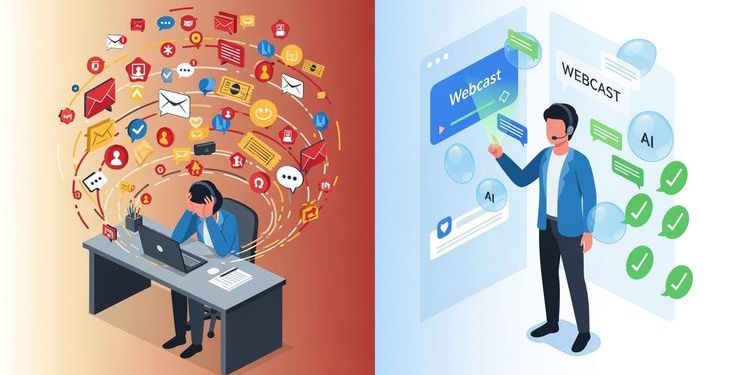
Picture this: It's Monday morning, 9:00 AM. Your support inbox shows 47 new emails. 32 of them ask questions you've already answered three times last week. Wednesday's weekly "open office hours" is coming up – two hours where you explain the same basics over and over while complex cases pile up. And the worst part? Next week, the cycle starts again.
If this scenario sounds familiar, you're not alone. According to recent studies, support teams in software companies spend up to 60% of their time answering repetitive questions. This isn't just frustrating for your team – it's a massive cost factor preventing your company from scaling.
The good news? There's a way out of this hamster wheel. And it starts with a paradigm shift: Away from reactive support, toward proactive knowledge transfer through intelligent webcasts.
In this article, I'll show you how leading companies reduce their support tickets by 30-50% by combining three elements: Structured live webcasts, GDPR-compliant recordings, and AI-powered self-service portals. You'll learn the exact strategy, see an anonymized real case, and get an ROI calculation you can apply directly to your company.
The Support Dilemma: Why Classic Solutions Fail
Before we dive into the solution, let's be honest: You've probably already tried a few things.
Solution 1: The Weekly Zoom Office Hours
The Promise: "We offer open office hours where customers can ask questions live."
The Reality:
- Different participants each week asking the same basic questions
- Experts repeat themselves endlessly
- Sessions can't be shared as recordings because participants are visible (privacy!)
- Those who can't attend live are out of luck
- Result: Zero scalability, maximum time investment
Solution 2: The Static FAQ Page
The Promise: "We'll write down all the answers and put them online."
The Reality:
- Nobody reads 50-page PDFs
- The search function never finds the right thing
- After three months, half of it is outdated
- Customers still email: "I can't find the info"
- Result: Lots of work, little impact
Solution 3: The E-Learning Platform
The Promise: "We'll build structured online courses."
The Reality:
- Production takes months
- As soon as the course is ready, the next software update arrives
- Participants drop off after module 2 (too dry, too long)
- No option for individual questions
- Result: High investment, low completion rate
The core problem with all these approaches? They separate live interaction (where people actually learn) from scalable reuse (where ROI happens). You have to choose: Either personal and live – or scalable and on-demand.
Until now.
The 3-Stage Approach: How Modern Webcasts Revolutionize Support
The solution isn't about stacking more tools. It's about rethinking the entire support process – with webcasts at its core. Here's the framework that works:
Stage 1: From Chaotic Office Hours to Structured Webcast Sessions
The first step is a mindset shift: Your "office hours" is no longer an informal meeting. It becomes a professional webcast event.
What changes specifically?
Frequency: Instead of weekly ad-hoc sessions, you plan monthly, well-prepared webcasts. Sounds like less service? On the contrary: You give your experts time to create truly good content instead of improvising the same thing every week.
Structure: Each webcast follows a clear agenda:
- 0-10 min: New features/updates (what's changed since last time)
- 10-35 min: Deep dive into a focus topic (e.g., "Most common setup mistakes")
- 35-50 min: Live Q&A (moderated, prioritized)
- 50-60 min: Preview of next month
Pro tip for your sessions: To keep your live Q&A structured and ensure no high-value question gets lost in the noise, leverage automated moderation tools. Interaction workflows for live Q&A.
Professionalism: You use a webcast platform (like MEETYOO Show) that gives you real broadcast quality: Branding in your corporate design, professional overlays, stable infrastructure. This signals: "This is important."
The Effect: Your participants take the event seriously. They block the time. They come prepared. And most importantly: They know they're getting the official, current information here.
A company in the certification sector that made this shift reported: "We used to have 15-20 participants in our weekly Zoom calls who listened half-heartedly. Now we have 80-120 participants in our monthly webcasts who actively ask questions. And the best part: The quality of questions is much higher because the basics are now covered elsewhere."
Stage 2: The "Invisible Participants" Principle – Privacy Meets Reusability
This is where it gets exciting. Because now we solve the biggest problem of classic office hours: the recording.
The Privacy Dilemma
You know this: After a Zoom call with customers, you have a recording. But you can't just put it on your website or send it to 1,000 other customers. Why? Because participants are visible, names are displayed, maybe even sensitive information appears in questions.
GDPR throws a wrench in your plans here. You'd need explicit consent from every participant for publication. Good luck with that.
The Solution: Invisible Participants
Modern webcast platforms like MEETYOO Show work differently than meeting tools. The basic principle:
- During the live event: Participants can ask questions (via chat/Q&A), vote, interact – they're fully engaged
- In the recording: Only the speaker is visible. Questions are read aloud by the moderator (without naming names). The video is "clean".
The Result: You have a recording that's 100% GDPR-compliant and can be reused immediately. No post-processing, no consents, no risk.
Why This Is a Game-Changer:
A company offering software for language certifications had exactly this problem. They conducted regular training sessions but couldn't use a single recording. The consequence: Every week the same explanations, zero scalability.
After switching to webcasts with "Invisible Participants," everything changed:
- The live session is interactive (participants ask questions, feel heard)
- The recording is immediately available for everyone who couldn't attend live
- New users can watch the last 6 months of webcasts before they even ask a question
The Side Effect Nobody Expects: Participants dare to ask more. Why? Because they know their question won't be on the internet forever with their name attached. The barrier to entry drops, the quality of interaction rises.
Stage 3: AI-Powered Self-Service – When Your Video Becomes a Support Agent
Now comes the part that really cuts your support tickets in half: Intelligent reuse.
Imagine: A new customer has a problem. Instead of writing an email (and waiting 24 hours for a response), they go to your support portal. There they see your latest webcast recordings. But they don't have to search through 60 minutes of video.
Instead, this happens:
Scenario 1: The Multilingual User
A French customer types in her native language: "Je n'ai pas reçu le mail de confirmation, que faire?" (I didn't receive the confirmation email, what should I do?)
The system:
- Understands the question (even in French)
- Semantically searches the German webcast video
- Finds the exact spot where this problem is explained
- Responds in French: "The problem is explained at minute 23:45. Here's the solution: Step-by-step instructions in French. Would you like to jump directly to that spot in the video?"
Scenario 2: The Impatient Power User
An experienced user doesn't want to watch the whole video. He asks: "How do I change the default language in the admin settings?"
The system:
- Recognizes: This is a specific technical question
- Delivers a precise text answer with screenshots (automatically extracted from the video)
- Offers: "Here's the 2-minute sequence from the webcast if you want to see it in action"
Scenario 3: The Documentation Lover
A user from the compliance department needs written instructions for her records. She clicks "Download as PDF".
The system:
- Automatically generates a structured step-by-step guide from the webcast
- Including chapter structure, screenshots, timestamps
- Ready to print or forward
The Technology Behind It (Simplified):
Modern webcast platforms like MEETYOO Show use AI on multiple levels:
- Transcription: Spoken words become searchable text
- Semantic Analysis: The AI understands not just words, but meaning and context
- Chapter Markers: Automatic detection of topic changes
- Multilingualism: Translation and answering in 20+ languages
- Document Generation: Video becomes structured text
Important: Quality depends on input. A well-structured, clearly presented webcast delivers excellent results. A chaotic brainstorming meeting doesn't. But that's exactly why Stage 1 (structured webcasts) is so important.
Curious about the tech? Explore how our algorithms turn your video content into searchable knowledge in real-time: See the AI features in detail.
Real Case: How a Certification Provider Saves 200+ Support Hours per Month
Let me show you what this looks like in practice. I've anonymized the details, but the case is real.
The Company:
- Provider of digital certificates (B2B)
- 500+ language centers as customers
- International users (DACH, France, Spain, Eastern Europe)
- Problem: New software rollout led to support collapse
The Starting Situation:
The company introduced new software for digital certificates. Each of the 500+ language centers needed training. The original plan:
- Weekly Zoom office hours (every Wednesday, 2 hours)
- Parallel: Email support for individual questions
- Goal: Onboard all centers within 3 months
What Actually Happened:
- Week 1-4: 300+ emails per week, 80% repetitive questions ("Where do I find the invitation email?", "How do I reset the password?")
- Week 5-8: Office hours became chaotic (15-20 participants, all with different knowledge levels)
- Week 9-12: Support team at its limit, rollout delayed, customer satisfaction drops
The Turning Point:
The company decided on a radical course change. Instead of building more support capacity, they implemented the 3-stage model:
Stage 1 – Structured Webcasts:
- Switch from weekly office hours to monthly webcasts
- Clear agenda: "Module 1: Activate account", "Module 2: Issue first certificates", etc.
- Professional production with branding, overlays, clear moderation
Stage 2 – GDPR-Compliant Recordings:
- Use of a webcast platform with "Invisible Participants"
- All questions read aloud by moderator (without names)
- Recordings available immediately after the event
Stage 3 – AI-Powered Portal:
- Build a self-service portal with all webcast recordings
- AI chat: Users can ask questions in their language
- Automatic documentation: PDFs for each webcast
The Results After 6 Months:
| Metric | Before | After | Change |
|---|---|---|---|
| Email Support Tickets/Week | 280-320 | 95-120 | -65% |
| Average Response Time | 18-24h | 2-4h (for complex questions) | -80% |
| Live Participants per Session | 15-20 | 80-120 | +400% |
| On-Demand Views per Month | 0 | 1,200+ | ∞ |
| Support Hours/Month | 240h | 85h | -65% |
| Customer Satisfaction (NPS) | 32 | 58 | +81% |
The Cost Savings:
- Saved Support Hours: 155h/month
- Average Hourly Rate (internal): €65
- Monthly Savings: €10,075
- Annual Savings: €120,900
Compared to:
- Webcast Platform Costs: €2,880/year (Starter license)
- One-time Setup: €1,500
- Monthly Effort (Webcast Preparation): ~8h
ROI: The investment paid for itself after 6 weeks.
But the Numbers Don't Tell the Whole Story.
The support team reported a massive quality jump:
"We used to spend 80% of our time on the same basics. Now we can focus on the really tricky cases. Work is fun again."
And the customers? They were thrilled with the multilingual support:
"Finally, I can ask questions in my language, even though the video is in German. That's a huge difference."
The 5 Critical Success Factors (So It Works for You Too)
This case sounds too good to be true? I understand the skepticism. So let me be honest: It doesn't work automatically. There are five factors that determine success or failure.
Success Factor 1: Commitment from the Top
The switch from "reactive email support" to "proactive webcast strategy" is a change process. Your support team needs to invest time to produce good webcasts. In the first 4-6 weeks, it won't be less work, but differently distributed work.
What you need:
- Buy-in from management (budget, time, priority)
- Clear KPIs (not "How many emails do we answer?" but "How many tickets do we prevent?")
- Patience for the ramp-up phase
Red Flag: If your management says "Do this on the side," it will fail.
Success Factor 2: Structured Content Planning
A good webcast doesn't happen spontaneously. You need:
Topic Planning: Which questions come up most frequently? (Tip: Analyze your last 200 support tickets)
Agenda Template: Each webcast follows the same structure (creates predictability)
Preparation: Your expert should have 2-3 hours of prep time (slides, demos, Q&A preparation)
Continuity: Monthly rhythm is better than "whenever we have time"
Pro Tip: Start with a "webcast calendar" for the next 6 months. Topic 1: Basics/Onboarding. Topic 2: Most common mistakes. Topic 3: Advanced features. Etc.
Success Factor 3: The Right Platform (Not Every Tool Can Do This)
This gets technical, but it's important: Not every webcast or video platform can do what you need for this approach.
Must-Have Features:
✅ "Invisible Participants": Participants can interact but aren't visible in the recording
✅ AI-Powered Chat with Video: Users can ask questions about the video (not just full-text search!)
✅ Multilingualism: Questions and answers in different languages
✅ Automatic Transcription & Chapters: Without manual post-processing
✅ GDPR Compliance: EU servers, ISO certification (especially critical for B2B)
✅ Branding: Your corporate design, not the platform's
✅ Document Export: PDF generation from webcasts
Nice-to-Have:
🔹 Integration with your existing support system (Zendesk, Freshdesk, etc.)
🔹 Analytics (Which questions are asked most frequently? Where do users drop off?)
🔹 Single Sign-On (for enterprise customers)
Why This Matters: Many companies try to cobble this approach together with Zoom + YouTube + ChatGPT. That can work, but it's a maintenance nightmare. You need an integrated solution.
Transparency: MEETYOO Show is built exactly for this use case. But even if you choose a different platform – pay attention to the must-haves above.
Success Factor 4: Active Promotion (Your Portal Won't Use Itself)
The most common mistake: You build a great self-service portal with all webcasts... and nobody knows about it.
What Works:
Email Signature: Every support response ends with: "By the way: In our last webcast, we covered exactly this topic. Link"
Onboarding Flow: New customers automatically get: "Welcome! Before you write to us, check out these 3 webcasts."
Proactive Communication: "Next week: Webcast on the 10 most common mistakes. Register now!"
Internal Training: Your support team must know the portal and actively recommend it
Gamification: "This week, 450 users used our portal without opening a ticket. Thank you!"
Pro Tip: Track how many users visit the portal before opening a ticket. That's your most important metric.
Success Factor 5: Continuous Optimization (The AI Learns from You)
The AI is only as good as your content. This means:
Feedback Loop: When users ask a question the AI can't answer → that's content that's missing
Quality Control: Spot-check whether AI answers are correct (especially in the first weeks)
Content Updates: When your software changes, webcasts need to be updated (or new ones produced)
A/B Testing: Test different webcast formats (length, structure, interactivity)
Pro Tip: Plan a "content audit" every 3 months. Which webcasts are watched most? Which questions can't the AI answer? What needs updating?
The ROI Calculator: What Does This Mean for YOUR Company?
Enough theory. Let's get concrete. Here's a simple formula to calculate ROI for your company:
Step 1: Calculate Your Current Support Costs
Formula:
Monthly Support Costs = (Number of Tickets/Month) × (Avg. Processing Time in Hours) × (Hourly Rate)
Example:
- 400 tickets/month
- Avg. 0.5 hours per ticket
- Hourly rate €60 (full costs incl. overhead)
- = €12,000/month
Step 2: Estimate the Reduction Potential
Based on the cases I've seen:
- Conservative: 30% reduction in repetitive tickets
- Realistic: 40-50% reduction
- Best Case: 60-70% reduction (with very structured rollout)
Example (realistic):
- 400 tickets → 200 tickets (50% reduction)
- Savings: €6,000/month
Step 3: Calculate the Investment
One-time:
- Webcast platform setup: €0-2,000 (depending on complexity)
- Internal training: 1-2 days (opportunity costs)
Ongoing:
- Platform license: €240-500/month (depending on provider and features)
- Webcast production: 8-12h/month (with monthly rhythm)
- Opportunity costs: ~€600/month
Total Investment: ~€1,200/month
Step 4: Calculate ROI
Example:
- Savings: €6,000/month
- Investment: €1,200/month
- Net Gain: €4,800/month
- ROI: 400%
- Payback: After 1-2 months
But Wait, There's More
This calculation only considers direct support costs. There are additional benefits that are harder to quantify:
Higher Customer Satisfaction:
- Faster answers (self-service instead of 24h wait)
- 24/7 availability (even at night and on weekends)
- Multilingualism (no language barriers)
Better Onboarding:
- New customers are productive faster
- Less churn in the first 90 days
- Higher adoption rate of advanced features
Scalability:
- You can expand into new markets without doubling your support team
- Product updates reach all customers simultaneously
- Knowledge transfer is no longer person-dependent
Employee Satisfaction:
- Support team can focus on interesting cases
- Less burnout from repetitive work
- Higher retention (less turnover)
Your Individual ROI Check:
Want to calculate this for your company? Here are the numbers you need:
- How many support tickets do you get per month?
- What percentage of them are repetitive (same questions)?
- How long does an average ticket take?
- What does a support hour cost (full costs)?
With these four numbers, you can calculate your ROI in 5 minutes.
The Most Common Objections (And Why They're Wrong)
Whenever I present this approach, I hear the same concerns. Let me address the three most common:
Objection 1: "Our Customers Want Personal Support, Not Videos"
My Answer: That's a false dichotomy.
It's not about replacing personal support. It's about complementing and improving it.
Think about it: What do your customers really want?
- Fast answers (not waiting 24h for an email)
- On their time (not just Mon-Fri 9-5)
- In their language (not just English or German)
- Without hesitation (no "stupid questions" to ask)
An AI-powered webcast portal delivers exactly that. And for complex, individual cases? Your support team is now more available because they're not busy with basics.
Real-World Data: In the certification case, customer satisfaction increased by 81%. Why? Because customers now have both options: Self-service for quick answers AND personal support for complex cases.
The Truth Is: Many customers prefer self-service – when it's done well. According to a Gartner study, 70% of customers want to solve their problems themselves before contacting support. You're just giving them the tools to do so.
Objection 2: "We Don't Have the Resources to Produce a Webcast Every Month"
My Answer: You don't have the resources not to do it.
Let's calculate:
Current Effort (Reactive Support):
- 400 tickets/month × 30 min = 200 hours
- Of which 60% repetitive = 120 hours for the same questions
New Effort (Proactive Webcast):
- Preparation: 3 hours
- Execution: 1 hour
- Post-processing: 1 hour
- Total: 5 hours/month
So you're trading 120 hours of reactive work for 5 hours of proactive work. This isn't a resource question, it's a prioritization question.
And It Gets Easier, Not Harder:
- Month 1: You explain the basics (onboarding, first steps)
- Month 2: You build on that (most common mistakes)
- Month 3: Advanced features
- Month 4-12: You don't repeat yourself anymore, but refer to earlier webcasts
After 6 months, you have a knowledge library that covers 80% of all questions. New webcasts only cover updates and special topics.
Pro Tip: Start small. One webcast per quarter is better than none. You can always scale when you see the ROI.
Objection 3: "AI Makes Mistakes All the Time. I Can't Give My Customers Wrong Answers"
My Answer: Absolutely valid. And that's why the quality of your webcasts is so important.
The Truth About AI Quality:
The AI is only as good as the material you give it. If your webcast is structured, clear, and precise, the AI answers are excellent (95%+ accuracy). If your webcast is a chaotic brainstorming session, the AI will struggle.
That's Why the 3-Stage Model Is So Important:
Stage 1 (structured webcasts) is the foundation. If you slack here, Stage 3 (AI) won't work.
But There Are Safety Nets:
Confidence Scores: Good AI systems show how confident they are in an answer. With low confidence: "I'm not sure. Would you like to speak with a human?"
Feedback Loops: "Was this answer helpful? Yes/No" → You immediately see where the AI fails
Hybrid Approach: The AI answers 80% of questions. For the remaining 20%, it automatically escalates to your team
Transparency: The AI always says: "This answer is based on the webcast from date. Here's the source: Link"
Real-World Experience: In the certification case, the AI error rate was under 5%. And even these 5% weren't "wrong" answers, but "incomplete" answers that were then supplemented by humans.
The Alternative: Your current support also makes mistakes. People are tired, stressed, new to the team. The difference? The AI makes consistent errors (which you can fix systematically), humans make random errors (which are hard to track).
The Implementation Roadmap: How to Start in 30 Days
Okay, you're convinced. But where do you start? Here's your step-by-step roadmap:
Week 1: Analysis & Planning
Day 1-2: Support Ticket Analysis
- Export your last 200-300 support tickets
- Categorize them: Which questions come up most frequently?
- Identify the top 10 repetitive topics
- Output: List of topics for your first 3-6 webcasts
Day 3-4: Stakeholder Alignment
- Present the business case (use the ROI calculator above)
- Get buy-in from management, support team, possibly product/marketing
- Define KPIs: Ticket reduction, customer satisfaction, time-to-resolution
- Output: Green light + budget + resource commitment
Day 5: Platform Evaluation
- Define your must-have features (see Success Factor 3)
- Test 2-3 platforms (use free trials!)
- Pay attention to: GDPR compliance, AI features, user-friendliness
- Output: Platform decision
Pro Tip: If you want to test MEETYOO Show, you can book a free demo here or start directly with the 30-day trial.
Week 2: Setup & Preparation
Day 6-7: Platform Setup
- Create account, configure branding (logo, colors, fonts)
- Conduct first test webcasts (internal, only for your team)
- Train support team: How does the platform work?
- Output: Ready-to-use platform
Day 8-9: Content Planning
- Create a webcast calendar for the next 6 months
- Define agenda template (see Stage 1)
- Prepare the first webcast: Slides, demos, Q&A preparation
- Output: Detailed plan for Webcast #1
Day 10: Internal Communication
- Inform your entire company about the new initiative
- Explain the "why": Better service, faster answers, scalability
- Ask for support: "Actively recommend the portal!"
- Output: Internal alignment
Week 3: The First Webcast
Day 11-13: Production
- Conduct your first webcast (topic: Basics/Onboarding)
- Invite your most active customers (those who ask the most questions)
- Actively moderate the Q&A (prioritize questions, summarize)
- Output: Your first professional webcast + recording
Day 14-15: Post-Processing
- Upload the recording to the portal
- Check: Does the AI work? Are transcript and chapters correct?
- Generate automatic documentation (PDF)
- Output: Fully usable self-service asset
Week 4: Launch & Promotion
Day 16-18: Portal Launch
- Send an email to all customers: "New: Our Self-Service Portal"
- Explain the benefits: 24/7 available, multilingual, instant answers
- Offer an incentive: "The first 50 users get goodie"
- Output: First users in the portal
Day 19-21: Monitoring & Optimization
- Track: How many users visit the portal?
- Analyze: Which questions are asked? Can the AI answer them?
- Collect feedback: "Was this answer helpful?"
- Output: First learnings for Webcast #2
Day 22-30: Iteration
- Plan the second webcast (based on feedback and open questions)
- Optimize the portal (e.g., better homepage, clearer navigation)
- Celebrate first successes: "This week, 50 users used self-service!"
- Output: Momentum for the coming months
Quick Wins: 3 Things You Can Do TODAY
You don't have to wait 30 days to start. Here are three things you can do today:
Quick Win 1: The "Top 10 Questions" List (15 Minutes)
Open your support system. Export the last 100 tickets. Create a list:
- Which question comes up most frequently?
- Which question costs the most time?
- Which question annoys your team the most?
These three questions are your first webcast topics. Done.
Quick Win 2: The "Invisible Participants" Test (30 Minutes)
Sign up for a free trial of a webcast platform (e.g., MEETYOO Show). Conduct a 10-minute test webcast. Invite two colleagues to ask questions. Watch the recording.
Ask yourself: Are the participants visible? If no: Perfect, that's your platform. If yes: Keep looking.
Quick Win 3: The ROI Pitch (45 Minutes)
Take the ROI calculator from this article. Fill it in with your real numbers. Create a 5-slide presentation:
- Slide 1: The problem (support tickets exploding)
- Slide 2: The costs (€12,000/month)
- Slide 3: The solution (3-stage model)
- Slide 4: The ROI (€4,800/month net gain)
- Slide 5: Next steps (30-day roadmap)
Book a meeting with your boss. Tomorrow.
Conclusion: From Hamster Wheel to Scaling Machine
Let's go back to the beginning. Remember the scenario? Monday morning, 47 emails, the same questions as last week, the office hours on Wednesday that don't help.
This doesn't have to be your reality.
The companies that make this shift – from reactive support to proactive knowledge transfer – all report the same turning point. It's the moment when a customer says:
"I had a problem at 11 PM. I went to your portal, asked my question, and within 30 seconds I had the answer – in my language, with a link to the exact spot in the video. That's the best support I've ever experienced."
That's the moment when you realize: It works.
The Three Key Takeaways:
- Structured webcasts are the foundation. Without good input, there's no good output. Invest in preparation, agenda, moderation.
- "Invisible Participants" solve the privacy dilemma. You can be interactive AND scalable. This is no longer a compromise.
- AI-powered self-service isn't a future dream, it's available today. The technology is here. The only question is: Are you using it?
The Next Step Is Yours.
You now have the strategy, the business case, the roadmap, and the tools. What's missing is just one thing: The decision to start.
Maybe not with a perfect 6-month rollout. Maybe not with a huge budget. But with a first webcast. With a first test. With a first step out of the hamster wheel.
Because the alternative? Next Monday, 47 emails again. Next Wednesday, the same office hours again. Next year, the same problems again.
Or you start today.
Your Next Step: Try It Yourself
Theory is good. Practice is better. That's why I invite you: Experience for yourself how an AI-powered webcast portal works.
Visit the MEETYOO Content Hub and:
✅ Chat with real webcast recordings – Ask questions in your language, see how the AI responds
✅ Test the "Invisible Participants" function – See what a professional webcast looks like
✅ Book a personal demo – Let us show you how this works for your specific use case
✅ Start a free 30-day trial – No risk, no credit card required
The question isn't whether this approach works. The question is: When will you start?
FAQ: Common Questions About Webcasts for Support Reduction
How long does it take to see first results?
Most companies see first measurable reductions in support tickets after 4-6 weeks. The full ROI unfolds after 3-6 months when you've built a solid library of 3-6 webcasts. The key is: The earlier you start, the faster the effect comes.
Does this work for technical/complex software too?
Yes, especially well. Particularly with complex software, visual explanations (video) are often more effective than text. The AI can explain technical concepts in simple language and jump directly to the relevant demo sequence in the video. The only important thing: Your webcasts must be structured and clear.
What if my customers don't speak German?
That's exactly the advantage of this approach. You produce the webcast in your main language (e.g., German), and the AI answers questions in 20+ languages. A French customer can ask in French, a Spanish one in Spanish – all get answers based on the same German video.
Do I need a large support team to implement this?
No, on the contrary. This approach is especially valuable for small teams that want to scale without adding staff. A team of 2-3 people can serve hundreds or thousands of customers with monthly webcasts. That's the whole point.
How do I ensure the AI doesn't give wrong answers?
Three safety nets: (1) The AI only answers based on your webcasts (not from the internet), (2) it always shows the source (link to video spot), (3) you can build in feedback loops ("Was this answer helpful?"). In practice, the error rate for well-structured webcasts is under 5%.
What does such a webcast platform cost?
The price range is wide: From €200-500/month for self-service platforms to several thousand euros for enterprise solutions with dedicated support. MEETYOO Show starts at €240/month (annual contract) and includes all features you need for this use case. Most companies amortize this investment in 4-8 weeks through saved support costs.
Can I integrate this with my existing support system (Zendesk, Freshdesk, etc.)?
Yes, modern webcast platforms offer APIs and integrations. You can, for example, automatically link to relevant webcast content from a support ticket or vice versa: If the AI can't answer a question, automatically create a ticket.
How often should I conduct webcasts?
For the start: Monthly is ideal. This gives you enough time for good preparation but also creates momentum. After 6-12 months, you can switch to quarterly (for updates) and focus on maintaining your webcast library.
What if my software constantly changes?
That's actually an advantage of the webcast approach. Instead of updating 50 FAQ articles, you simply produce a new webcast: "What's new in Version 3.0?" The AI can then refer to both old and new webcasts and say: "This has changed."
Information: This article is based on real implementations of the webcast support model at German and international B2B companies. The numbers and cases are authentic but have been anonymized for privacy reasons.


